“Try-on takes under a minute and polls get more replies because the hairlines look real, not like stickers.”
LinaBeauty creator
Drop a clear selfie, pick length, bangs, and color, and get a realistic before/after in seconds—no install or account required.
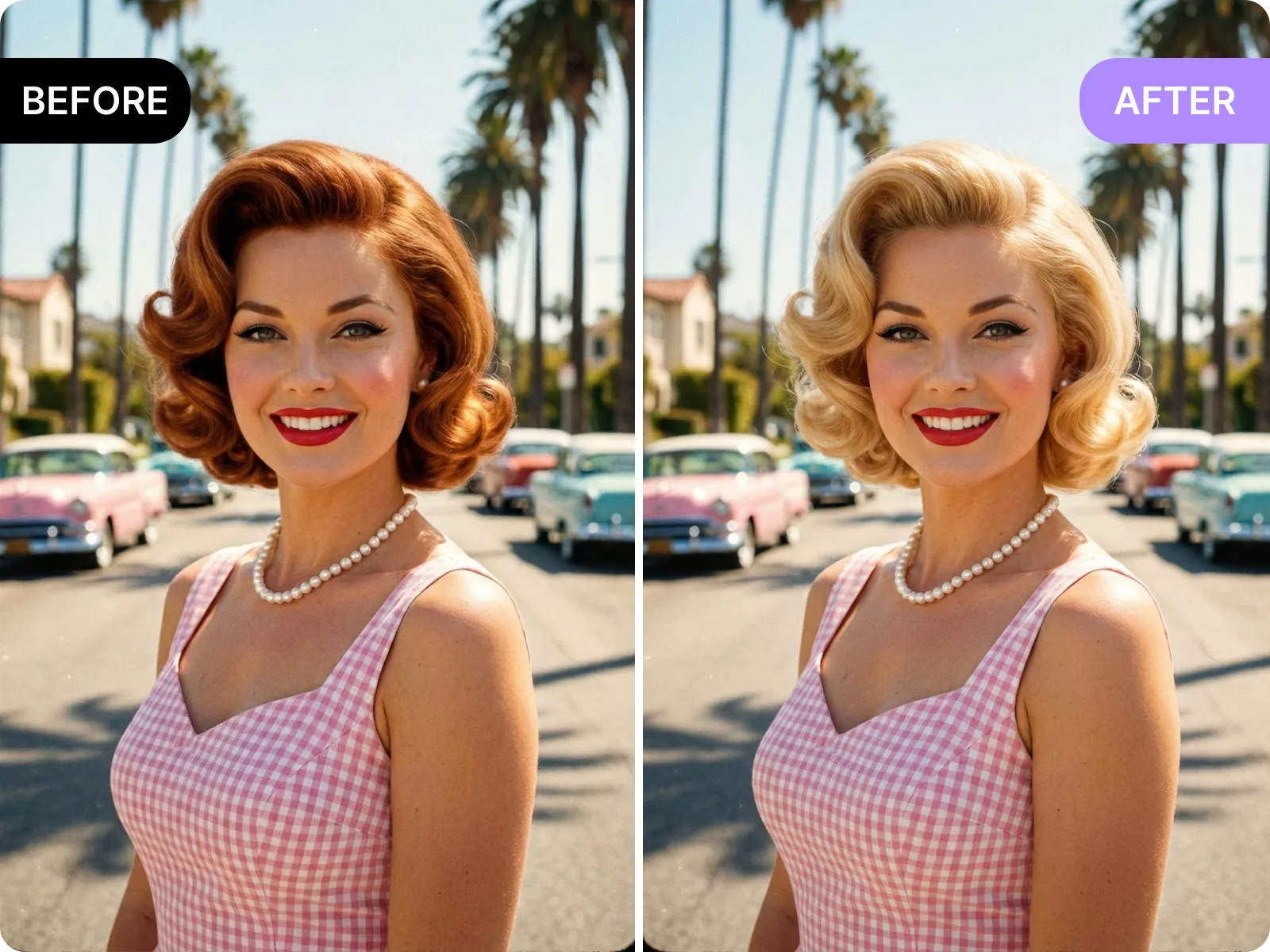
The AI hairstyle try-on maps your forehead, cheekbones, and jawline, traces your hairline direction, then matches the light source and skin tone so dyes, bangs, and parts do not cover earrings or brows. In one screen you can swap among 100+ modern looks—bob, French bangs, wolf cut, pixie, layered long waves—and live-adjust length, thickness, curl arc, and highlight shades. Everything runs in the browser with no download or sign-up; drag a selfie from phone or desktop, get a before/after in about a minute, and decide whether to cut, color, perm, or grow it out with a view that respects your real proportions.
Try it now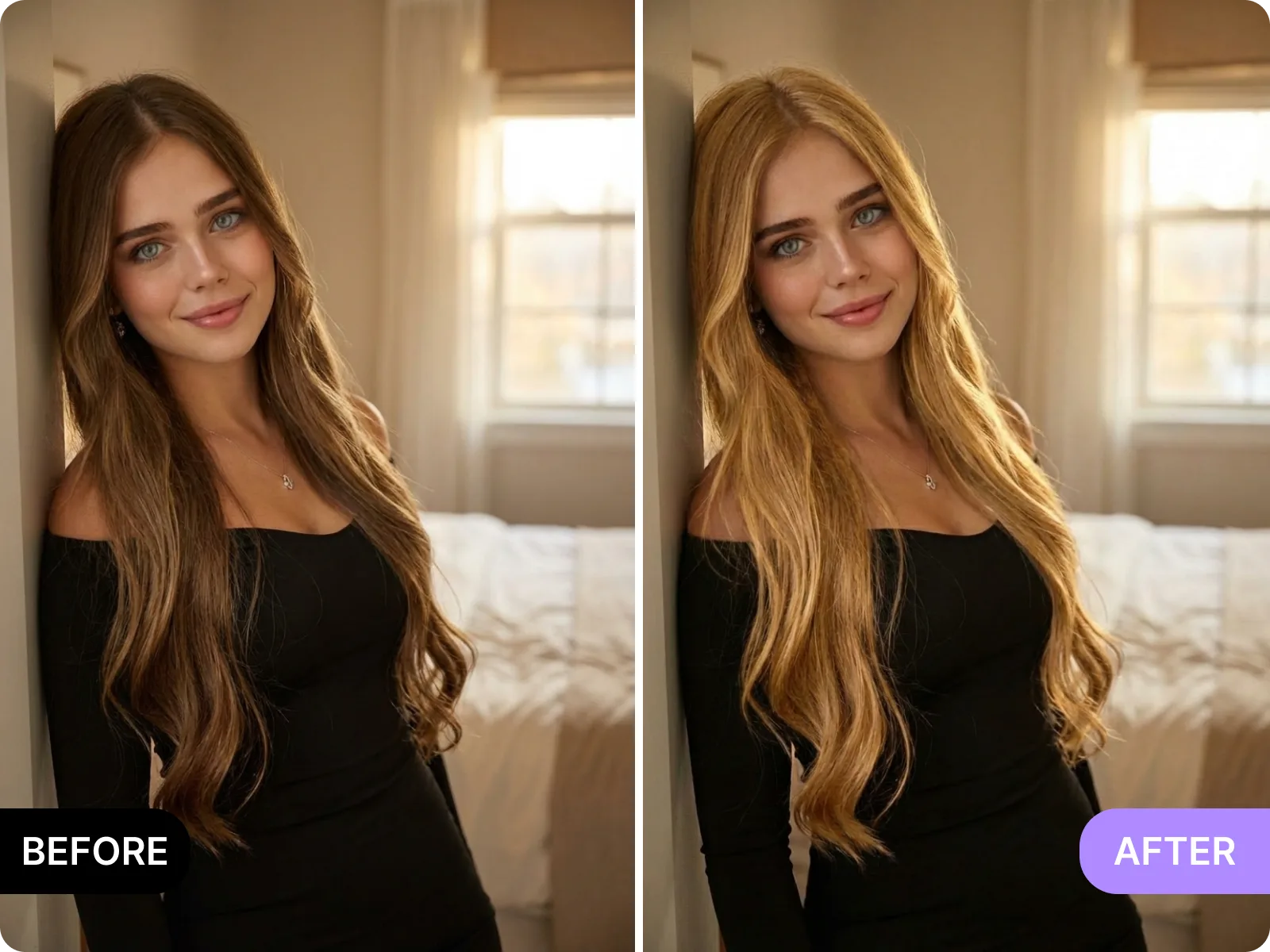
Before rendering, the AI hairstyle preview checks your hairline, sideburns, earlobes, and shoulder line, aligning the hair contour with real earring shadows and cheekbone highlights to avoid sticker-like edges. The best results come from single-person, front-facing photos with even light and full head-and-shoulder framing so layers and curls follow your face shape. If a photo is dark, backlit, heavily filtered, or a group shot, the tool prompts a retake or adjustment to prevent bangs clipping through, dyes blowing out, or backgrounds over-cut. For hats, heavy bangs, or tilted heads, it gives clear tips on removing obstructions and adjusting angle, making each generation closer to an in-salon result with natural volume and believable hairlines.
See a clean blend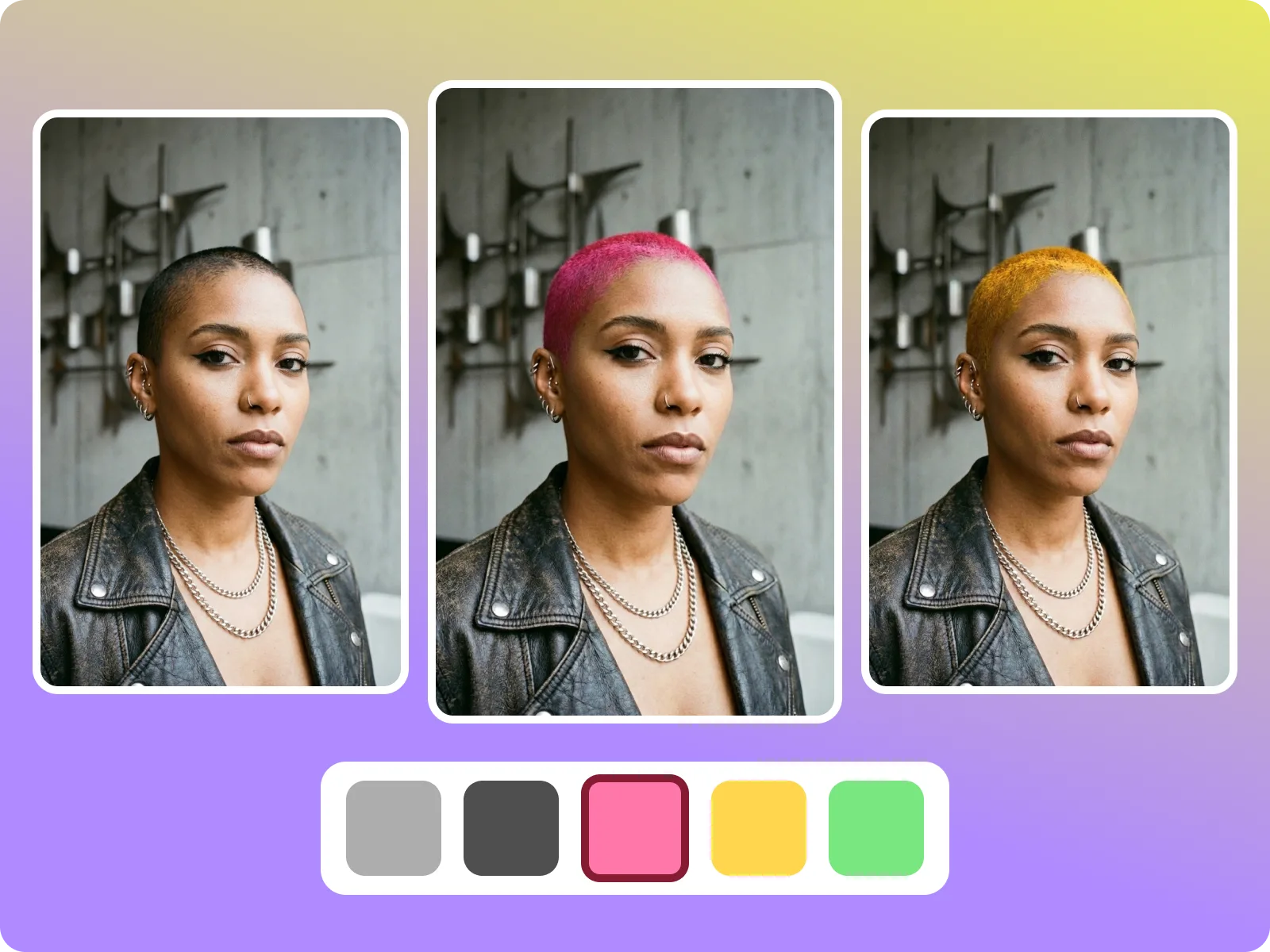
The AI hairstyle library around this keyword spans professional-safe neutral browns and cool tea shades, nightlife-ready copper highlights and lavender gradients, plus interview-friendly shoulder-length layers and commuter-friendly low-layer curls. When you pick bangs—airy French, curtain, swooped, or full blunt—the system auto-tunes the arc and density to your face ratio and brow-eye distance so it does not cover eye makeup. Each swap keeps skin tone and background lighting consistent to avoid neck color shifts. If your upload is low-res or motion-blurred, the tool suggests a front-camera refocus so curl details, flyaway edges, and highlight transitions stay crisp, cutting down on in-salon test dyes or costly re-dos.
Test styles quickly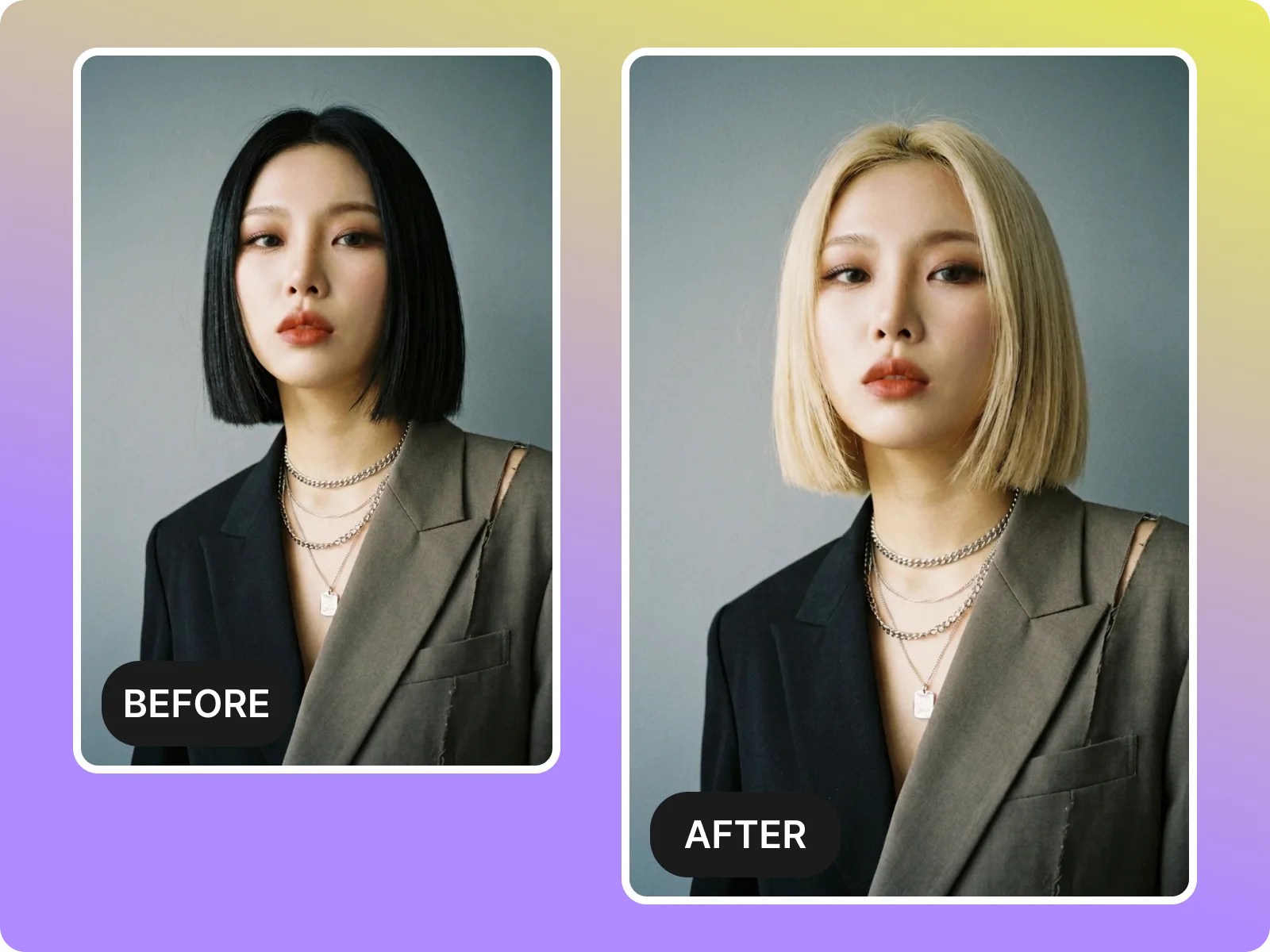
Use AI hairstyle to skip pricey test dyes and endless reshoots: export side-by-side before/after in 1:1, 4:5, or 9:16 for TikTok, Instagram, LinkedIn, or a stylist check. Files are watermark-free and can include notes on pre-dye base, aftercare, or how much length to keep, so friends can vote, ads can A/B test, and stylists can align expectations. Creators can drop multiple color previews into a shot library without reopening the camera; salon clients can lock the color band and fringe shape before booking. Compared with temporary spray dyes, wigs, or in-salon trials, you gather several options in under a minute, lower failure risk, and decide exactly how much to cut or color while protecting hair health.
Export a preview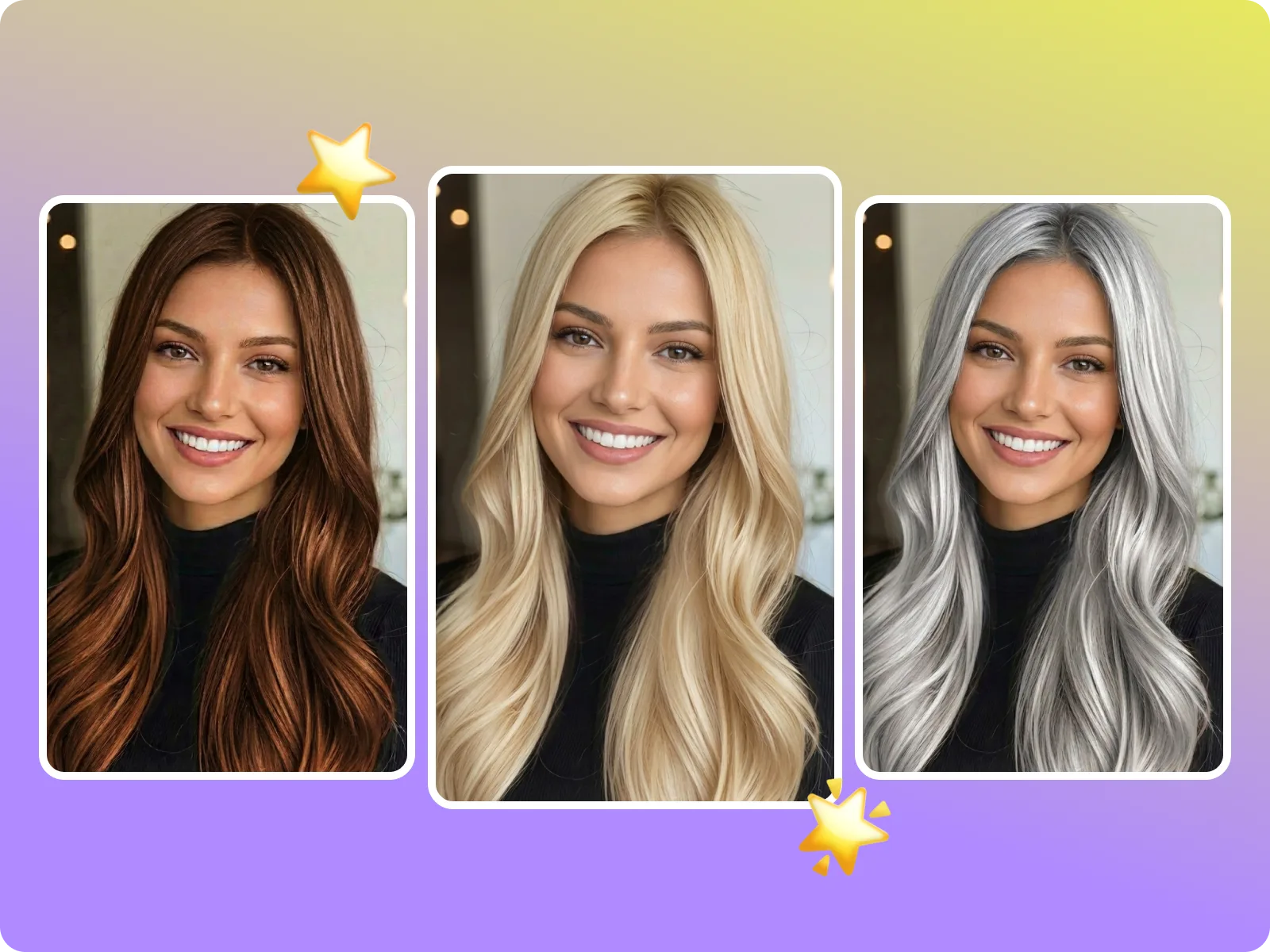
Built for the AI hairstyle keyword, this try-on page covers fit, clarity, and decision support: it first locks hairline with facial keypoints, then matches lighting and skin to avoid blown-out dyes; the preset styles are grouped by work, social, seasonal, or creator intent to cut scrolling; generation ends with high-res exports and note space so individuals, creators, and salon clients can archive, share, and collect feedback. Each stage gives failure prompts and fixes to avoid sticker edges or color banding, keeping the page aligned with search intent while driving real-world cut-and-color decisions.
Start a try-on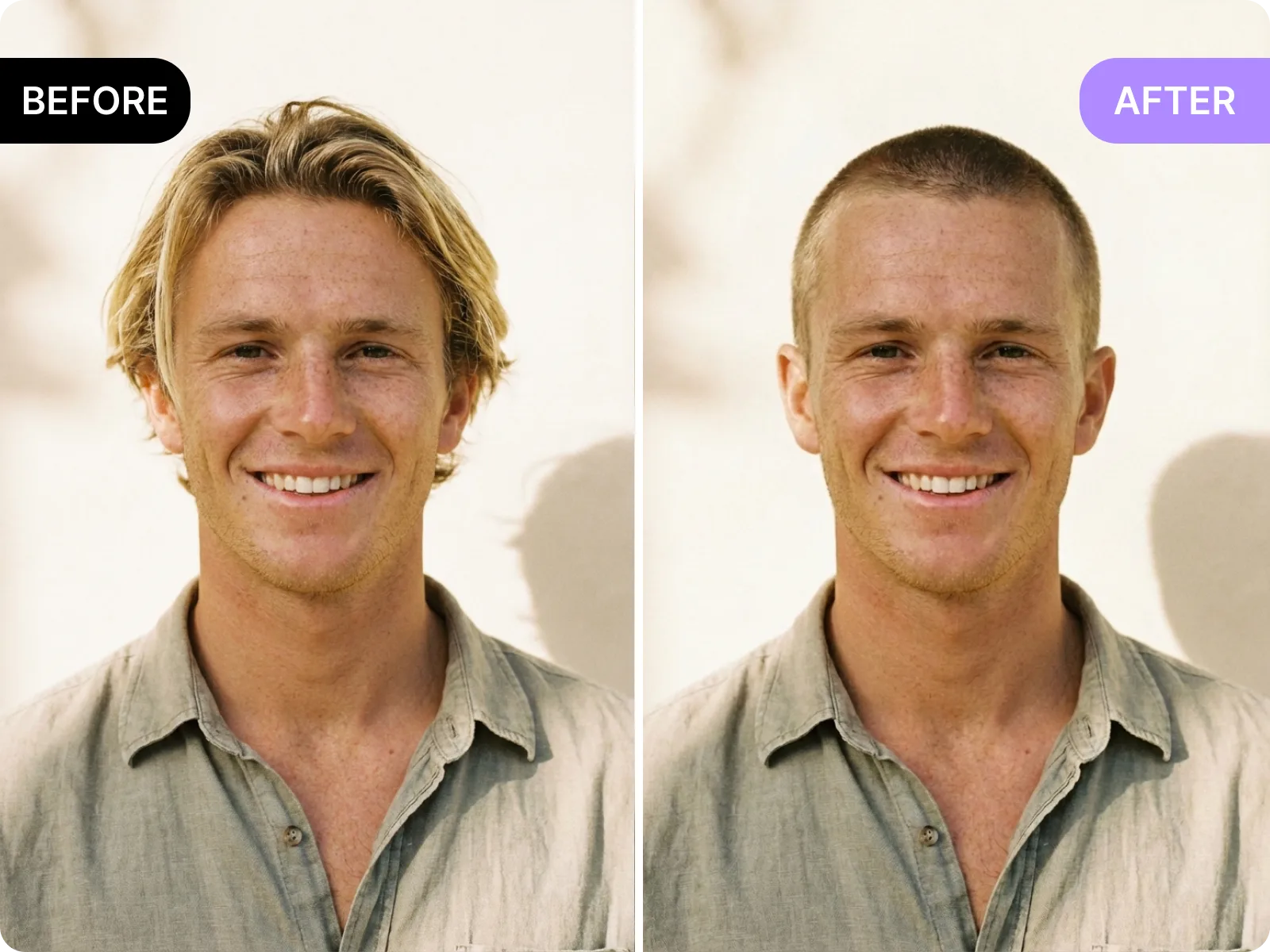
During upload, AI hairstyle asks you to show forehead, chin, and shoulders, detects hairline and sideburns, and suggests tilting up or lowering the phone so your facial proportions are not squashed. When generating, it follows your real head shape to place curl endpoints, lets bangs sit on the brow ridge naturally, and routes flyaways behind ears or along the neck to avoid sticker edges or hair cutting through headphones. You can quickly judge volume, length, and layering against your face shape instead of seeing a rough overlay.
Upload a selfie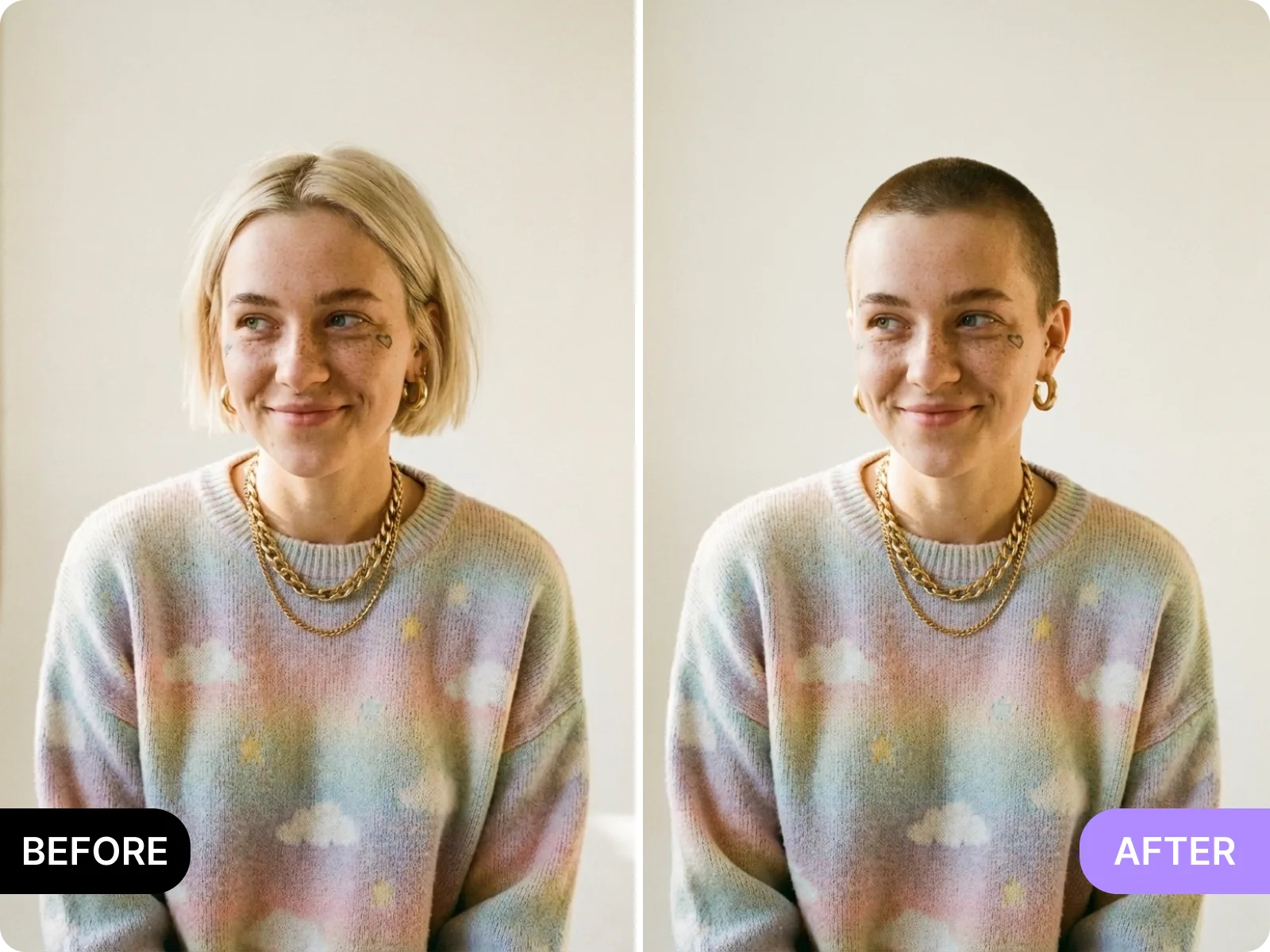
Intent tags for AI hairstyle group looks by scenario: short hair includes workplace bobs and pixies to show the neck line; mid-length layers include airy perms and Korean layers to soften cheeks; long hair covers hime cuts and French curls; bangs span airy, curtain, French, and blunt; colors run from cool brown and tea brown to copper highlights and lavender gradients. Each cluster lists best-fit contexts—work, date, live stream, cosplay, seasonal—and watch-outs, helping you filter fast and land on the style that matches your goal.
Browse styles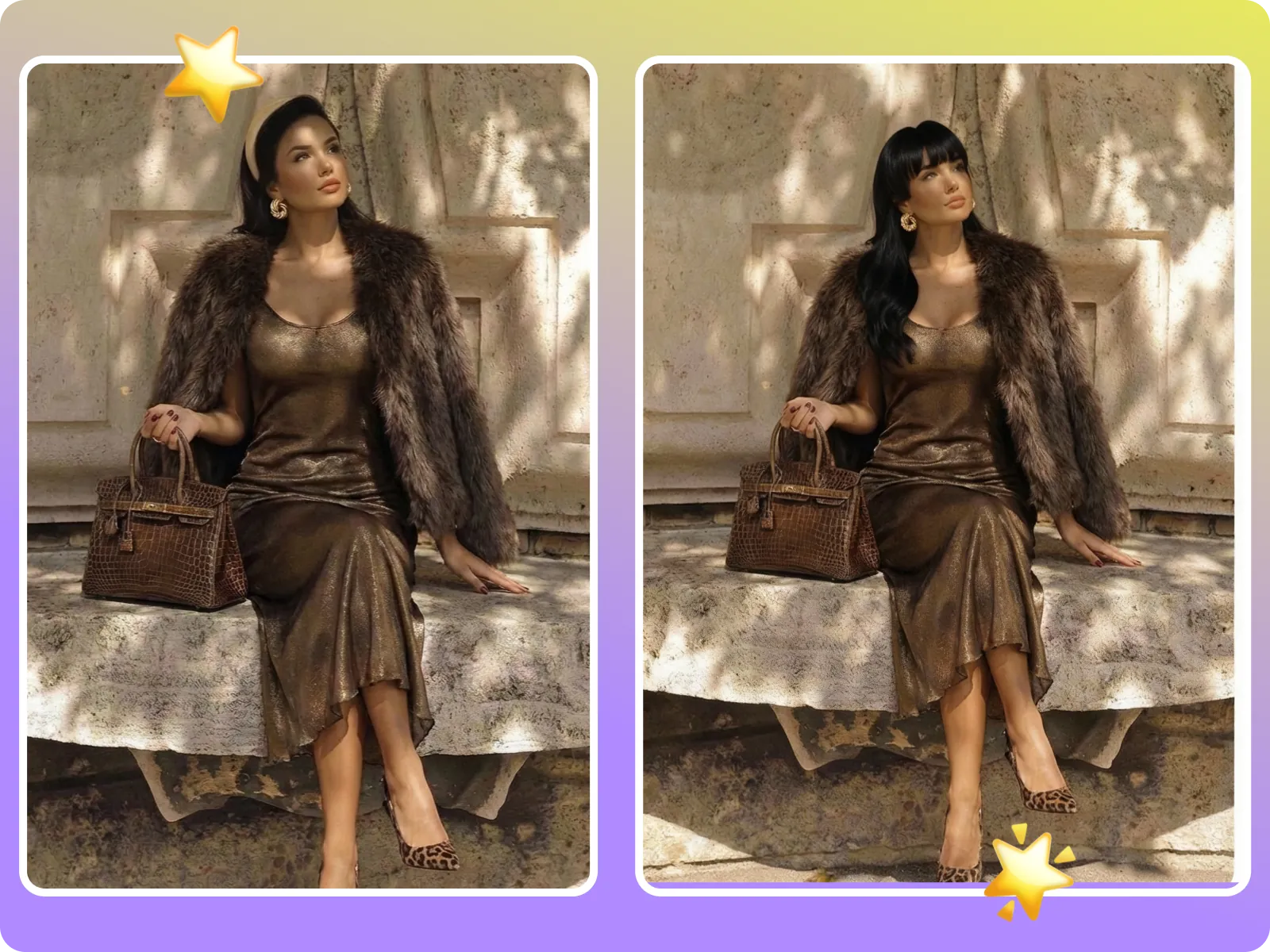
AI hairstyle exports high-resolution before/after in 1:1, 4:5, and 9:16 with no watermark, plus optional notes for base color, layers to keep, budget, and care frequency. Share in one tap for friend votes, stylist confirmation, or project decks to avoid repeating explanations. Creators can use exports for cover tests, ad A/Bs, or sponsor pitches; salon clients can lock the target shade and fringe shape in the image so bookings start aligned.
Generate a comparisonUpload or drag a selfie
Before using AI hairstyle, drag or capture a straight-on selfie with full head and shoulders in frame and even, non-reflective light. The tool checks for hats, thick bangs, or headphones blocking the hairline and flags dark or backlit backgrounds. If it spots occlusion or blur, it suggests tilting up or moving to balanced light. A clean photo lets the system align sideburns, parts, and neck curves so dye and curl details render realistically.
Choose hairstyle, bangs, and color
Pick length (short, medium, long), bangs (airy, curtain, French, blunt), texture (straight, soft wave, big curl, layered), and shades (neutral brown, cool tea, copper highlights, lavender gradient, and more) from the AI hairstyle library. The system dynamically sets curl placement, density, and saturation to your face shape and skin tone to avoid overbright roots or gray shadows. Each switch generates a fresh preview in seconds; save your favorites and compare without re-uploading.
Generate and save
Once the AI hairstyle before/after looks right, export a high-resolution file for social sharing, stylist consults, or mood boards. Add notes on root depth, target shade, whether to keep bangs, or avoid high layers to make in-salon execution direct. If you notice bangs clipping, missing curls, or harsh color blocks, follow the prompt to reshoot a clearer photo and regenerate so the output is decision-ready, not just for fun.
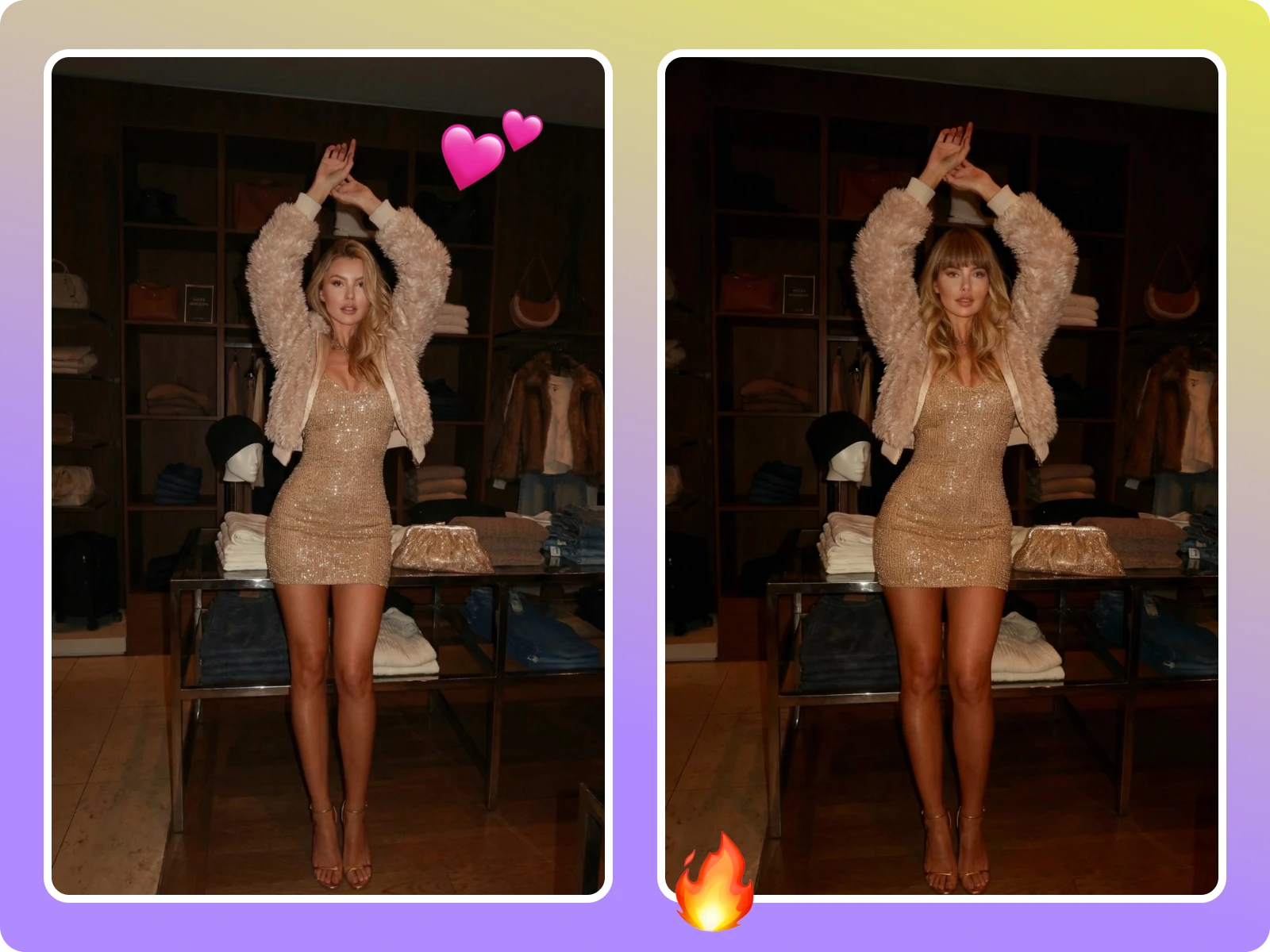
People searching AI hairstyle want both fast try-ons and results they can act on offline. This flow stays light—phone upload, preview in seconds—and detailed—lighting reminders, obstruction cleanup, and export notes for sharing with friends, stylists, or followers. Creators reuse color previews for cover tests; salons confirm cut-and-dye expectations with exported pairs; individuals compare online before booking a chair, cutting rework and post-dye regret.
“Try-on takes under a minute and polls get more replies because the hairlines look real, not like stickers.”
“Try-on takes under a minute and polls get more replies because the hairlines look real, not like stickers.”
“Clients pick a color and fringe online before visiting, so appointments start with aligned expectations and fewer re-dyes.”
“Clients pick a color and fringe online before visiting, so appointments start with aligned expectations and fewer re-dyes.”
“A/B testing hair color comps lifted click-through rates by 23%, saving us new shoots for every concept.”
“A/B testing hair color comps lifted click-through rates by 23%, saving us new shoots for every concept.”
Drop a clear selfie, pick length, bangs, and color, and get a realistic before/after in seconds—no install or account required.
Drag & drop Image here