“I previewed three cuts before booking—no more post-salon regrets because I aligned with my stylist first.”
HannahConsumer
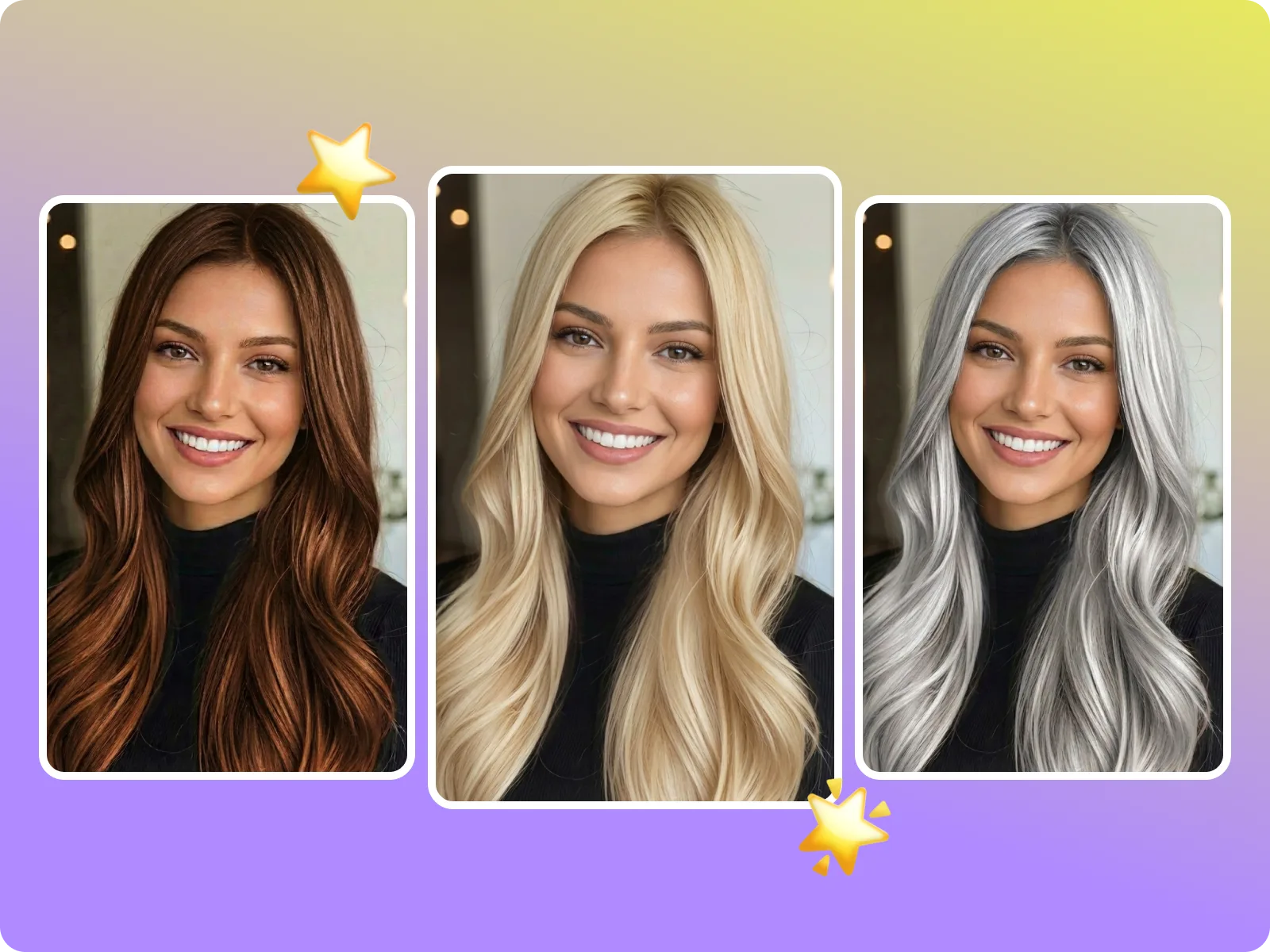
Upload a clear selfie, switch between cuts, lengths, and colors, and download a realistic before/after in seconds—ideal for salon planning, content testing, and stylist reviews.
AI hairstyle changer is built to finish the task behind the keyword in one go: upload one sharp selfie and get bob, buzz, layered long hair, curtain bangs, blunt bangs, and gradient dye options while preserving hair flow, sideburns, earrings, and shadows. You immediately see before/after plus export in 1:1, 4:5, or 9:16, so you can lock a cut or color without reshooting or guessing before a salon booking.
Change my hairstyle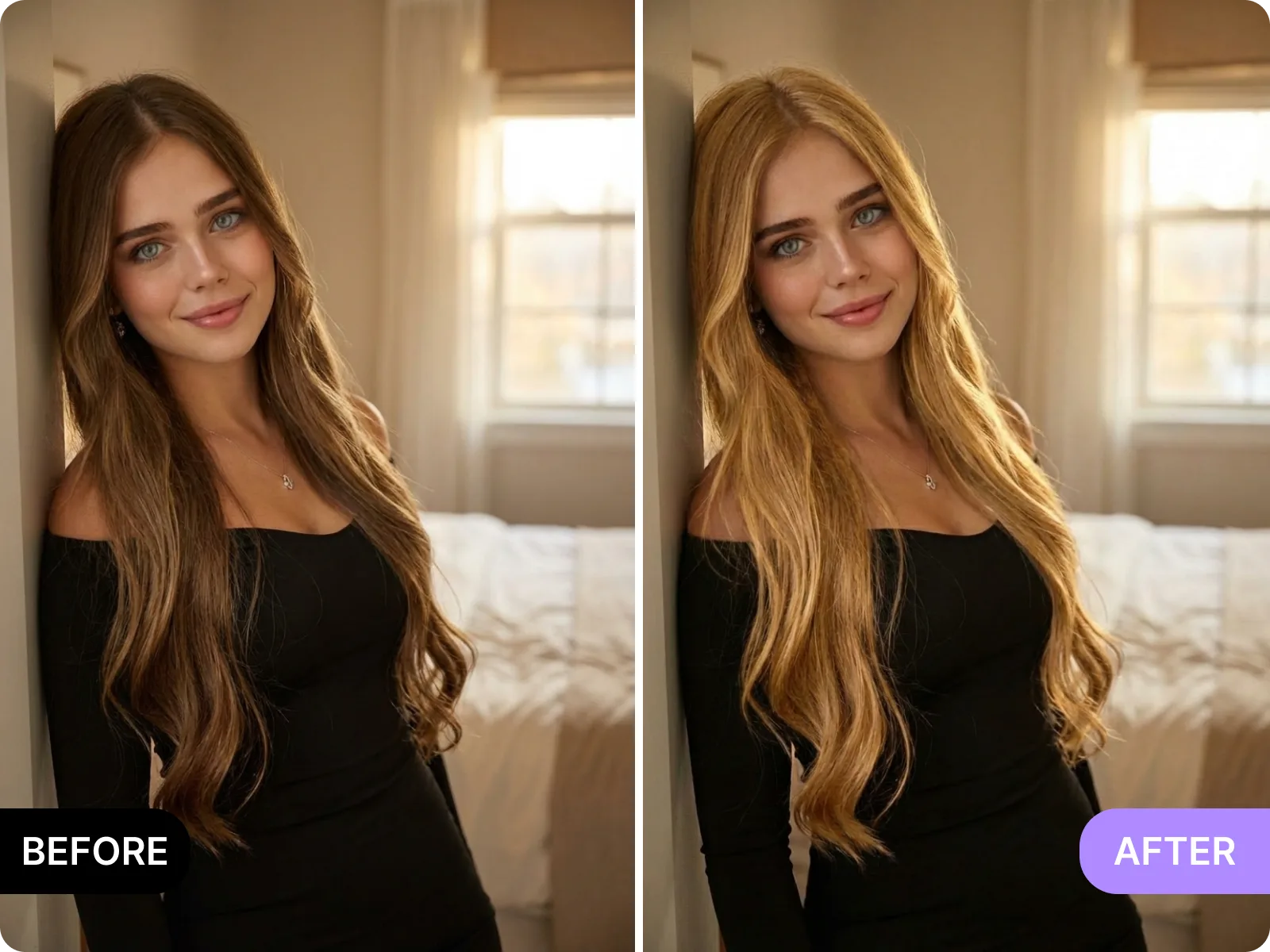
AI hairstyle changer rebuilds hairlines, volume, and lighting instead of pasting stickers, adapting to masculine, feminine, and androgynous face shapes. Curls, waves, and straight strands land realistically on the same photo while ears, neck, and necklaces stay visible; common fades, layered lengths, bangs, and dye mixes all stay believable. Side profiles, extreme angles, hats, or group shots reduce accuracy—use a front-facing, evenly lit portrait for the cleanest blend.
See a clean blend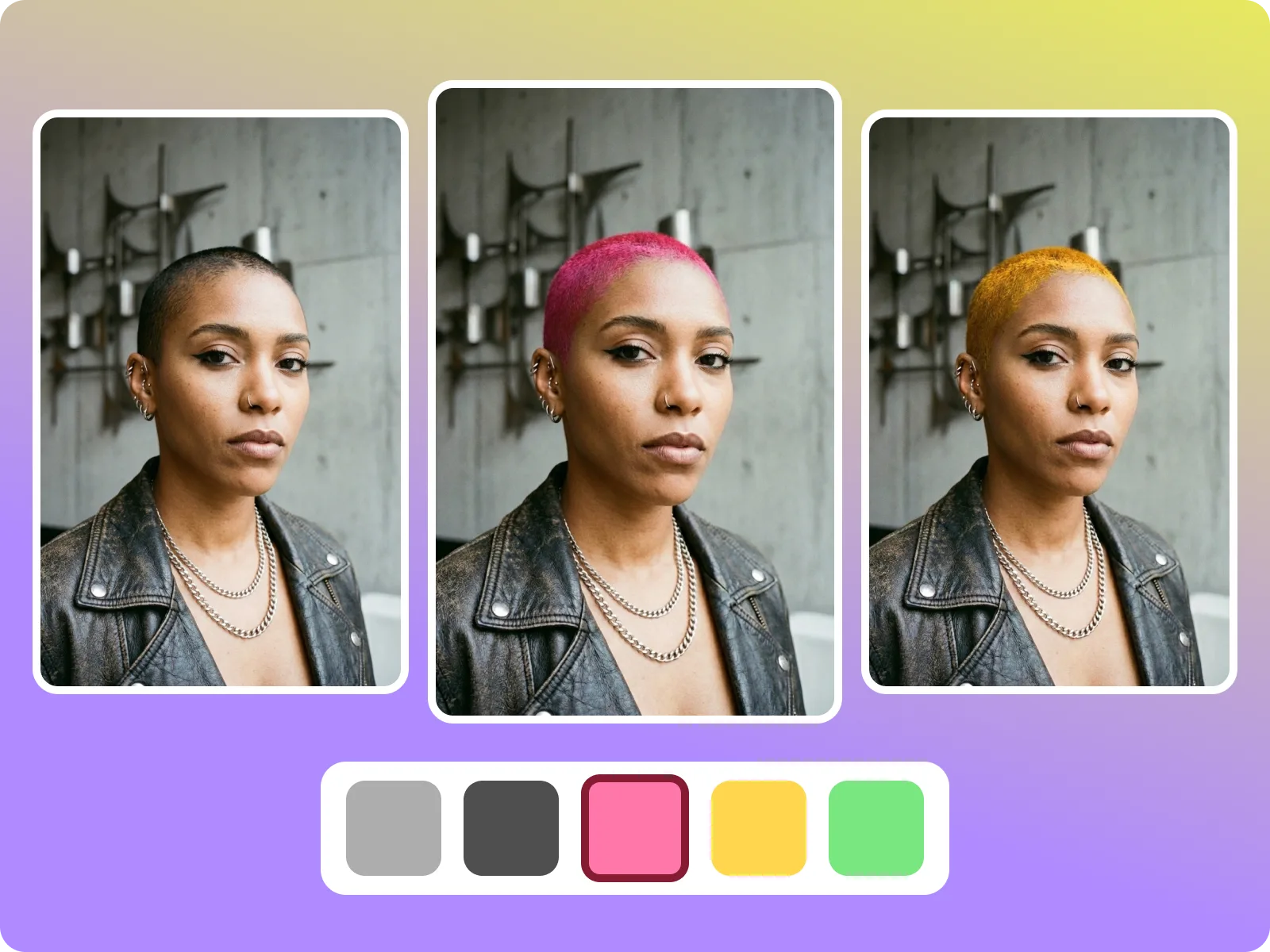
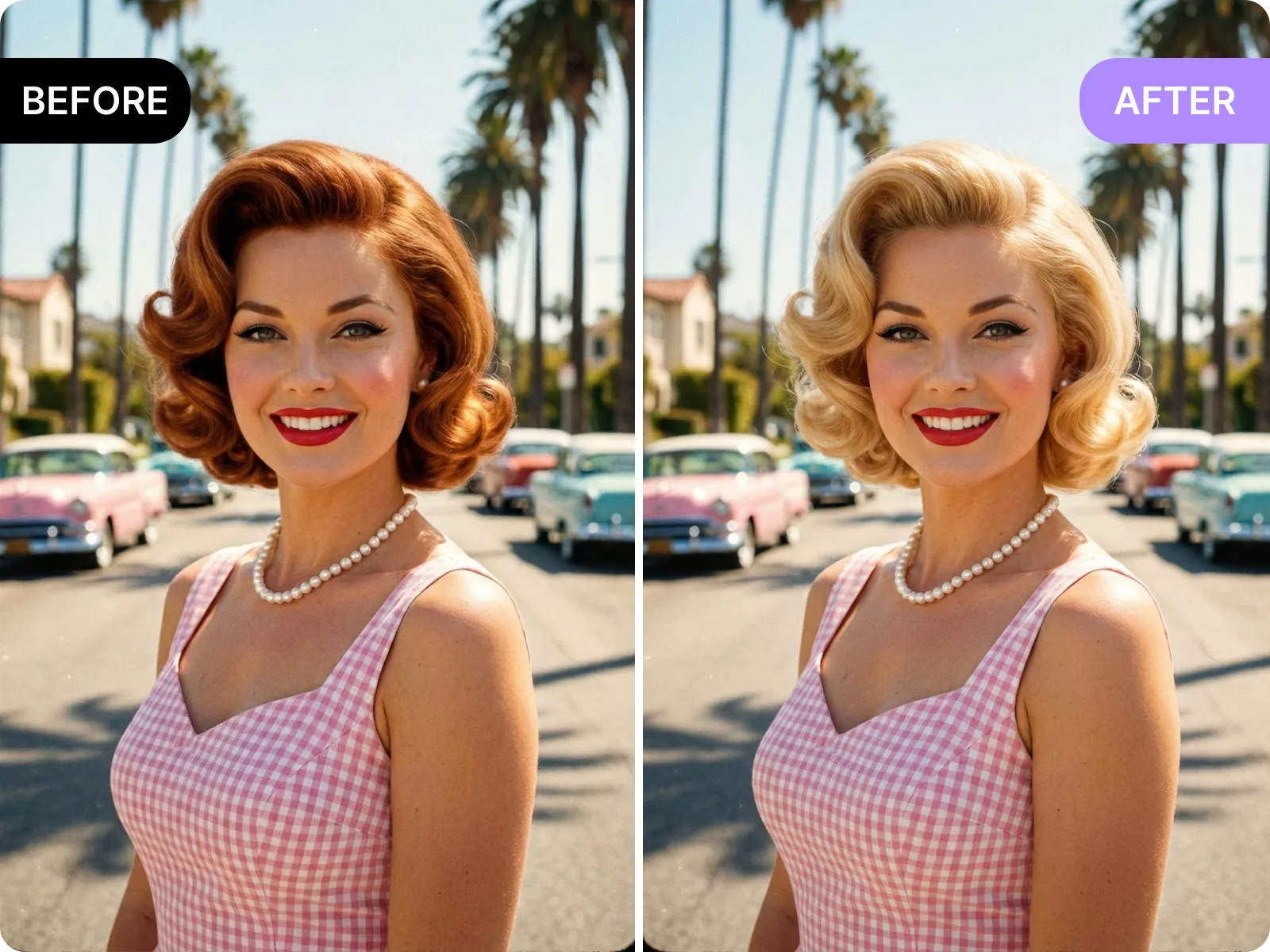
AI hairstyle changer is built for fast, low-risk choices: after generating multiple looks it delivers high-res before/after views and lets you pick 1:1, 4:5, or 9:16 social sizes. Turn variants into polls, or send to a stylist to confirm length, fringe placement, and color depth before booking. If your source photo has motion blur, heavy filters, or extreme angles, take a fresh, even-lit selfie to keep trustable results.
Download a before/after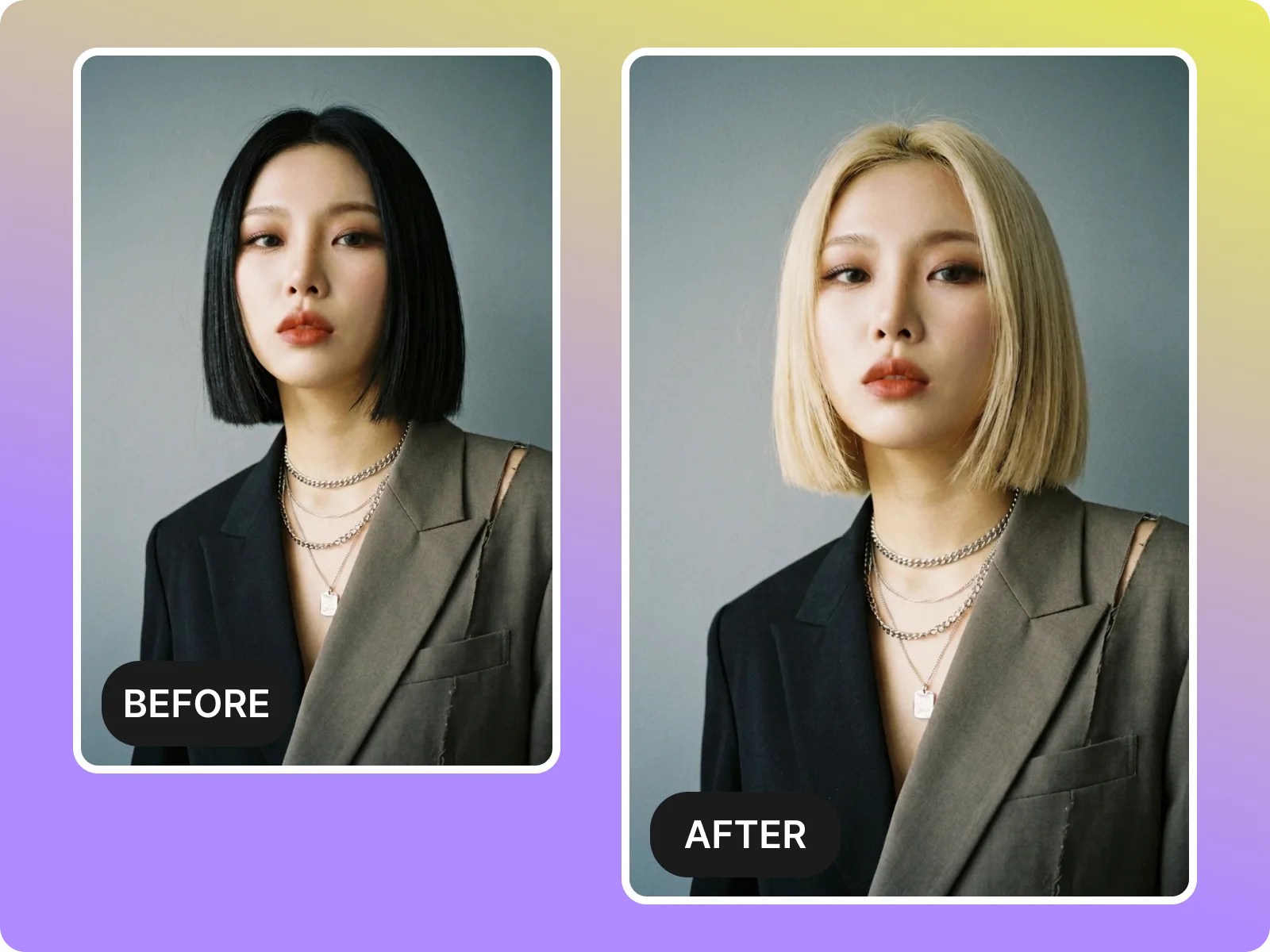
AI hairstyle changer respects texture and length—from buzz cuts, mohawks, and crops to mid-length layers, curls, and perm-plus-color combos—with natural transitions. It preserves volume, curves, and shadows so curls are not flattened and straight hair stays crisp. For accurate placement, use an unobstructed, evenly lit front selfie; avoid backlit or dark shots, heavy bangs covering the hairline, hats, or blurry images that make hairline prediction unreliable.
Match my texture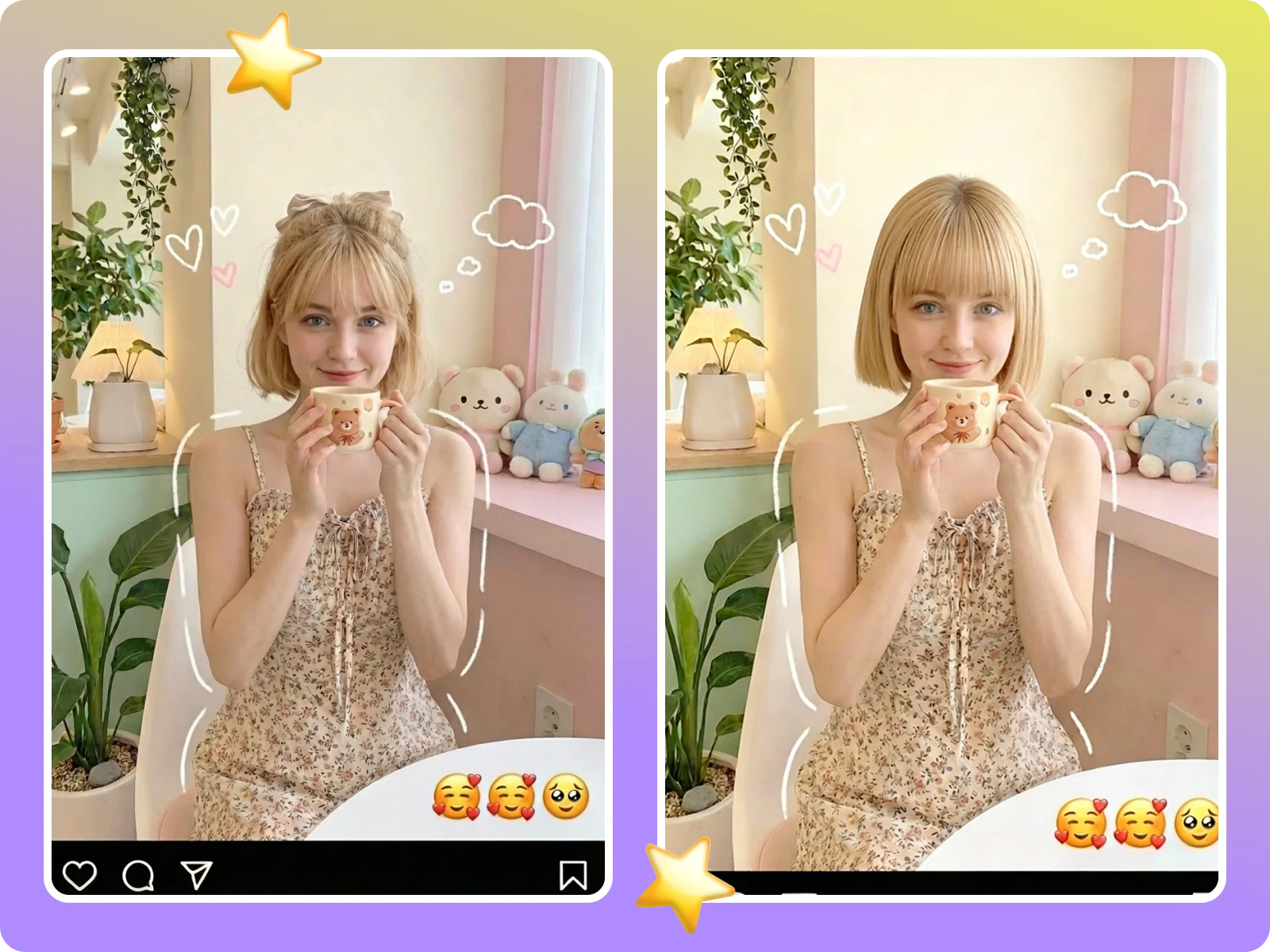
This page lays out everything about the AI hairstyle changer in one place: preview a new look before booking, A/B test thumbnails or story polls as a creator, align on length and color codes before a stylist consult, and export watermark-free files for team or brand approvals. No switching tools—the whole flow of upload, swap, compare, and export stays here, cutting down back-and-forth and rework.
Try it now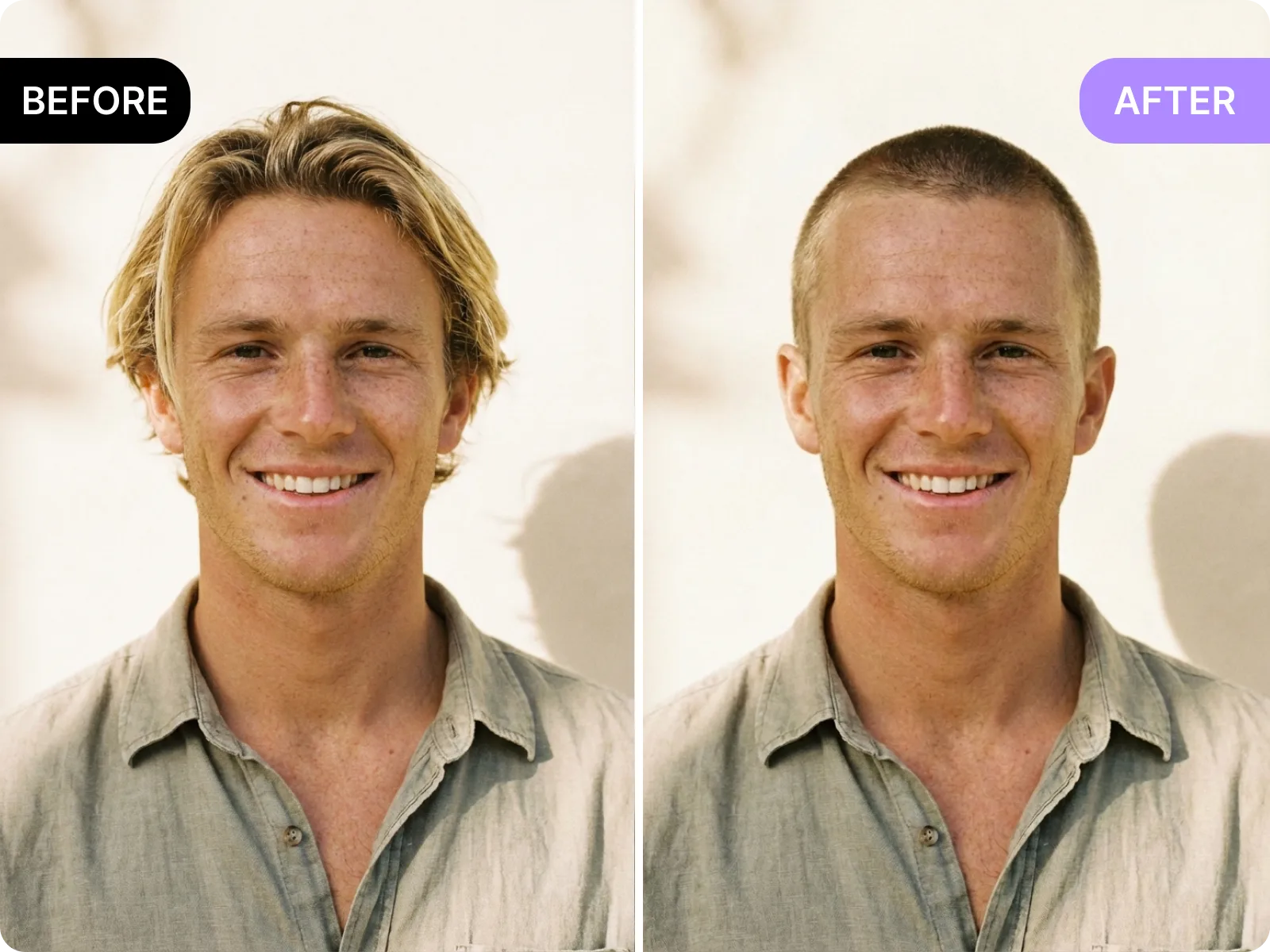
Use the AI hairstyle changer to safely test short cuts, trendy dyes, or bangs before scissors touch hair. Compare the original and new look in real time, confirm layer height, clean sideburns, and color depth, then send a high-res comparison to your stylist. Add notes like “length to collarbone” or “bangs above brows” to avoid overcutting or over-dyeing and align expectations before the appointment.
Preview safely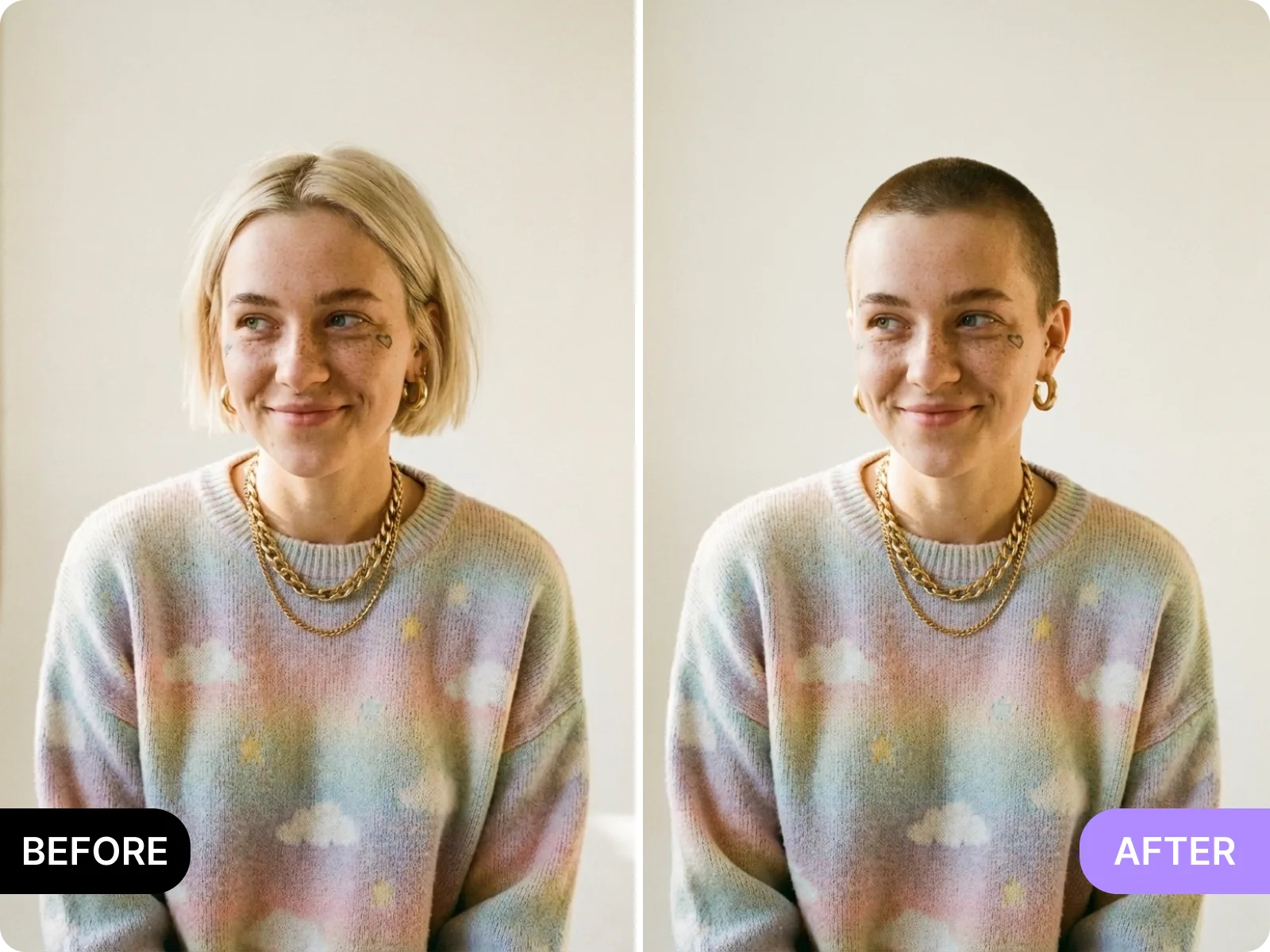
Creators and marketers can rapidly generate multiple haircuts or color tones for covers, testing which version wins on YouTube thumbnails, Instagram Reels, or TikTok story polls. No reshoots or manual cutouts—the tool keeps face lighting and background consistent so A/B tests finish in minutes. Swap softer tones versus high-saturation looks for different audiences and find the mix that drives clicks.
Test a look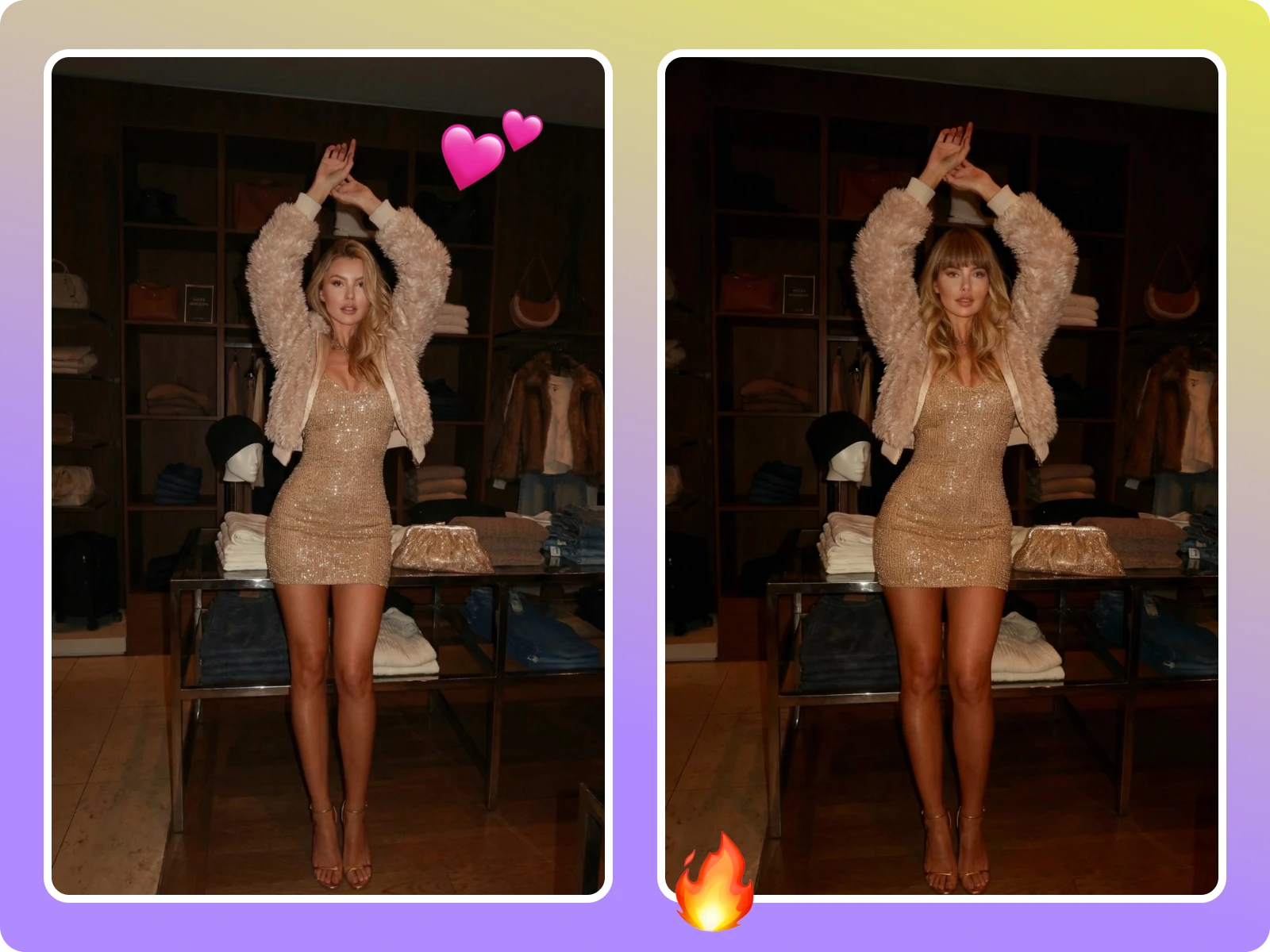
Stylists and consultants can ask clients to lock length, bang shape, thinning level, and color layering in the AI hairstyle changer, then save the comparison to their notes. Clients can mark what they want and what they refuse on the same photo, aligning hairline height, parting direction, and color card numbers. That reduces in-chair changes and rework, and makes follow-up care or touchups easier to revisit.
Save a referenceUpload a clear selfie
Tap upload in the AI hairstyle changer and choose a front-facing, evenly lit selfie. Avoid hats, headphones, hands blocking hair, heavy filters, backlight, or motion blur. Keep it single-person with ears and hairline visible so the system reads head shape and proportions accurately. If you have long bangs, lift part of the forehead. For multiple comparisons, prepare two or three steady-light photos with simple backgrounds.
Select styles and shades
Inside style selection, the AI hairstyle changer offers short, long, bangs, fades, curls, and color swatches. Swap between bobs, French layers, blunt bangs, curtain bangs, skin fades, milk tea brown, cool tea brown, ash blonde, and soft pink; the same face retains hairline, earrings, and shadows. Start with lengths you wear daily, then try bolder shades to compare what truly fits your routine and shoots.
Generate and compare
After generation, the AI hairstyle changer shows original and new looks side by side and lets you toggle 1:1, 4:5, or 9:16 to preview platform fit. Zoom in on sideburns, bang density, part direction, and color transitions to judge realism, and spin up more combinations for side-by-side checks. If anything looks off, use a brighter photo or choose softer tones to improve fidelity.
Export or share
When you pick a winner, export a watermark-free HD file sized for TikTok, Instagram, or Pinterest, or send it straight to your stylist or creative team. The AI hairstyle changer keeps face and background consistent so you can drop the image into resumes, decks, or brand proposals; for paid ads, shoot final assets after the salon visit to meet compliance. Clear uploads when you are done to keep privacy tight.
Real users turn “I want to try” searches into “already decided” with the AI hairstyle changer: some compare three cut-and-dye plans before booking to avoid regret, others run story polls with different colors to boost engagement, and stylists ask clients to confirm bangs and color codes online before the chair to cut indecision and rework. Upload, swap, and export all stay on this page, so decisions happen faster.
“I previewed three cuts before booking—no more post-salon regrets because I aligned with my stylist first.”
“I previewed three cuts before booking—no more post-salon regrets because I aligned with my stylist first.”
“Clients choose a look online; I recreate it in-salon with clearer expectations and fewer in-chair changes.”
“Clients choose a look online; I recreate it in-salon with clearer expectations and fewer in-chair changes.”
“Story polls with new hair colors get 20% more replies than plain selfies, so I keep testing before shoots.”
“Story polls with new hair colors get 20% more replies than plain selfies, so I keep testing before shoots.”
Upload a clear selfie, switch between cuts, lengths, and colors, and download a realistic before/after in seconds—ideal for salon planning, content testing, and stylist reviews.
Drag & drop Image here