“I tested six cuts and colors in ten minutes and let TikTok pick the winner—my salon matched it perfectly.”
MiaContent creator
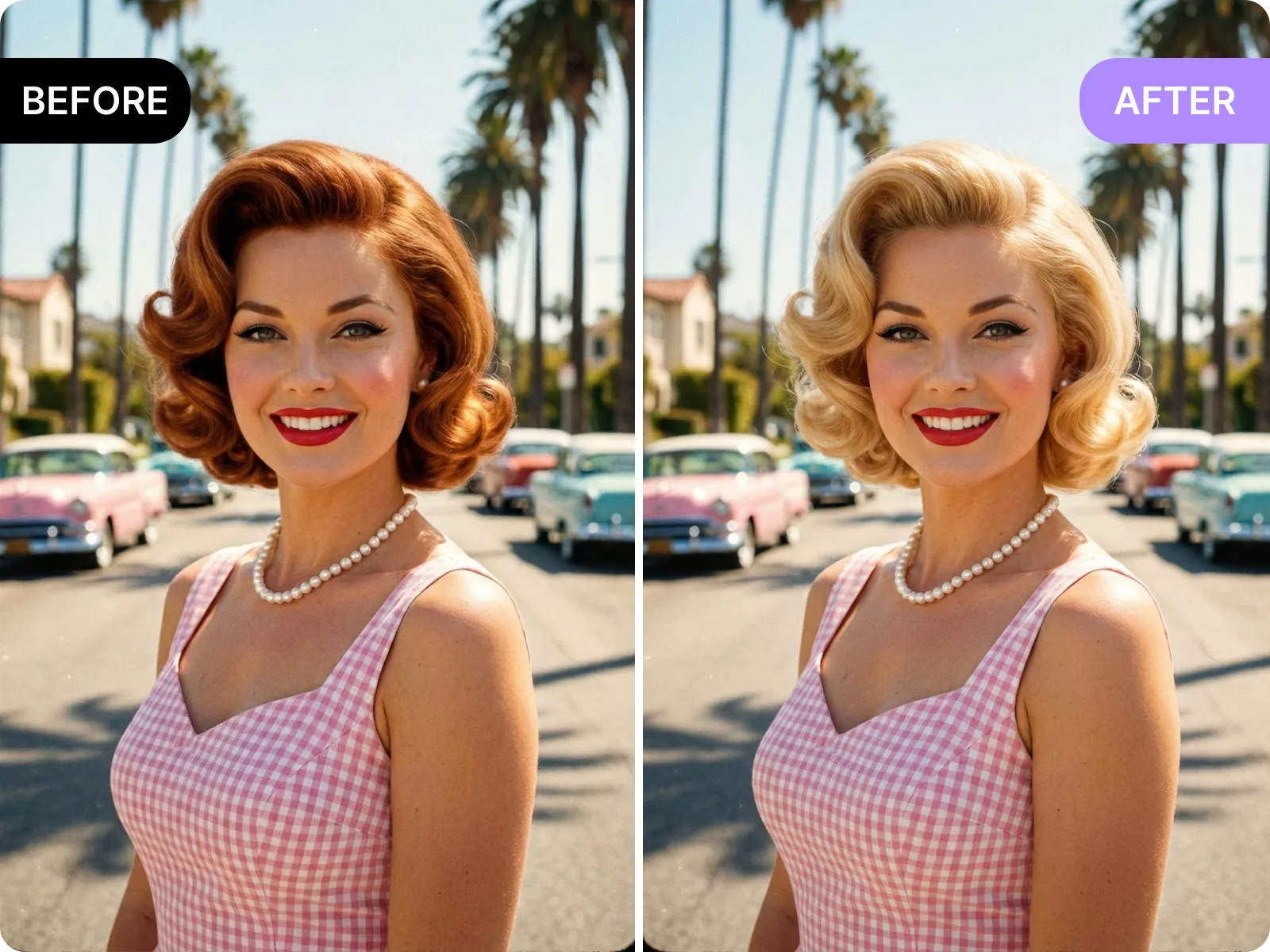
Upload one selfie, pick a cut and color, and get a natural-looking before/after in seconds—no account, no watermark, ready to export.
When you search ai hairstyle online free, you want a virtual try-on that works right now: drop in a bright, front-facing selfie with your hairline visible, pick short, lob, medium, long, airy bangs, or French bangs, pair them with cool brown, ash, milk tea, highlights, or balayage tones, and the page generates side-by-side before/after in seconds. Save multiple options, jump back to swap angles or re-upload, and keep everything free, watermark-free, and signup-free so you can judge if the cut fits your face shape, routine, and outfits before spending anything.
Try free now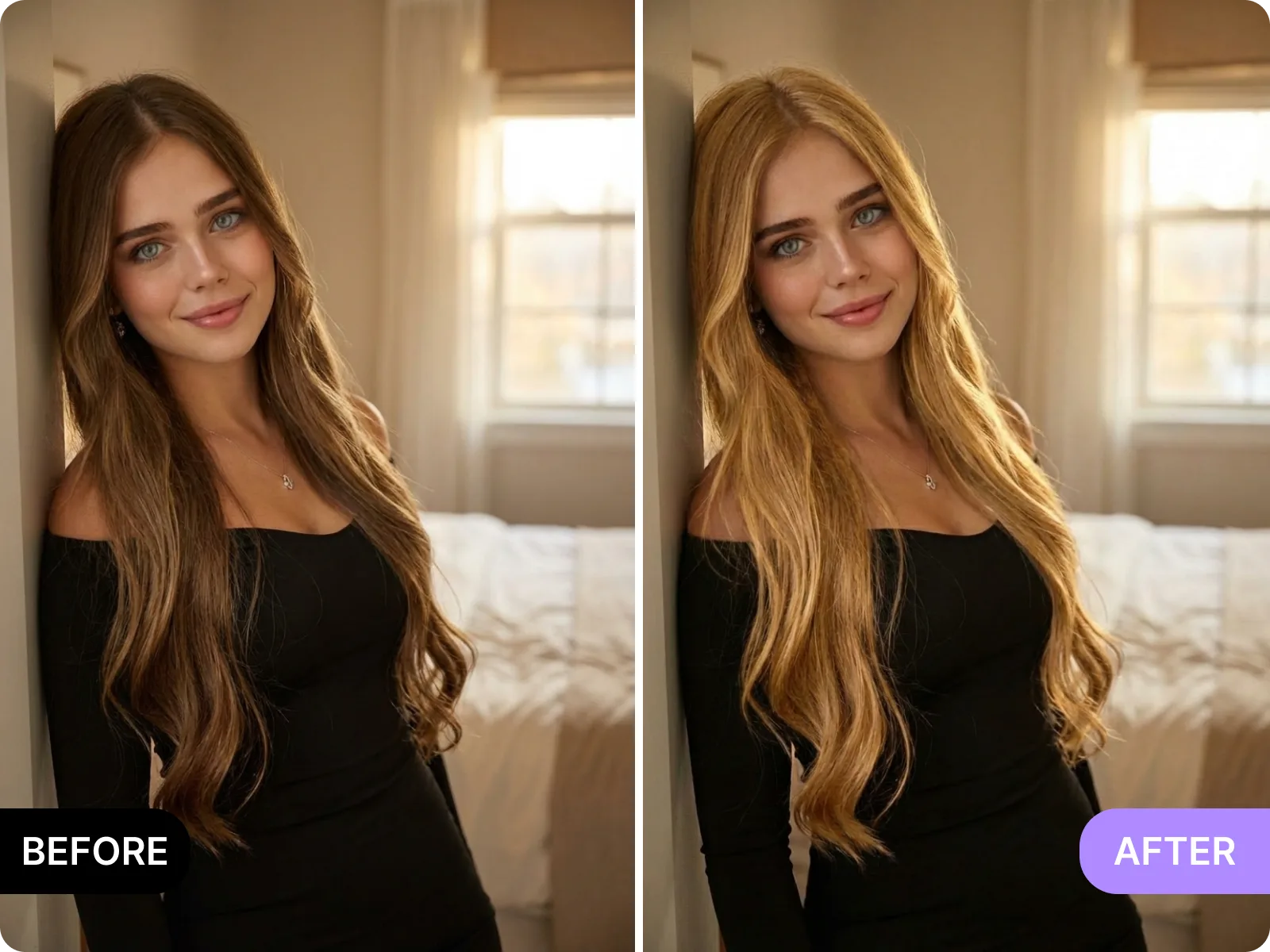
To keep ai hairstyle online free natural around the hairline, start with a single-person, front-facing selfie under even light from the front or a soft window; group shots, shadows, heavy filters, hats, or 45-degree side angles make it hard to track the hairline and cause bangs to shift or color to spill, so the tool will prompt you to pick another photo. Remove hats or headbands, move loose strands away from cheeks, keep the background simple, and avoid harsh backlight. Following these limits gives you a realistic, trustworthy preview instead of an over-edited mockup.
Upload a clear selfie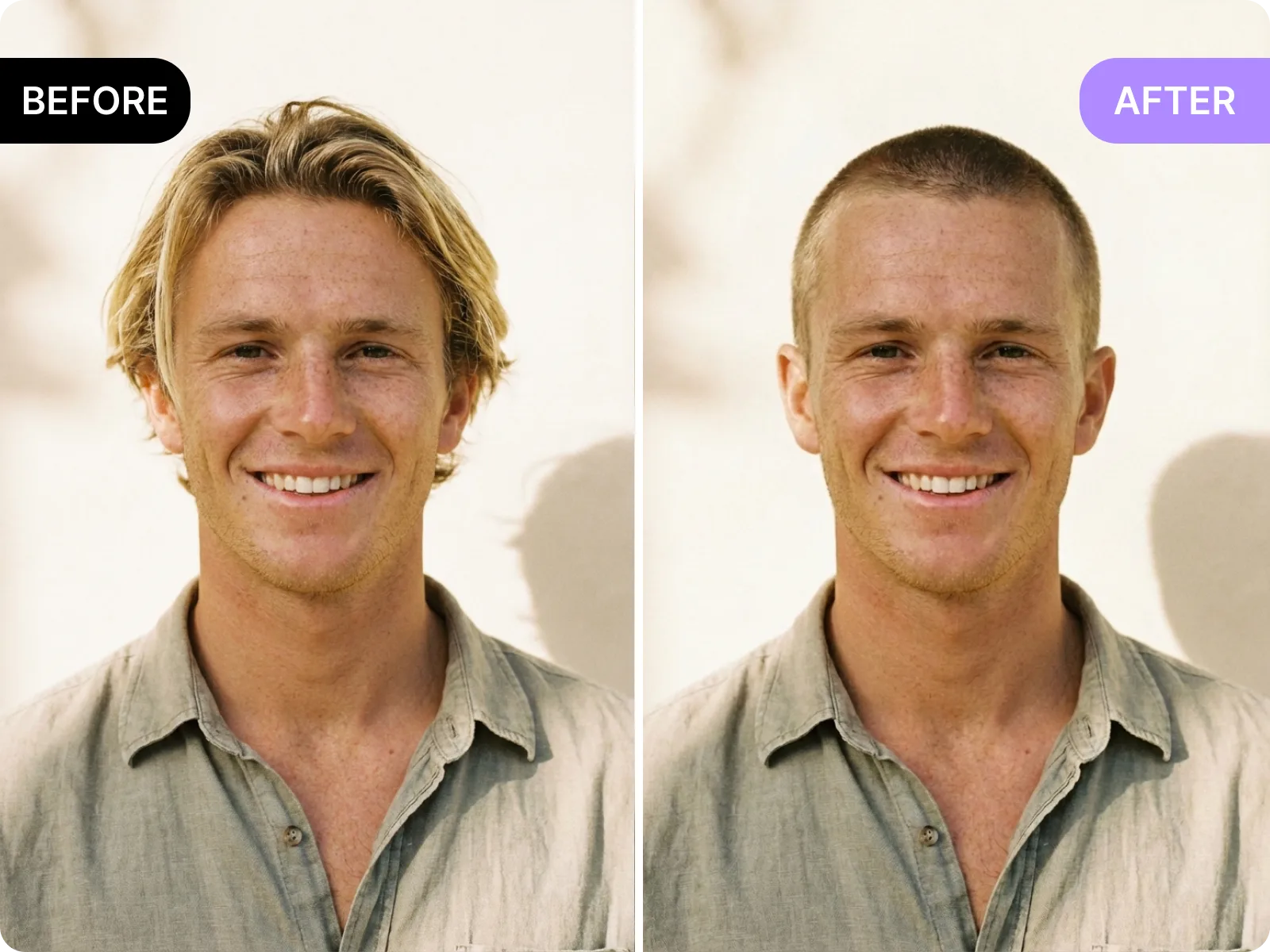
Use ai hairstyle online free to make a full decision before you pay a salon or deposit: generate short, collarbone, layered shoulder-length, wolf cut, bixie, or cropped bang options from the same selfie, then swap through ash brown, cool milk tea, smoky gray, burgundy, peach, or blue-black colorways. Download the watermark-free side-by-side, mark your preferred length, parting, and tone, and send it to your stylist. They can judge feasibility, estimate bleach rounds, timing, and cost, and you avoid in-salon revisions or redo risks while planning your schedule and budget confidently.
Preview before paying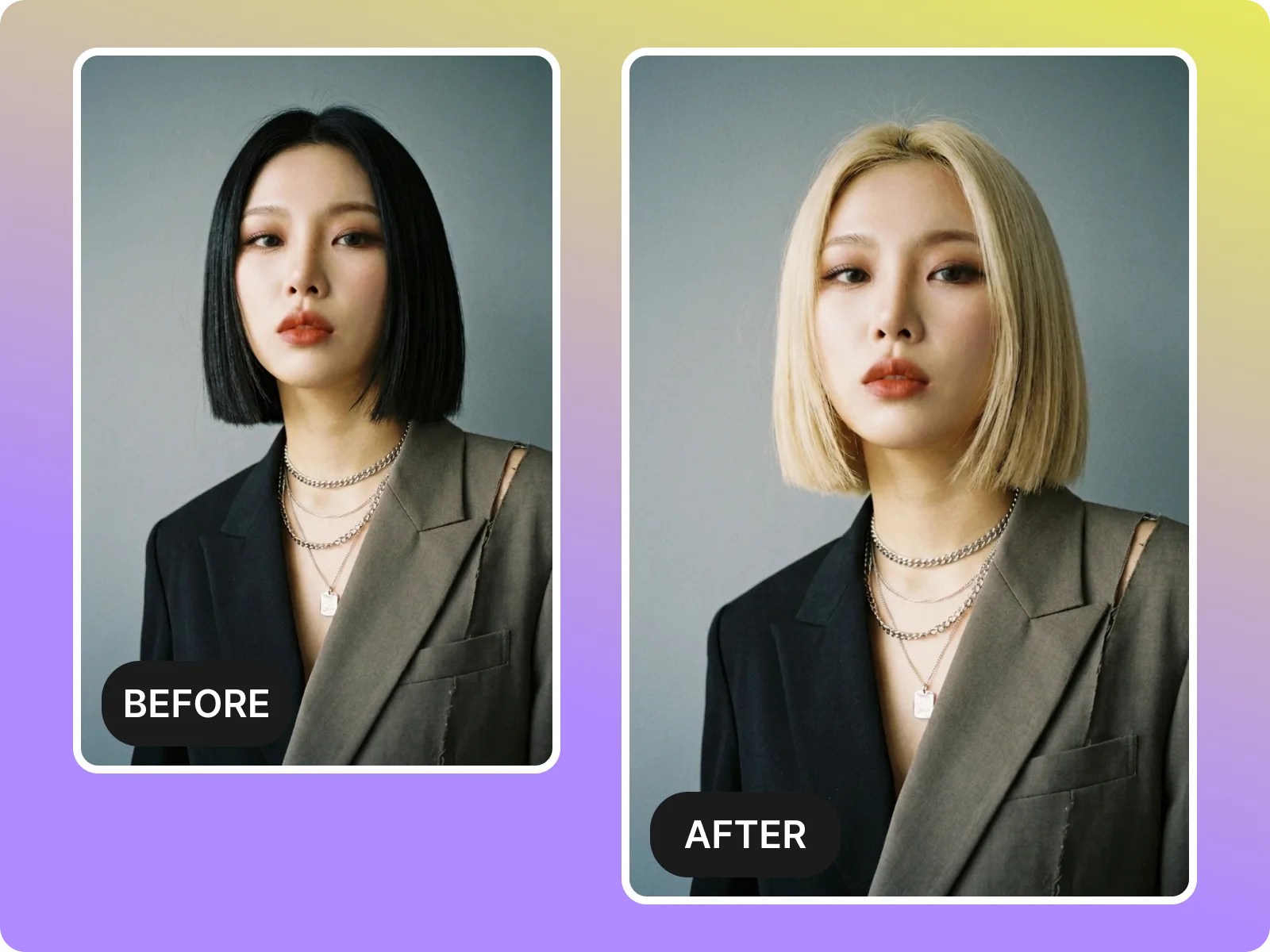
Every ai hairstyle online free result can be saved in 1:1, 4:5, or 9:16 without watermarks or compression, ready to post on TikTok, Instagram Reels, Pinterest, or chats so friends, followers, or stylists can weigh in quickly. Arrange multiple looks into a collage for polls, or export a single HD frame for resumes, social profiles, or presentation visuals. Downloads happen in-browser without plugins, so you can swap images on the fly, collaborate remotely, and make decisions fast without losing quality or having logos ruin the reference.
Export for free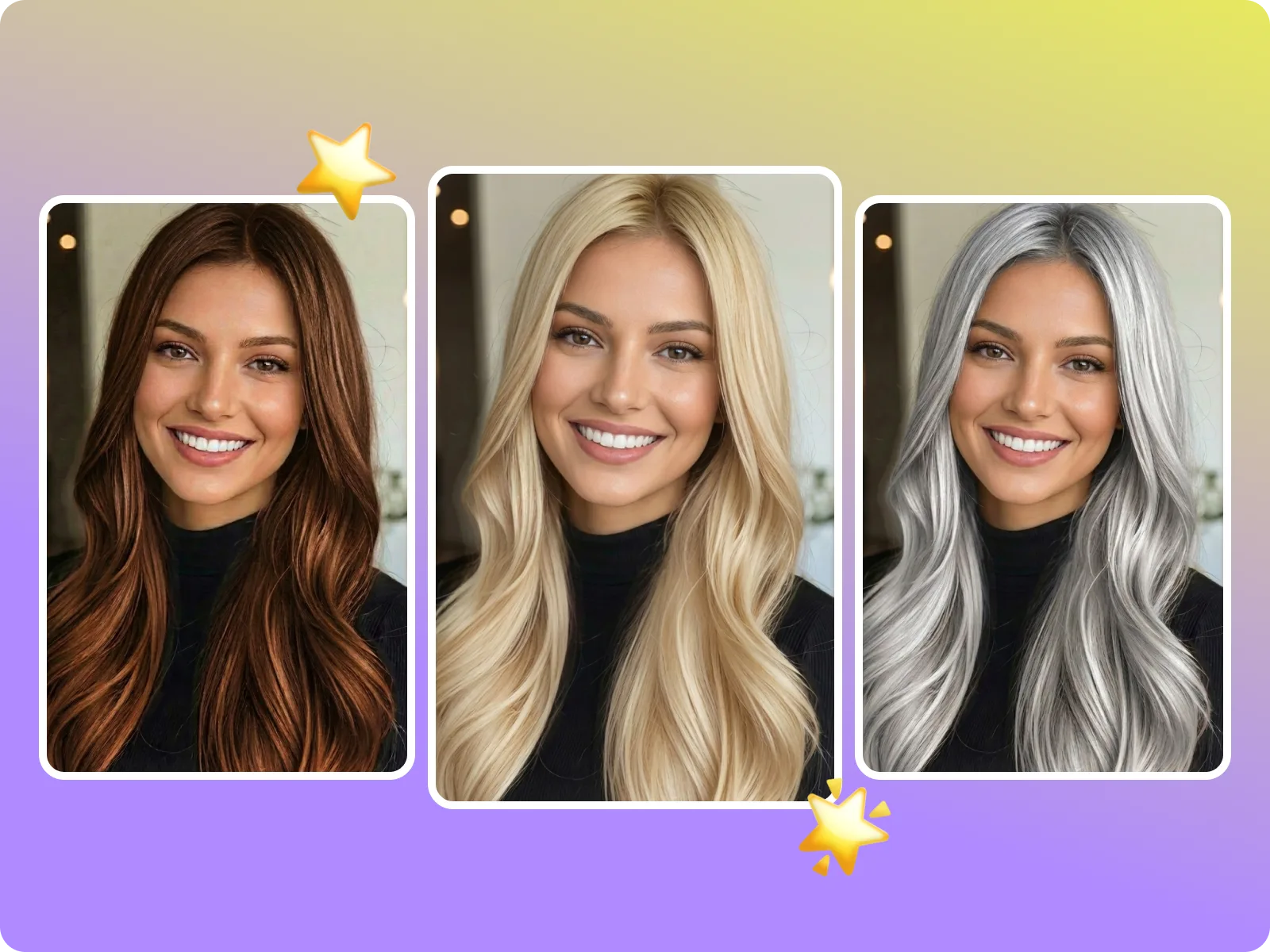
ai hairstyle online free folds the usual try-on needs into one flow without switching apps or paying to unlock: creators spin up two or three options for follower polls; salon goers align on length, bangs, and color targets with their stylist before the visit; anyone refreshing a resume or social avatar can test subtle layers or tone shifts to stay consistent yet updated. Everything runs in the browser, you can re-upload shots under different lighting to compare, save multiple versions to share anytime, and validate visually before you commit to a cut or dye, cutting down trial-and-error costs.
Start for free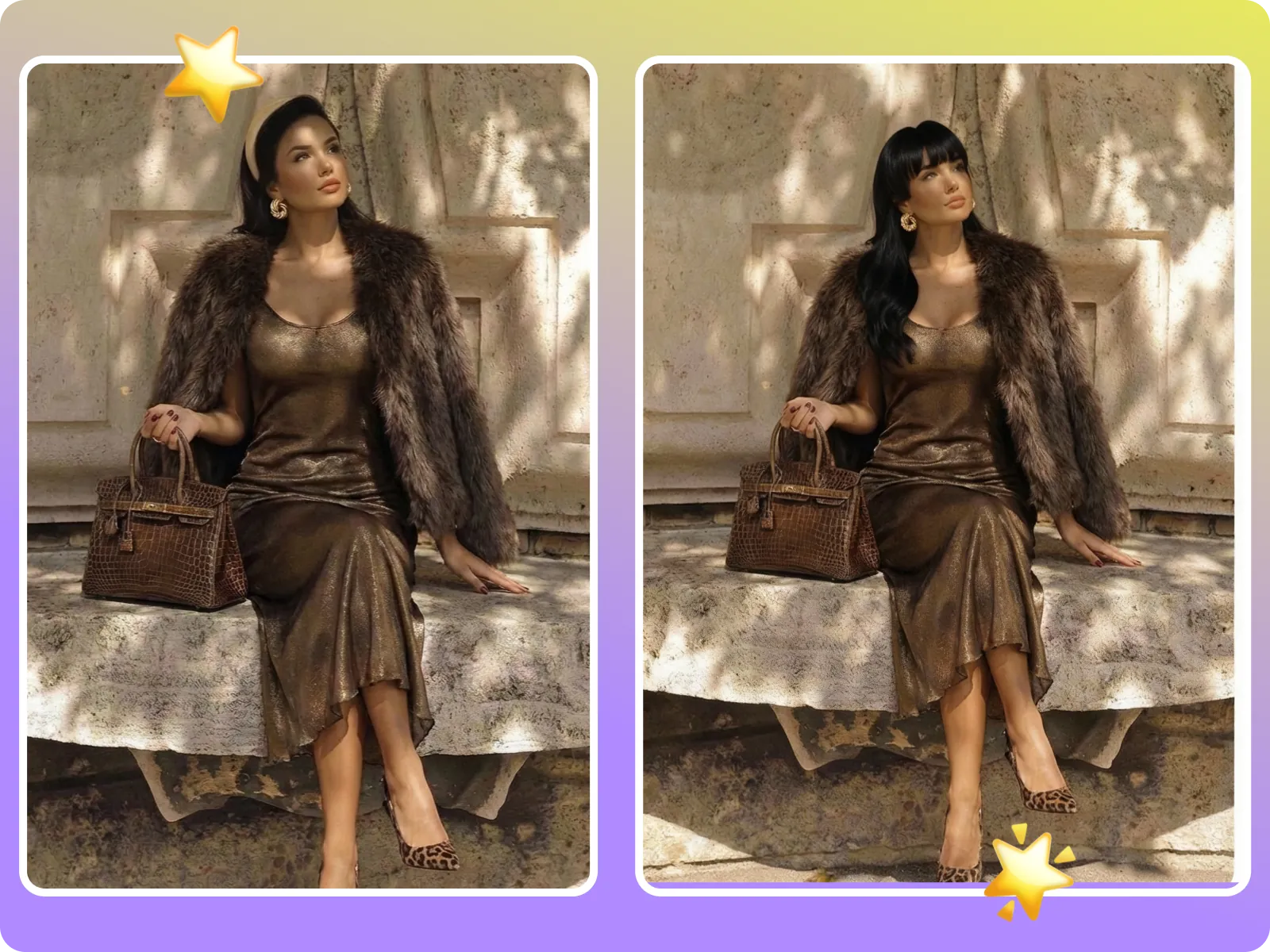
Use ai hairstyle online free to post two or three bright, front-facing previews on TikTok, Bilibili, or Instagram for follower votes, locking your shoot look before filming and avoiding last-minute experimentation. Stick to the same lighting and background so poll results are not skewed by shadows, collect accessory or makeup suggestions in comments, and export the top-voted look in HD for your stylist or photographer.
Post a poll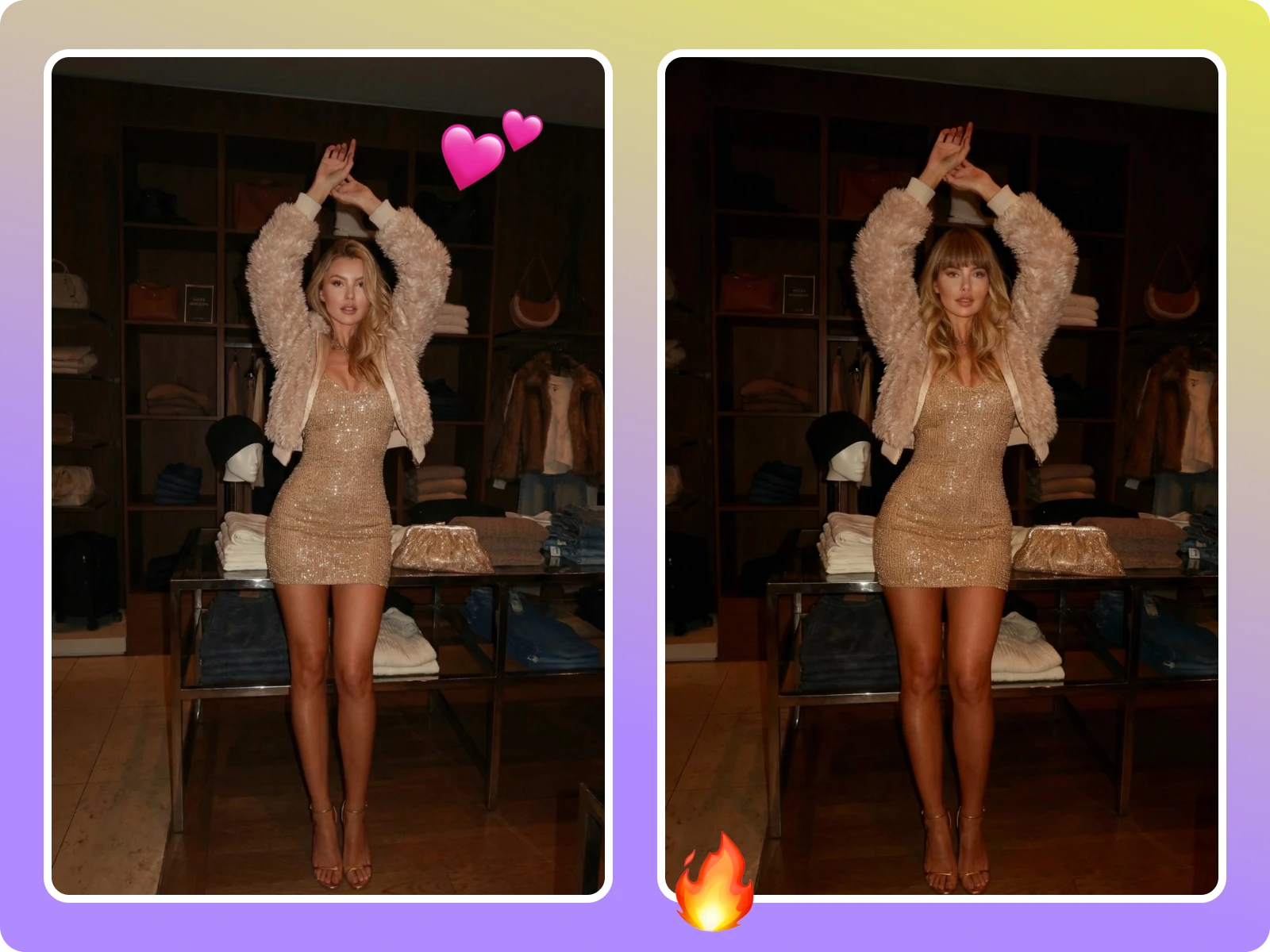
Send ai hairstyle online free before/after previews to your stylist with notes on target length, bang density, and root-to-tip tone difference. They can assess bleach rounds, timing, and budget before the appointment, so you avoid surprises or add-on costs at the chair. The watermark-free export shows your volume and head shape clearly, reducing communication gaps.
Save for stylist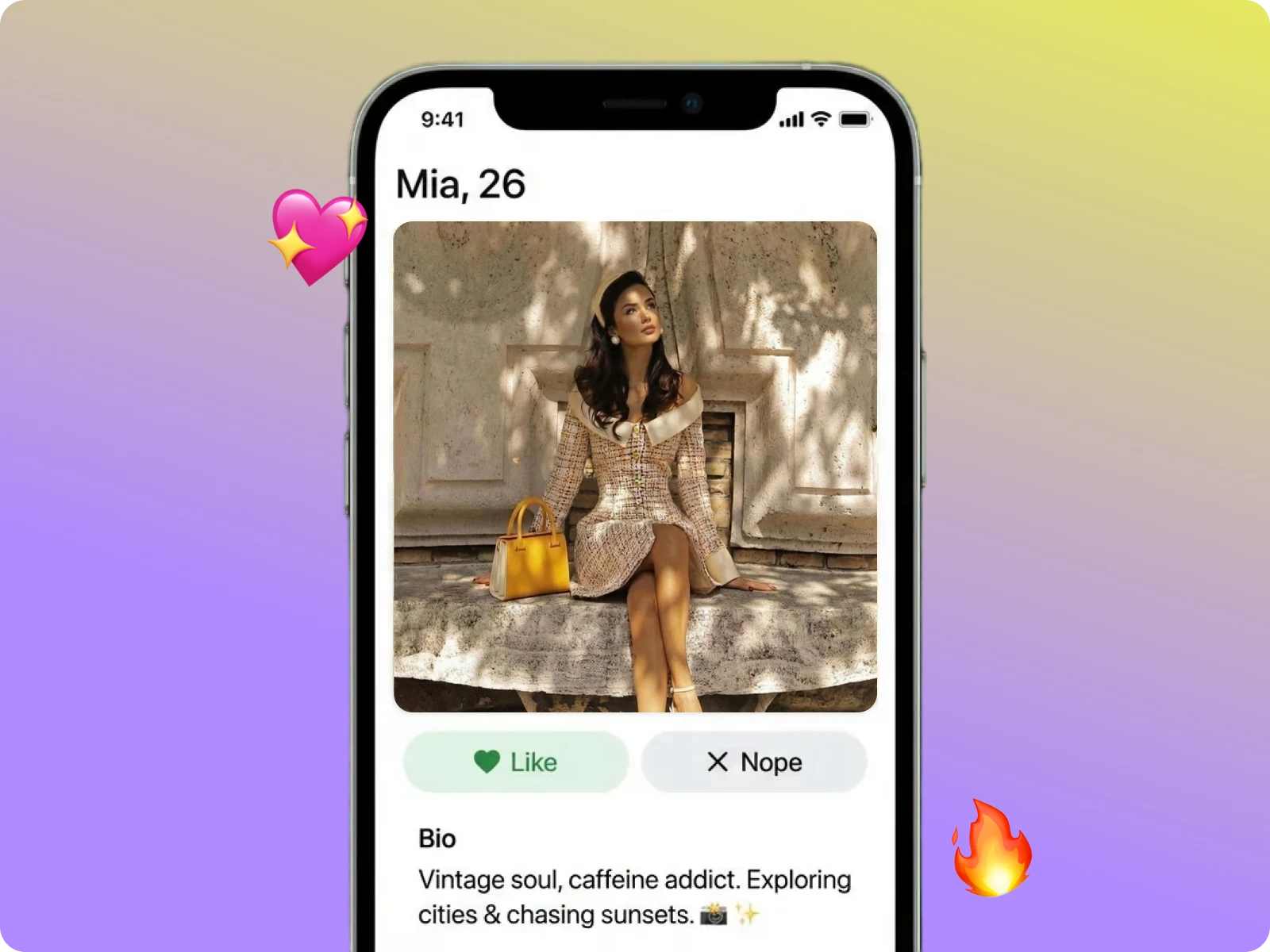
Before updating LinkedIn, resumes, or social bios, test low-risk layers, soft texture, and tone tweaks in ai hairstyle online free to stay professional while adding warmth. Match the lighting of your current headshot, generate several subtle options, and download HD files fast to confirm there is no jarring shift in color or contrast before you book a shoot or swap in the new image.
Download previewUpload a clear selfie
Start ai hairstyle online free with a front-facing, unobstructed selfie where your hairline is visible. Stand by a window or plain wall, avoid harsh backlight and heavy beauty filters, remove hats, headphones, or headbands, and keep your face outline clean. Use JPG or PNG under 8MB; once uploaded, the tool auto-detects head shape and hair edges to set up accurate bangs, layers, and color placement.
Pick cut, texture, and color
In the ai hairstyle online free library, pick the length and details you want to test: bob, collarbone, layered, curtain bangs, French bangs, or no bangs, then pair with cool brown, ash, milk tea, smoky gray, peach pink, or blue-black. The system matches your face shape and skin tone, simulates shine, shadow, and strand direction, and shows realistic blending instead of a flat sticker effect.
Generate, compare, and export
After you click generate, ai hairstyle online free shows side-by-side results in seconds and lets you quickly swap length, bang density, or color mixes so you can shortlist several candidates at once. Export any favorite in 1:1, 4:5, or 9:16 with no watermark and full fidelity, ready for TikTok, IG, Pinterest, or a stylist chat.
Decide and share
Share your favorite ai hairstyle online free preview with friends or the salon, collect feedback, and decide before booking. Show two options side-by-side in chat for quick picks, keep every export to review under different lighting, and confirm the final choice can be replicated in real life, cutting redo or extra bleaching risks.
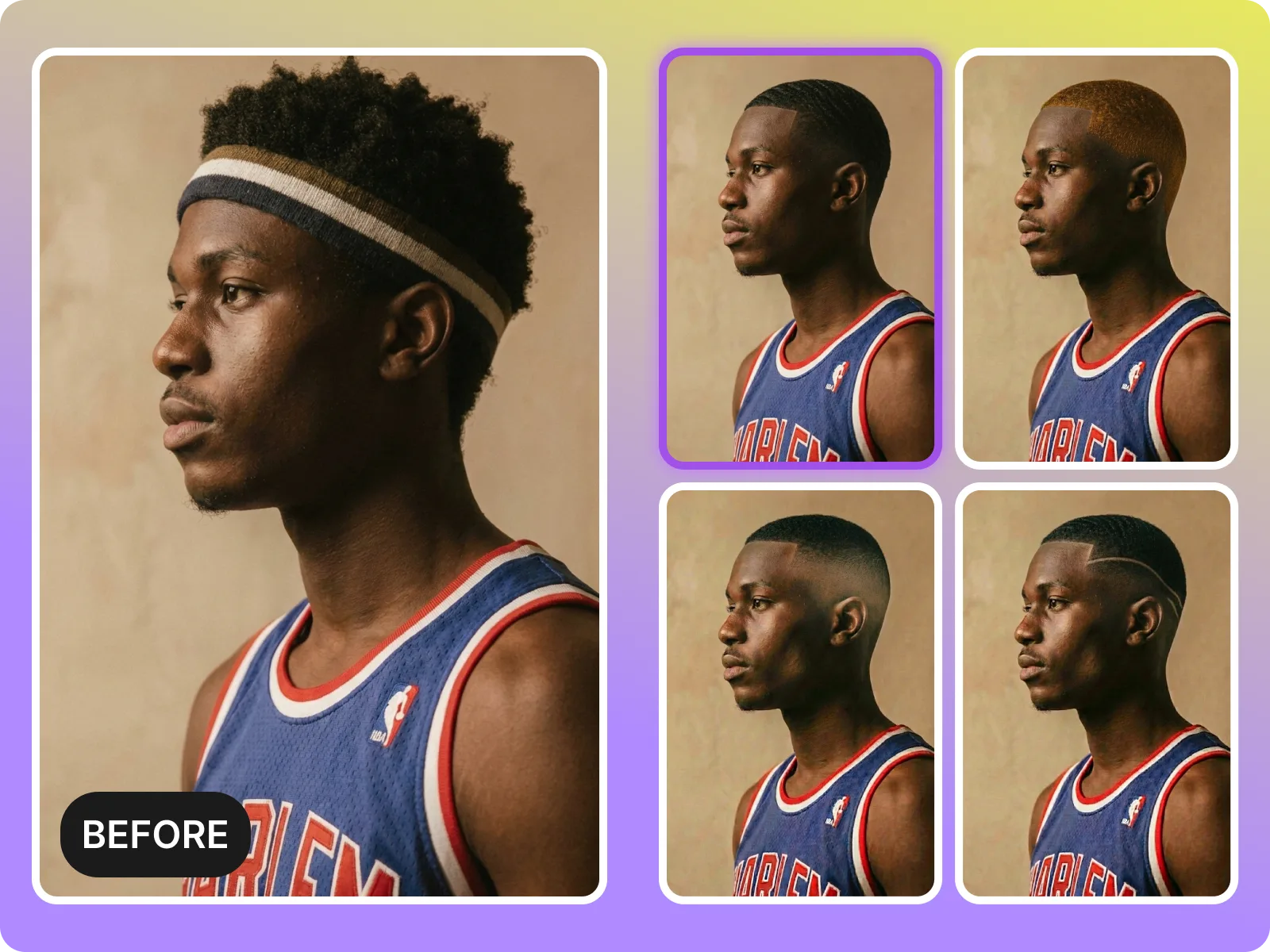
Creators, students, office professionals, and stylists use ai hairstyle online free to lock in looks early: creators post side-by-sides for social polls and gather feedback; stylists get clean, watermark-free previews to validate feasibility, prep color charts, and estimate timing before the client arrives; professionals refreshing headshots test layers and tones to stay polished. Everyone saves on back-and-forth and avoids missteps before booking or publishing.
“I tested six cuts and colors in ten minutes and let TikTok pick the winner—my salon matched it perfectly.”
“I tested six cuts and colors in ten minutes and let TikTok pick the winner—my salon matched it perfectly.”
“Clients arrive with a saved preview, so we skip long consults and avoid redo requests because expectations are clear.”
“Clients arrive with a saved preview, so we skip long consults and avoid redo requests because expectations are clear.”
“Great for quick polls—clean previews let my audience vote on bangs vs. layers without any watermarks.”
“Great for quick polls—clean previews let my audience vote on bangs vs. layers without any watermarks.”
Upload one selfie, pick a cut and color, and get a natural-looking before/after in seconds—no account, no watermark, ready to export.
Drag & drop Image here