“The natural template is my go-to for skin-care campaigns. It stays consistent and clean.”
LinaBeauty marketer
Upload a clear face photo, pick a style or upload your own reference makeup, and let the AI apply the look with precision—foundation, eyes, lips, contour, and highlighter stay in the right areas.
This AI makeup generator is built to help you experiment with looks—everyday, glam, cosplay, or brand campaigns—without complex editors. The page explains which inputs work best, how to layer styles, and when to keep edits light so your portraits stay believable.
Try a virtual makeover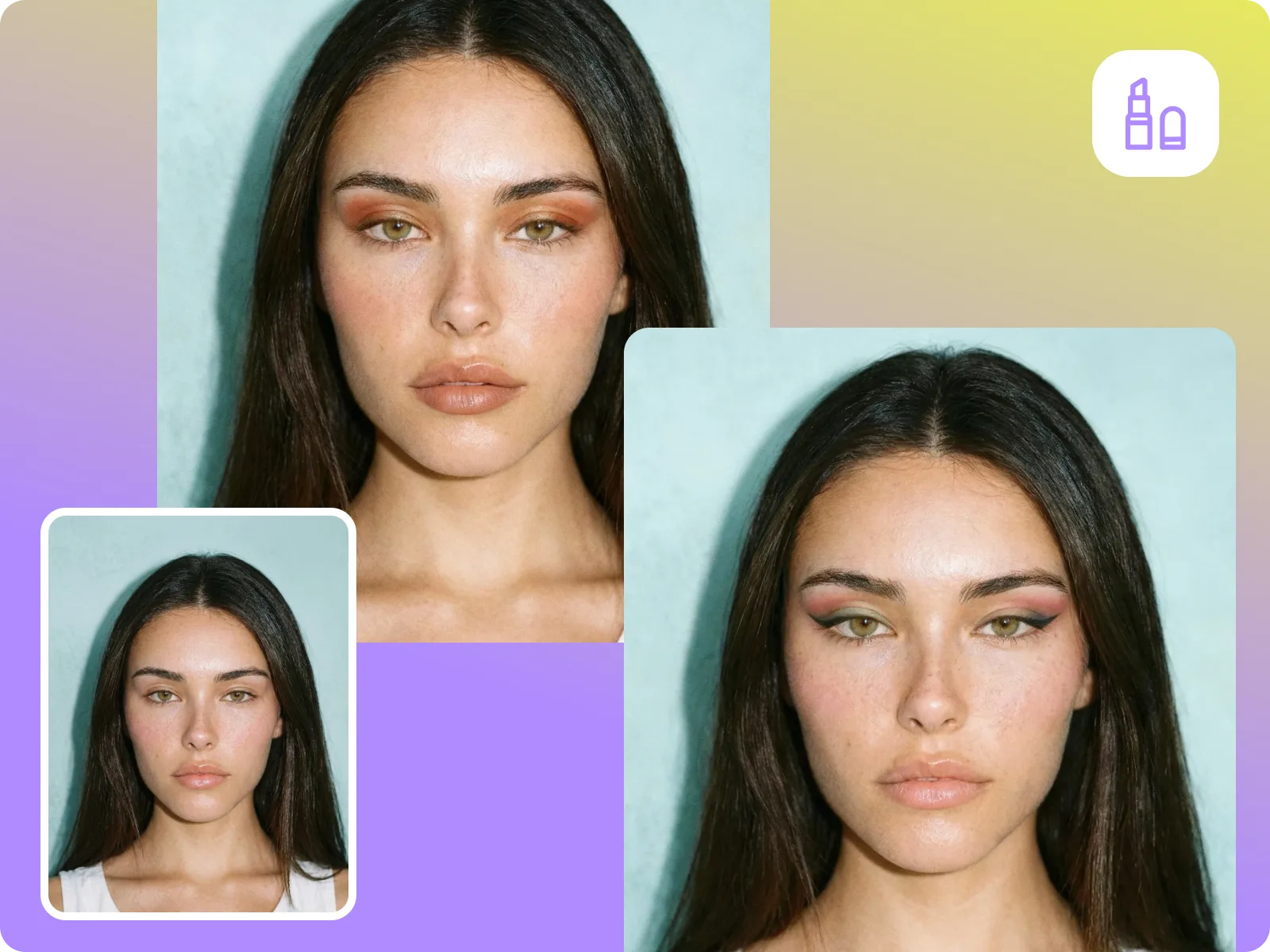
Browse natural, glam, creative, or theatrical presets, then apply them instantly. Each template is designed to respect facial proportions so eyeliner, blush, and lips land where they should.
Browse looksHave a favorite makeup or celeb reference? Upload it and the AI recreates the colors and placement on your face for a quick custom transfer.
Use your referenceGenerate a set of consistent makeovers for campaign assets or social grids. Export without watermarks and keep lighting and pose grounded while the AI handles the makeup.
Export social looksThe tool works best with front-facing portraits in good light. Extreme angles, occlusions, or group shots still need manual cleanup.
Stay within limitsUpload a clean portrait
Choose a high-resolution face photo with even lighting and minimal filters so the AI can detect eyes, lips, brows, and skin tone accurately.
Select or upload a style
Pick from preset looks (natural, glam, cosplay, date night) or upload a makeup reference to transfer colors and placement.
Preview and export
Adjust the intensity if needed, then export a high-resolution image ready for social posts, ads, or mood boards.
AI makeup generator layers foundation, eyes, lips, and contour onto your photo with one click—no brushes or cosmetics required.
Apply a lookSwitch between natural, glam, skin-tone, or dramatic styles without reshooting.
Try different stylesGenerate consistent makeovers for e-commerce, portfolio, or social grids—export photo-ready images in seconds.
Create campaign looksThe AI handles precise placement so you can focus on the story, not the brush strokes.
Share your final lookHere’s how creators and brands use the AI makeup generator to keep publishing on schedule.
“The natural template is my go-to for skin-care campaigns. It stays consistent and clean.”
“We export multiple styles for the season without rebooking talent.”
“The preset filters help me train junior artists quickly.”
“The natural template is my go-to for skin-care campaigns. It stays consistent and clean.”
“We export multiple styles for the season without rebooking talent.”
“The preset filters help me train junior artists quickly.”
“I switch expressions and makeup in minutes for comparison reels.”
“I used it to test date-night and glam looks for branding shots.”
“Cosplay makeup adjustments are huge time savers.”
“I switch expressions and makeup in minutes for comparison reels.”
“I used it to test date-night and glam looks for branding shots.”
“Cosplay makeup adjustments are huge time savers.”
“The custom reference transfer nailed my exact editorial look.”
“Fits in my workflow—upload, apply, download. No manual paint.”
“It keeps the face natural while letting me test bold looks.”
“The custom reference transfer nailed my exact editorial look.”
“Fits in my workflow—upload, apply, download. No manual paint.”
“It keeps the face natural while letting me test bold looks.”
Upload a clear face photo, pick a style or upload your own reference makeup, and let the AI apply the look with precision—foundation, eyes, lips, contour, and highlighter stay in the right areas.
Drag & drop Image here