
“The preview showed me how my ears would look, which was the deciding factor.”
ChrisFirst-time buzzer
Upload a clear selfie and see a buzzcut preview that keeps your face shape, lighting, and background intact so you can decide without shaving first.
This buzzcut filter focuses on hairline placement, edge clarity, and lighting match so the result looks like a real cut, not a pasted mask. It keeps eyebrows, ears, and jawline visible, then blends short texture into the original light so the preview is decision-ready.
Try the buzzcut filter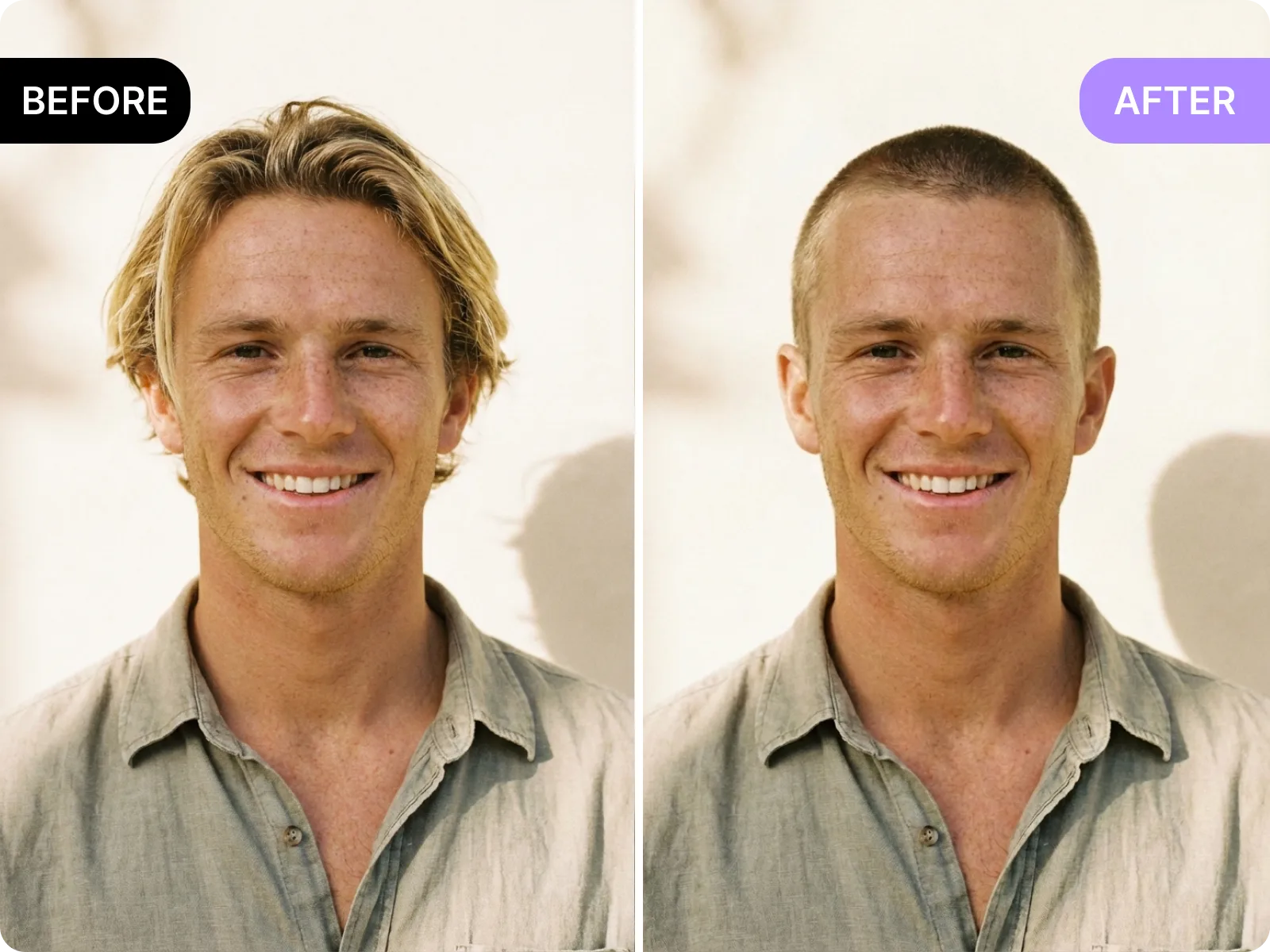
Upload a front-facing photo and the tool checks your forehead, temples, and sideburns to place the buzzed edge where a real clipper line would sit. It keeps eyebrows and ear shape visible, avoids shaving into the forehead, and respects your head contour for a natural result.
Upload a selfie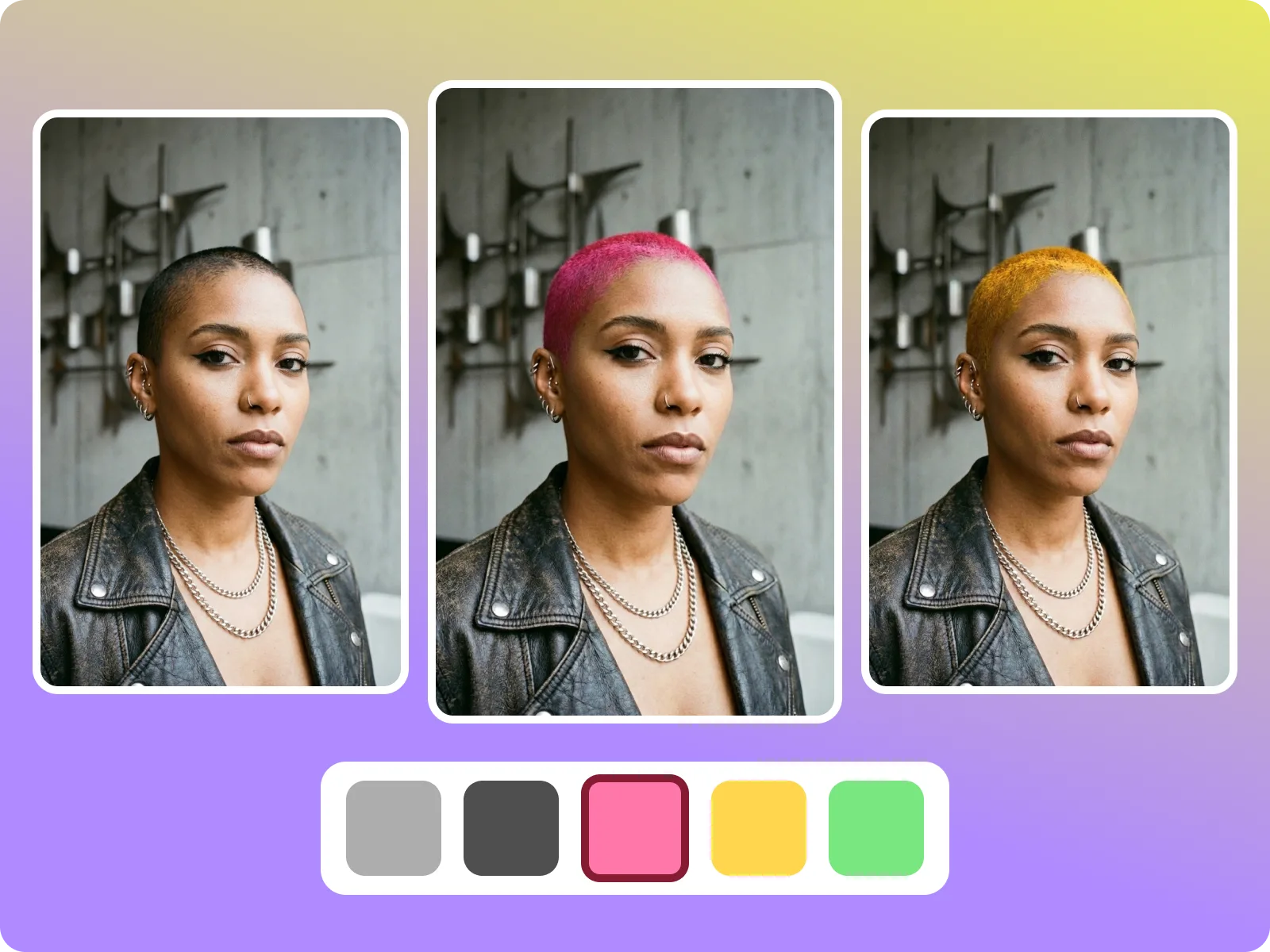
The buzzcut filter matches the light direction and skin tone of your original photo so the buzz texture does not look gray, blown out, or too dark. It keeps shadows along the jawline consistent for clean, believable stubble.
See a clean blend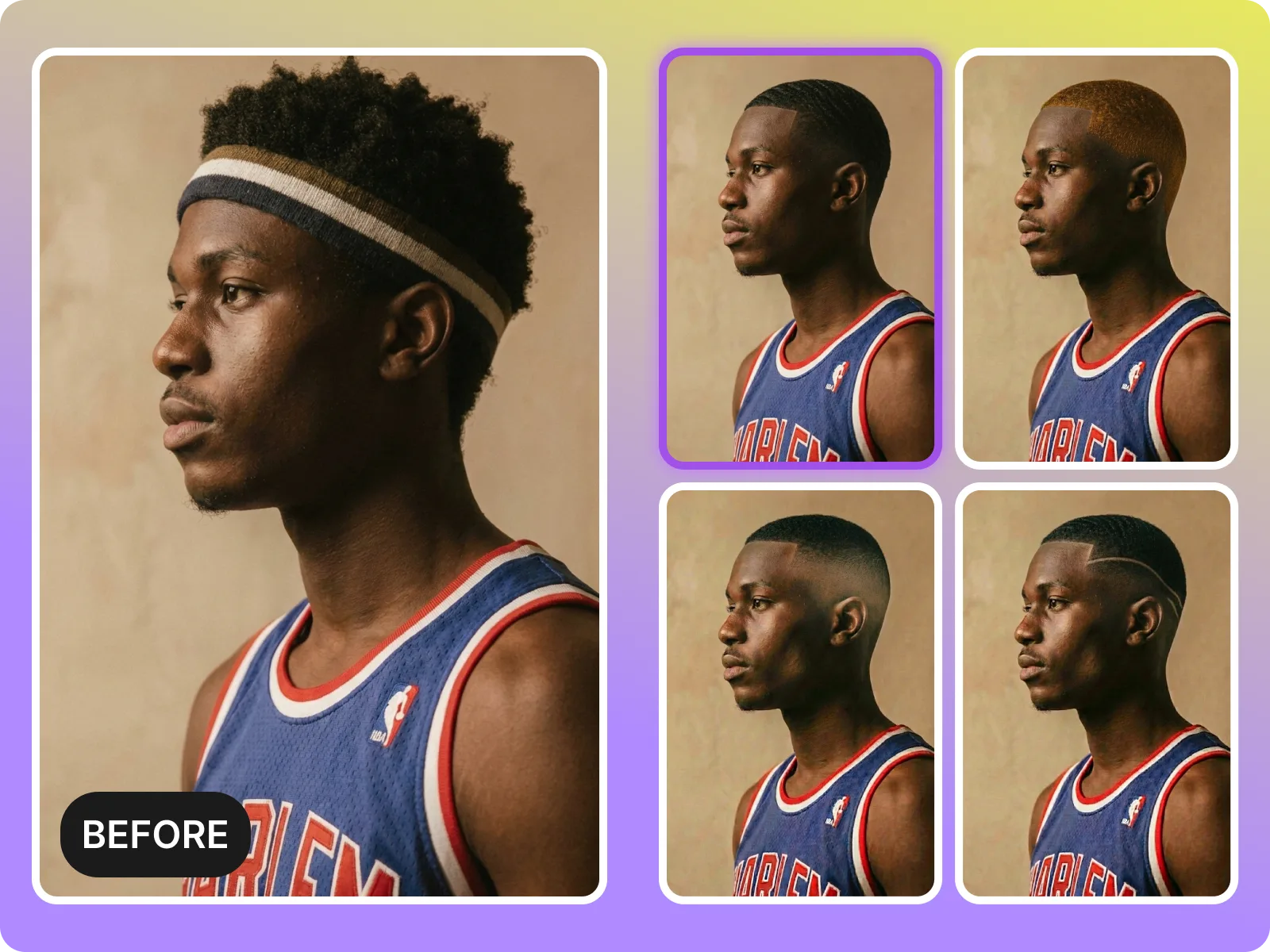
Clean edges are the difference between a helpful preview and a gimmick. This tool preserves jawline and ear edges and avoids fuzzy borders around the scalp. For best results, use even light and a simple background.
Preview clean edgesPeople search for a buzzcut filter for different reasons: a personal style change, a creator refresh, or a quick check before a barber visit. These scenarios explain why the tool helps and what kind of photo produces the most reliable preview.
Start a preview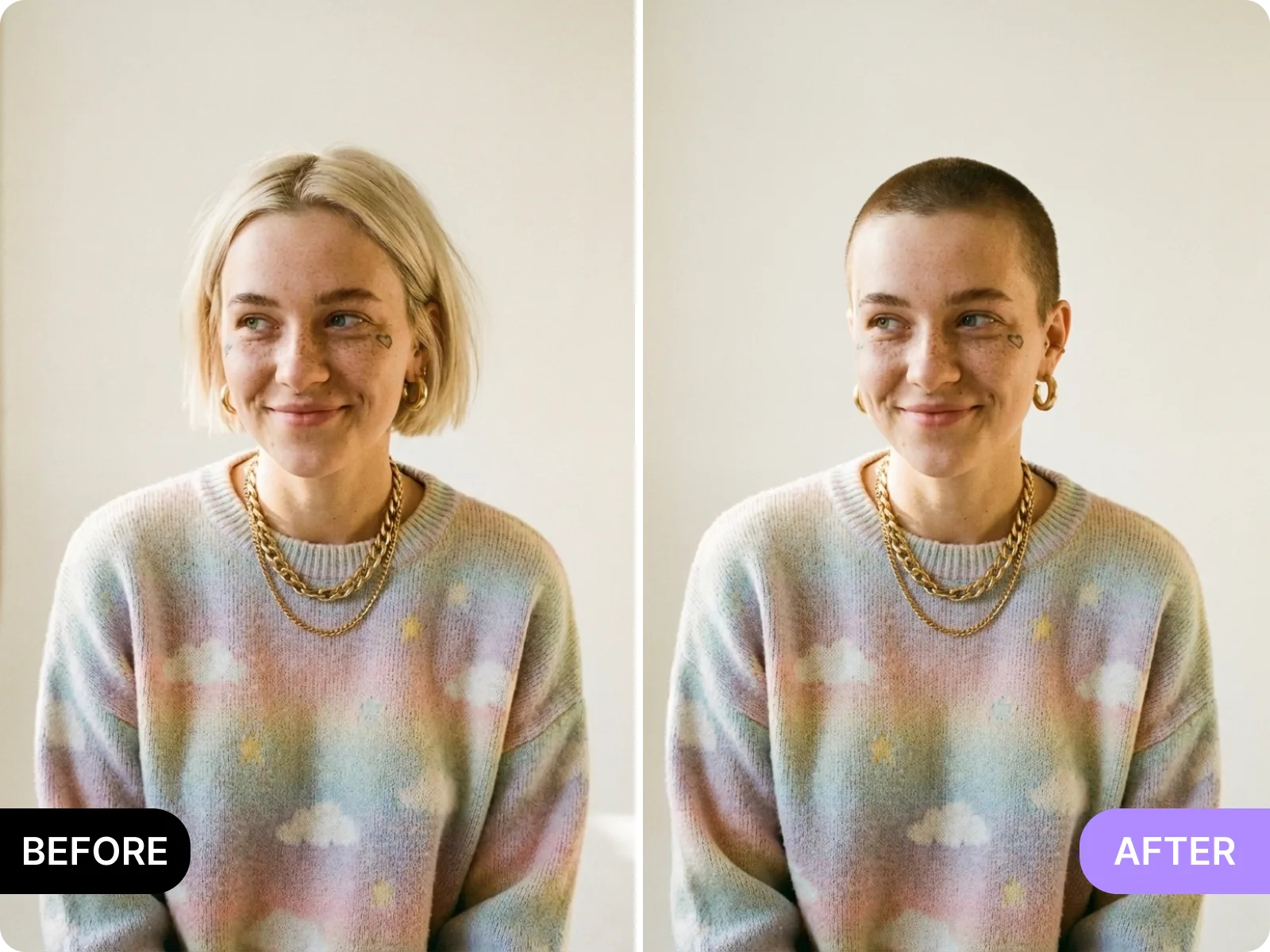
Before you sit in the chair, use the buzzcut filter to check how a close crop frames your face and ears. It helps you decide if a higher or lower line feels right and gives you a before/after to share with your barber.
Share with a barberCreators can test a buzzcut look for thumbnails, profile images, or story polls without shaving. Upload a clean selfie, generate a few variations, and export a before/after for quick audience feedback.
Run a quick pollIf you need a clean, minimal look for professional profiles or ID-style headshots, the buzzcut filter can help you visualize a simpler silhouette without booking a reshoot. Use even light and a neutral background for the best match.
Preview a clean lookThis tool is good at clean, front-facing portraits where your full head and hairline are visible. This tool is NOT ideal for group photos, heavy bangs, hats, or strong backlight, because edges and shading become unreliable.
Check your photoThe buzzcut filter is most accurate on head-and-shoulders photos with your face centered and your crown fully visible. A straight-on pose helps the tool place the buzz line evenly around temples and ears so you can judge the cut accurately.
Use a straight-on photoSide profiles hide key reference points like the full hairline and temple edge, which makes the clipper line drift or blur. Use a front-facing image first, then compare a side view only after the front result looks right.
Use a front-facing selfieHats, hoodies, large headphones, or thick bangs cover the hairline, which can cause jagged edges or uneven stubble. Remove headwear, pull hair back, and use even light so the tool can see your full head shape.
Retake without hatsTraditional decision paths include imagining a buzzed look, trying a cap, or searching for similar faces online. A buzzcut filter gives you a direct preview on your own photo, reduces regret, and lets you share a realistic comparison before you commit.
Preview your own lookA real buzz cut is fast but hard to undo. This preview lets you compare your current look with a close crop before you commit, so you can decide if a shorter guard or slightly longer buzz feels right.
Compare before and afterThe buzzcut filter exports a clean before/after so you can ask friends, partners, or followers for quick input. Sharing a realistic preview is more useful than describing a cut.
Share a previewInstead of multiple salon visits or repeated reshoots, you can test a buzzcut in seconds and move forward only if it feels right. The tool is built for quick use with no install or signup required.
Try it instantlyUpload a clear, front-facing selfie and get a buzzcut preview that keeps your face shape, skin tone, and lighting intact. The tool maps your hairline and head contour, then blends a short texture that matches the original photo.
Try the buzzcut filterA good buzzcut preview keeps eyebrows, ears, and jawline clear so you can judge the cut, not a mask. This tool preserves facial details and keeps the stubble line tight around temples and the crown.
See clean edgesNot every buzz cut is the same. Use this preview to compare very short, short, and slightly longer buzz looks on the same photo. Decide how much scalp you want to show before you tell a barber the length.
Compare lengthsWhen the preview looks right, export a clean before/after to show a barber, post a poll, or update a profile image. The buzzcut filter keeps the background and light consistent so the comparison feels real.
Export a previewBuzzcut decisions are quick but hard to reverse. These users rely on realistic previews, clean exports, and clear limits so they can decide without regret and move on quickly.
“The preview showed me how my ears would look, which was the deciding factor.”
“It helped me avoid going too short. I picked a slightly longer buzz after seeing it.”
“The preview showed me how my ears would look, which was the deciding factor.”
“It helped me avoid going too short. I picked a slightly longer buzz after seeing it.”
“I sent the before/after to my barber and we agreed on length before I walked in.”
“The edges looked real enough to trust for a profile update.”
“I sent the before/after to my barber and we agreed on length before I walked in.”
“The edges looked real enough to trust for a profile update.”
“Quick poll on my story and the buzzcut won by a mile. No reshoot needed.”
“It is fast and honest about bad photos, which saved me time.”
“Quick poll on my story and the buzzcut won by a mile. No reshoot needed.”
“It is fast and honest about bad photos, which saved me time.”
Upload a straight-on selfie
Choose a single-person, front-facing photo with your full head in frame. Use even light and avoid hats, heavy bangs, or strong backlight so the tool can see your hairline and head shape clearly.
Generate the buzzcut preview
The tool maps your forehead, temples, and crown, then blends a short buzz texture into the original photo. If edges look soft or the hairline is hidden, retake with better light and a clear angle.
Compare lengths and variations
Try shorter and slightly longer buzz looks to see how much scalp shows and how the cut balances your face. Save the version that feels right for your style or lifestyle.
Export and decide
Export a before/after for a barber consult, a profile update, or a quick poll. Use the export as a reference so your final decision matches the preview.
Upload a clear selfie and see a buzzcut preview that keeps your face shape, lighting, and background intact so you can decide without shaving first.
Drag & drop Image here