
“Picking a solid color background made product shots consistent across Shopify without extra retouching.”
LinaE-commerce lead
Drop in a photo, choose a solid color, upload a reference background, or describe the scene you want. The tool swaps out the background while keeping your subject, lighting, and pose untouched.
This page captures what people really need when they search “change background AI”: fast replacements, predictable results, and clear guidance on where it shines. We highlight the steps, the best inputs, and what to avoid so you can polish marketing, social, or personal photos without a steep learning curve.
Swap a background
Choose a solid color for product shots, describe a location for creative scenes, or upload a reference background for precise matching. The AI keeps the subject intact while replacing only what is behind it, so your edits look deliberate and not just filtered.
Choose a background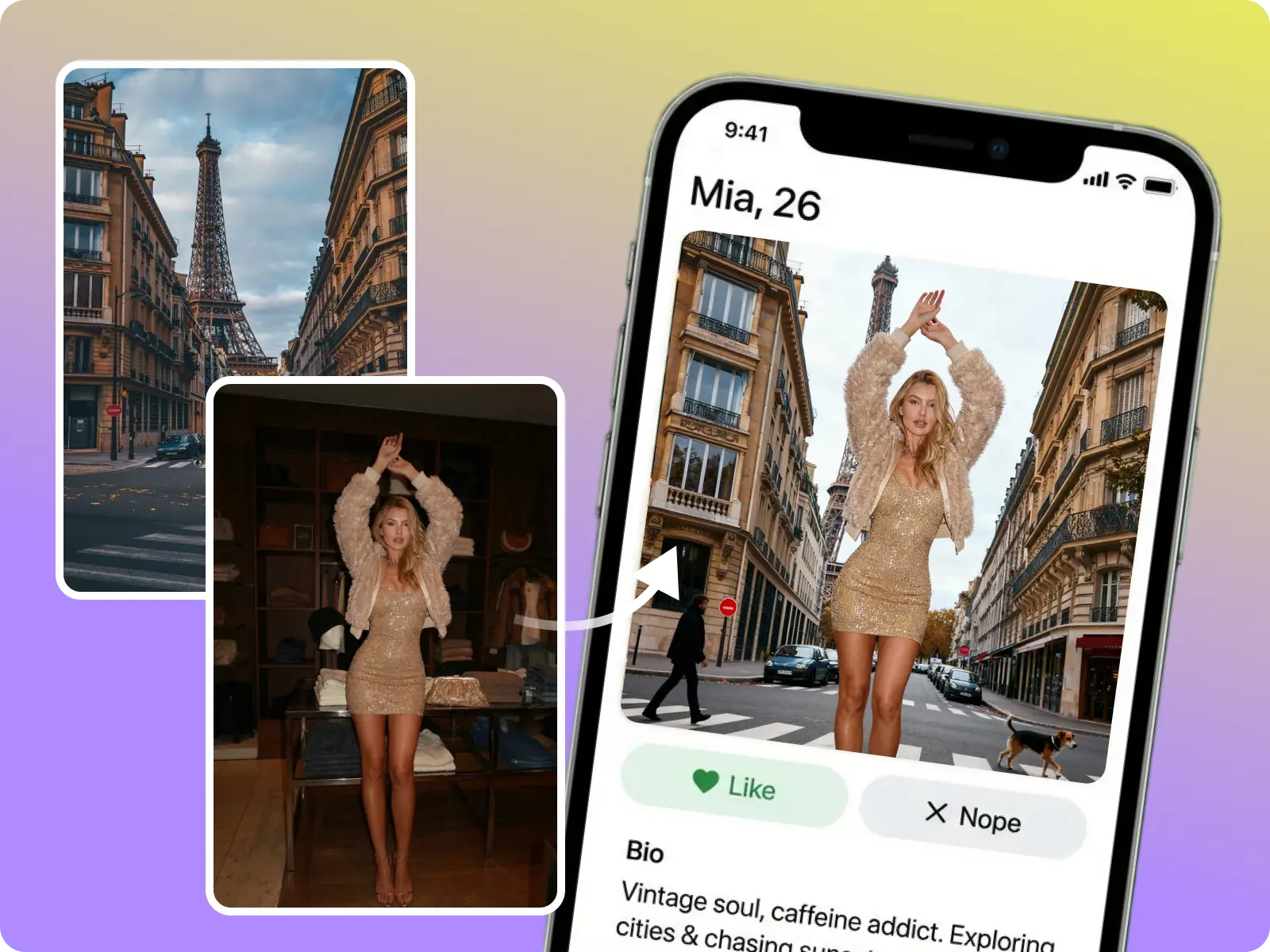
Need multiple images for a storefront, campaign, or grid? Use similar lighting and camera angles, then run the same background style on each photo. The AI keeps edges clean so all exports share the same tone.
Align your batch
Change background AI keeps edits honest. You get quicker previews, clear limits, and outputs you can label as AI-generated when needed, so the result works for professional or personal sharing without falling into misrepresentation.
Try a safe edit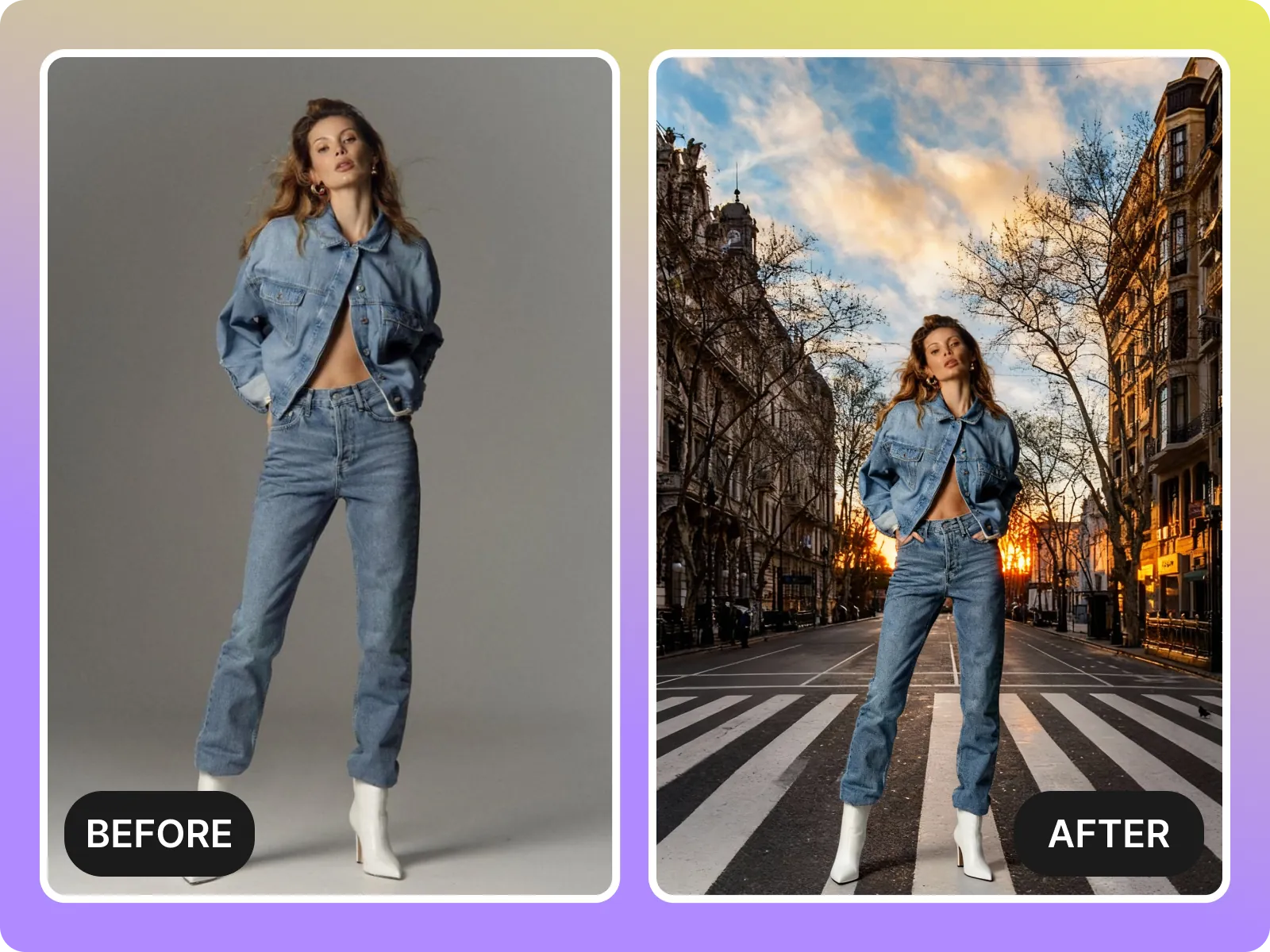
Transparent backgrounds, reflections, and super low light still need manual work. Use clean, well-lit photos with distinct subject edges for the best swaps, and treat the AI output as a starting point for quick exports.
Respect the limitsUpload your photo
Pick an image with a single subject, even lighting, and a clean outline. The AI detects the subject first, so smoothing out noise or cropping to focus on the person or product helps.
Select the replacement
Choose a color, upload a reference background, or type a short prompt describing the scene you want (e.g., “studio wall in warm amber light”). The model then blends the new background while keeping shading consistent.
Preview and export
Review the swap for halos, edge artifacts, or lighting mismatches. If it looks off, try a cleaner subject photo or adjust the background choice. Once satisfied, export a high-resolution file that’s ready for sharing.
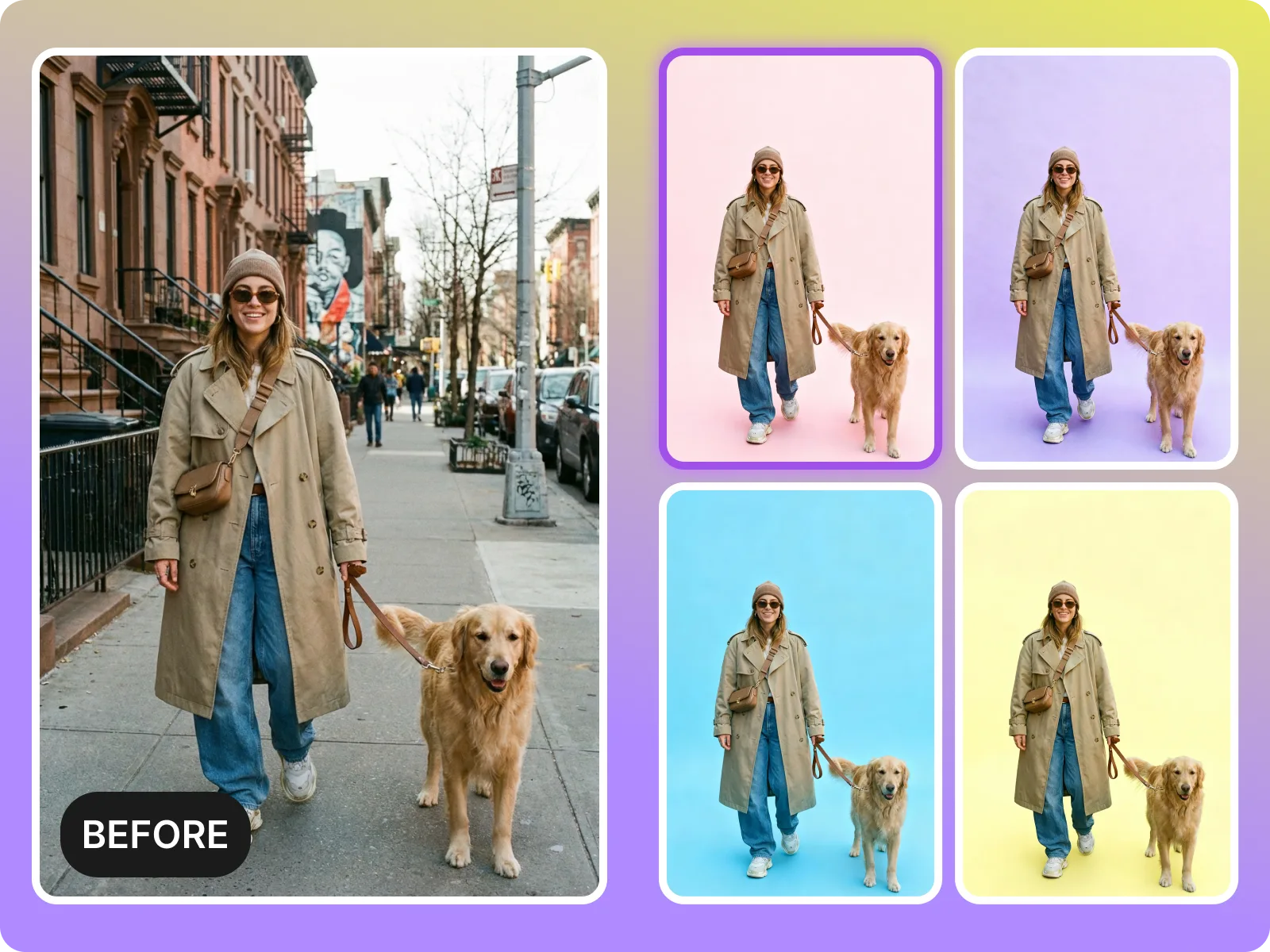
Upload a photo, pick a background style, and let AI swap it cleanly. Ideal for eCommerce, social media, and quick creative tests.
Change a background nowWant a solid color, a dreamy location, or a precise reference photo? Change background AI lets you mix approaches for the same output.
Pick your backgroundKeep lighting, pose, and framing consistent while swapping backgrounds across several photos. Perfect for marketing shots or multi-post social experiments.
Align a batchSkip manual masking or complicated editors. Change background AI gives you a clean replace that is ready to download and share.
Export with confidenceMarketers, creators, and casual editors use this flow to get fast swaps without learning complex tools.
“Picking a solid color background made product shots consistent across Shopify without extra retouching.”
“The tool keeps my subject intact while replacing cluttered studio walls.”
“Prompt-based replacements help me pitch creative concepts faster.”
“Picking a solid color background made product shots consistent across Shopify without extra retouching.”
“The tool keeps my subject intact while replacing cluttered studio walls.”
“Prompt-based replacements help me pitch creative concepts faster.”
“I use the prompt-based backgrounds for quick social posts. It saves me hours of hunting for scene images.”
“I show clients a few background variations before we commit to a retouch.”
“The export-ready result removes the need for secondary editing.”
“I use the prompt-based backgrounds for quick social posts. It saves me hours of hunting for scene images.”
“I show clients a few background variations before we commit to a retouch.”
“The export-ready result removes the need for secondary editing.”
“Batch swaps keep the curated grid cohesive. Just upload, swap, export.”
“It is fast enough to replace backgrounds on the go and still looks clean.”
“This is my go-to for quick videos or photos needing a new feel.”
“Batch swaps keep the curated grid cohesive. Just upload, swap, export.”
“It is fast enough to replace backgrounds on the go and still looks clean.”
“This is my go-to for quick videos or photos needing a new feel.”
Drop in a photo, choose a solid color, upload a reference background, or describe the scene you want. The tool swaps out the background while keeping your subject, lighting, and pose untouched.
Drag & drop Image here