“Looks far more realistic than sticker filters—my followers actually vote on options.”
NoraLifestyle creator
Upload one portrait to try bobs, layers, bangs, and bold color tests, then download clean references for social posts or a salon visit in minutes.
Upload one evenly lit, front-facing portrait to let Hairstyle AI read your face shape, hairline, temples, and cheekbones, then anchor fringe, parts, highlights, and volume into the correct light so the preview never feels like a sticker. Keep your expression relaxed, remove hats, sunglasses, or headphones, and leave makeup natural to preserve skin tone continuity. Avoid harsh backlight or dim indoor light so the system can calculate edges, shadow falloff, and hairline transitions accurately. The goal is a reference you can hand to a stylist or post on social without retouching, so every pixel of the image is treated as task-critical input: clear forehead, visible ears, neutral background, and a sharp focus to avoid fuzzy strands. If the app flags blur or exposure issues, retake in a brighter spot at eye level; a single crisp upload saves multiple reshoots and yields the most believable Hairstyle AI preview.
Start free try-on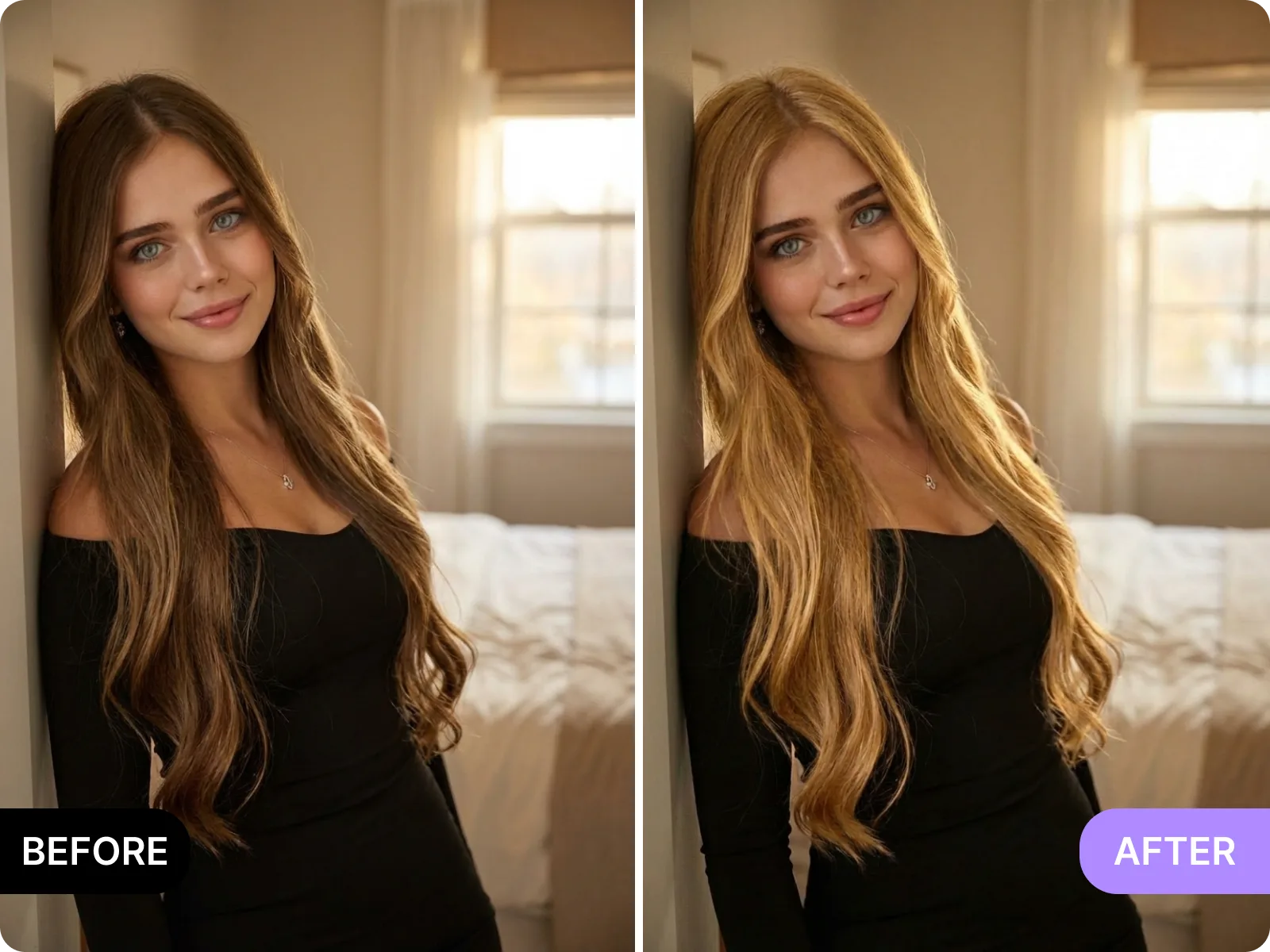
Hairstyle AI lets you toggle bob, wolf cut, shag, curtain bangs, French bangs, airy fringe, layered cuts, pixie-inspired crops, balayage, smoky ash, copper, peekaboo strands, and vivid dyes in one session so you can see how length, curvature, and color placement change your face balance before booking. Each option locks to your jawline and shoulder contour to keep proportions honest, while gloss and volume remain consistent so you can judge shape instead of filter tricks. Keep makeup minimal and shoulders visible when shooting your photo so the neck shadow and clavicle blend naturally with the simulated hair; this helps you decide whether heavy bangs crowd your eyes or if side-swept layers open the face. Hairstyle AI highlights how fringe density, part direction, and dye saturation affect skin tone, then surfaces variants that stay true to your lighting. When you find a combination that aligns with your lifestyle—daily office, event styling, content shoots—you can save it, compare side by side, and share with friends or a stylist to avoid impulsive cuts or irreversible bleaching.
Preview styles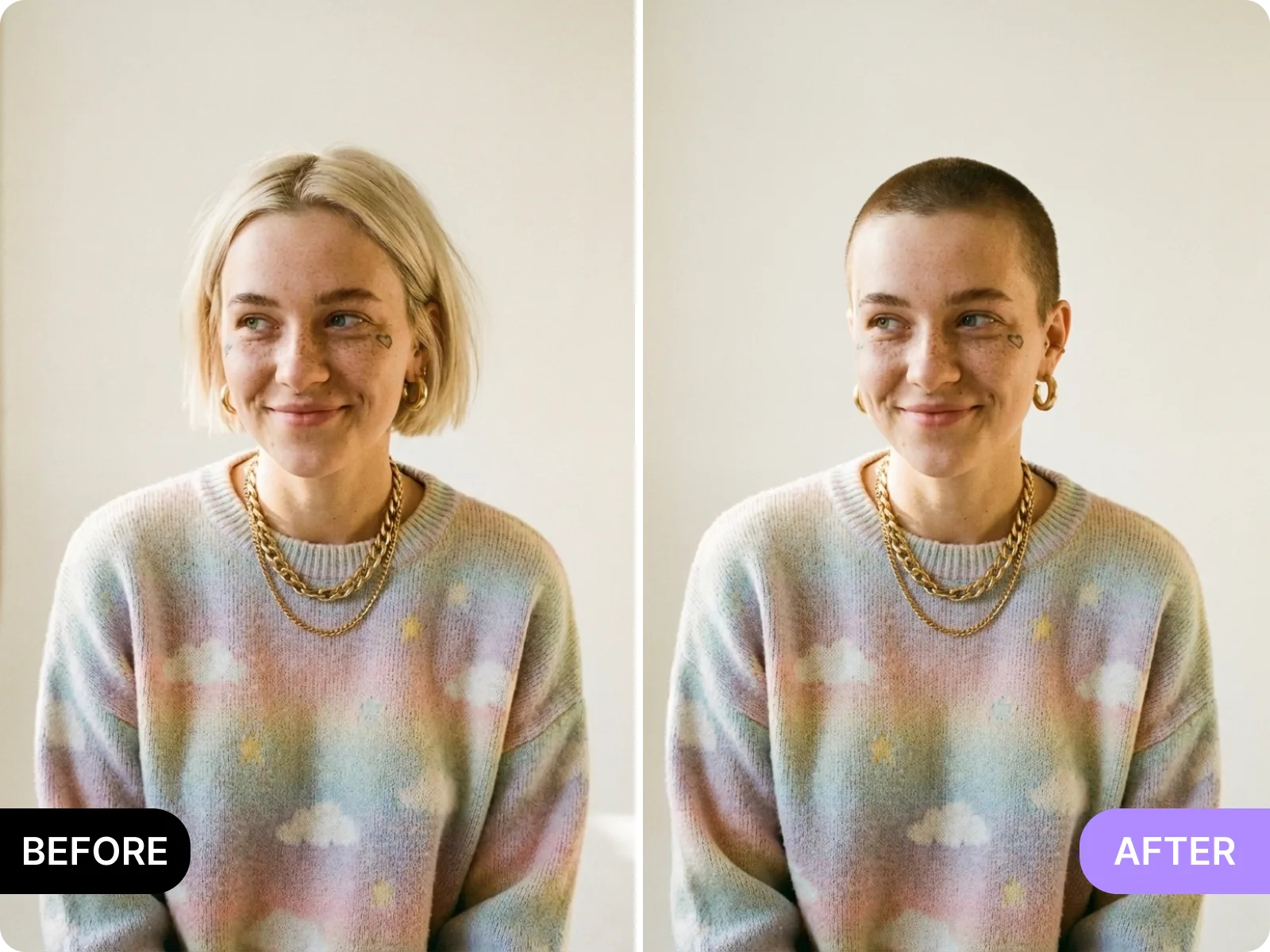
Hairstyle AI exports clean, high-resolution previews in 1:1, 4:5, and 9:16 ratios so you can drop them into Instagram, TikTok, YouTube thumbnails, PDP mockups, or moodboards without manual masking. Edge handling keeps fine flyaways while softening halos, which means less time painting hair strands and more time presenting concepts. Colors stay within social-safe ranges to avoid odd banding or over-bright copper on mobile screens. If you are briefing a stylist, you can export both front and slight-angle references, then annotate desired root depth, highlight placement, and fringe weight so the salon visit starts with a clear visual agreement. For ecom or ad work, batch exports maintain consistent lighting logic across frames, reducing retouch costs. Hairstyle AI is built for “ready to use” output—no watermarks, no unexpected compression—so you can share directly, schedule posts, or hand off to collaborators without another round of edits.
Export clean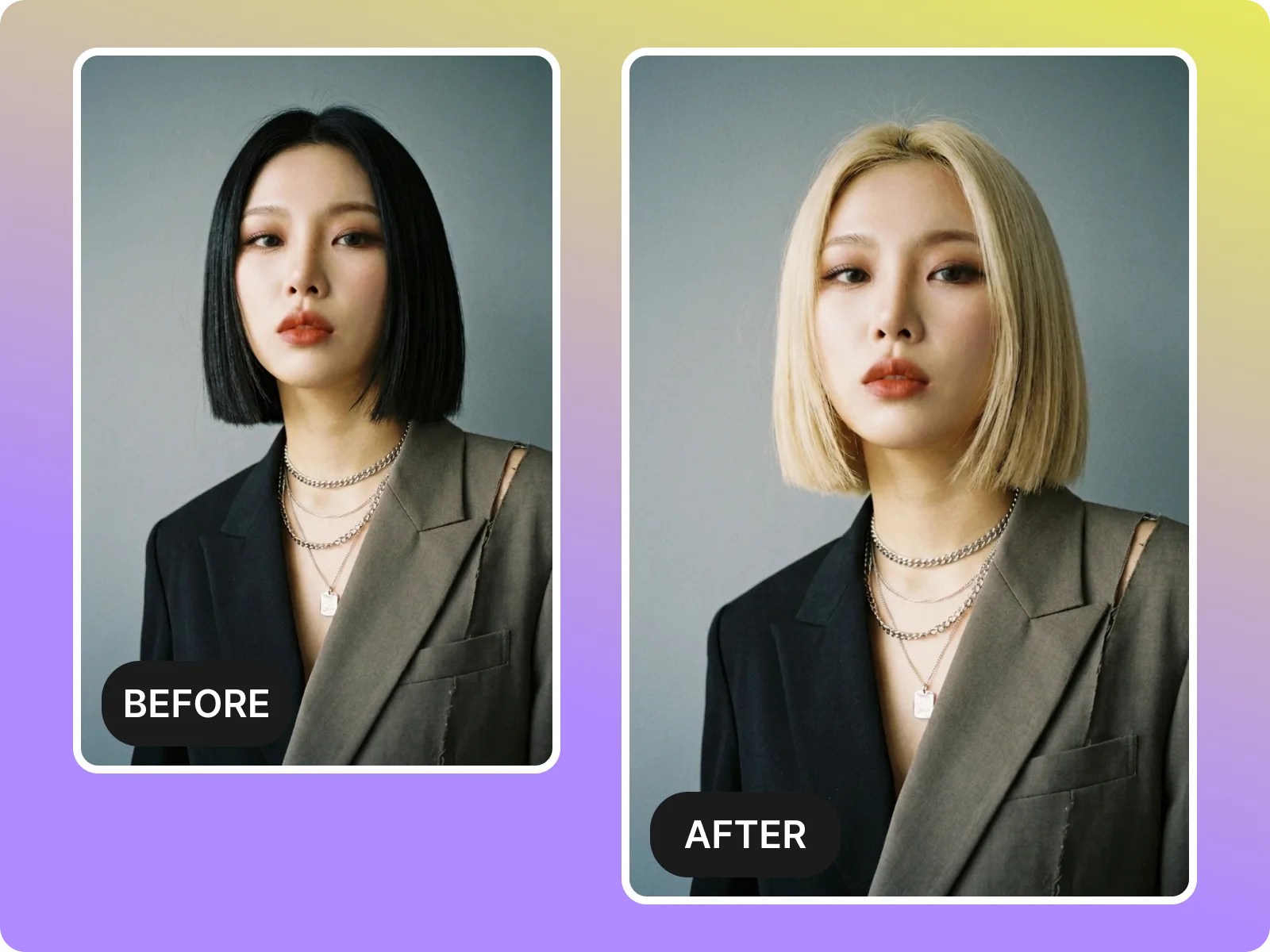
Hairstyle AI models curl pattern, coarseness, density, and natural volume so waves, coils, and straight hair retain believable direction instead of flattening texture or exaggerating frizz. The system reads cowlicks, temple contours, and ear coverage to avoid clipping through skin or leaving scalp exposed where it should not be. If an upload is blurry or low resolution, strands merge and curl definition collapses; retaking a sharper photo in soft daylight immediately improves how the AI refines layers, root lift, and tonal gradients. Because Hairstyle AI is texture-aware, it also aligns dye saturation with the way textured hair reflects light, preventing unnatural neon on curls or muddy lowlights on straight hair. The result is a preview you can trust when deciding whether to thin bulky sections, add shag layers for movement, or keep length to maintain weight. Use this as a decision tool, not just a filter—the clearer the source photo, the more precise the generated cut and color roadmap.
Match my hair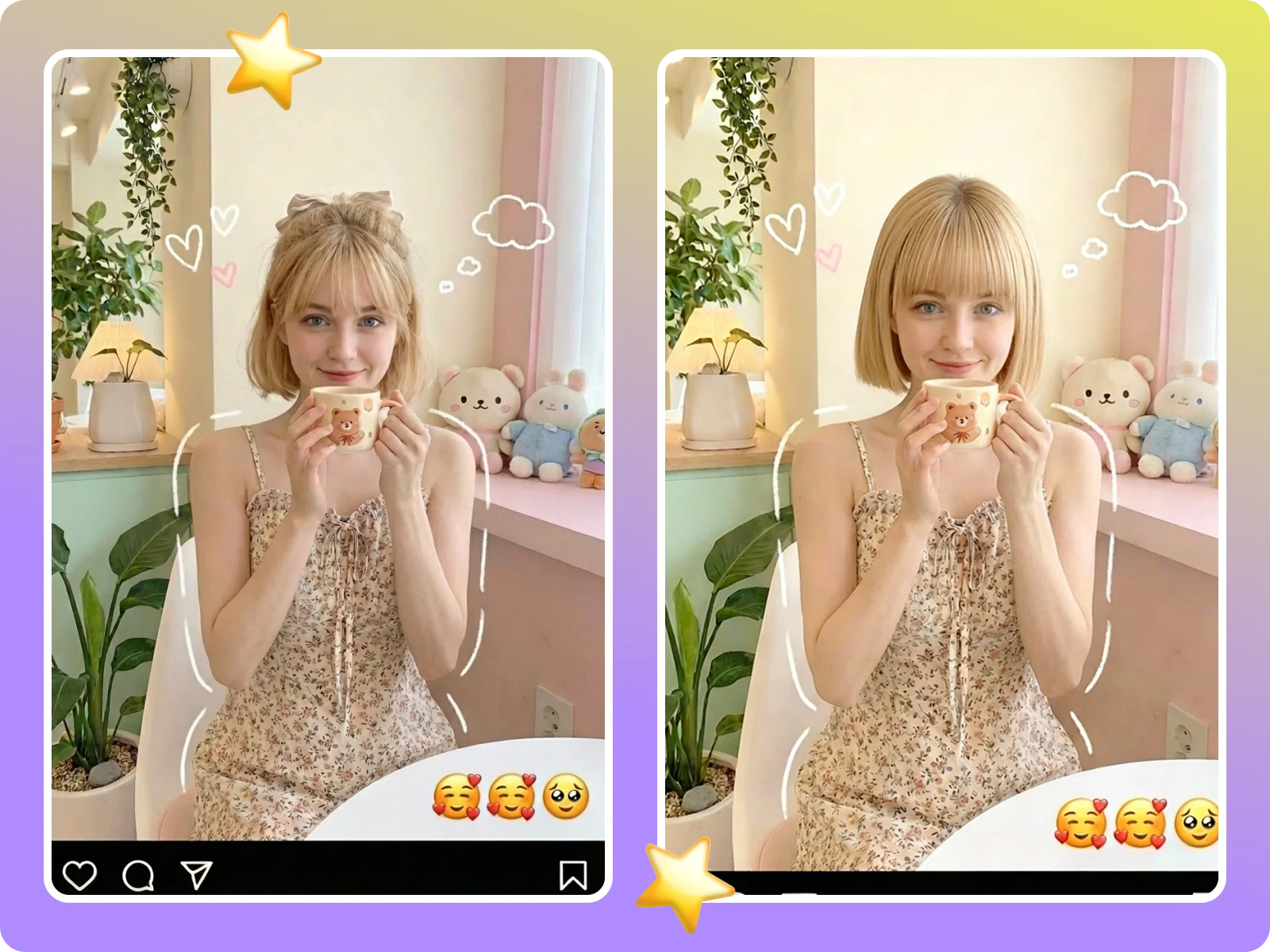
Hairstyle AI is built for people who need to see a realistic hairstyle and color plan before walking into a salon or shipping a campaign. It is not a sticker filter—it is a task-completion tool that helps you validate whether a fringe, part, layer shape, or dye idea fits your face, your texture, and your intended use. Every step—upload, select, generate, export—surfaces its own requirements: single-person, front-facing photos; even lighting; no heavy filters; no hats. That clarity cuts reshoots and prevents surprises. Whether you are a creator needing a quick look for tomorrow’s shoot, an ecom designer building PDP visuals, or a consumer debating a bold cut, Hairstyle AI provides long-form, face-aware previews you can send to friends or stylists. The tool also states where it is not ideal—side profiles, group shots, or ultra-low-light captures—to set expectations and keep decisions honest. Use it to shorten consultation time, reduce bleaching risk, and maintain visual consistency across posts and campaigns.
Try it free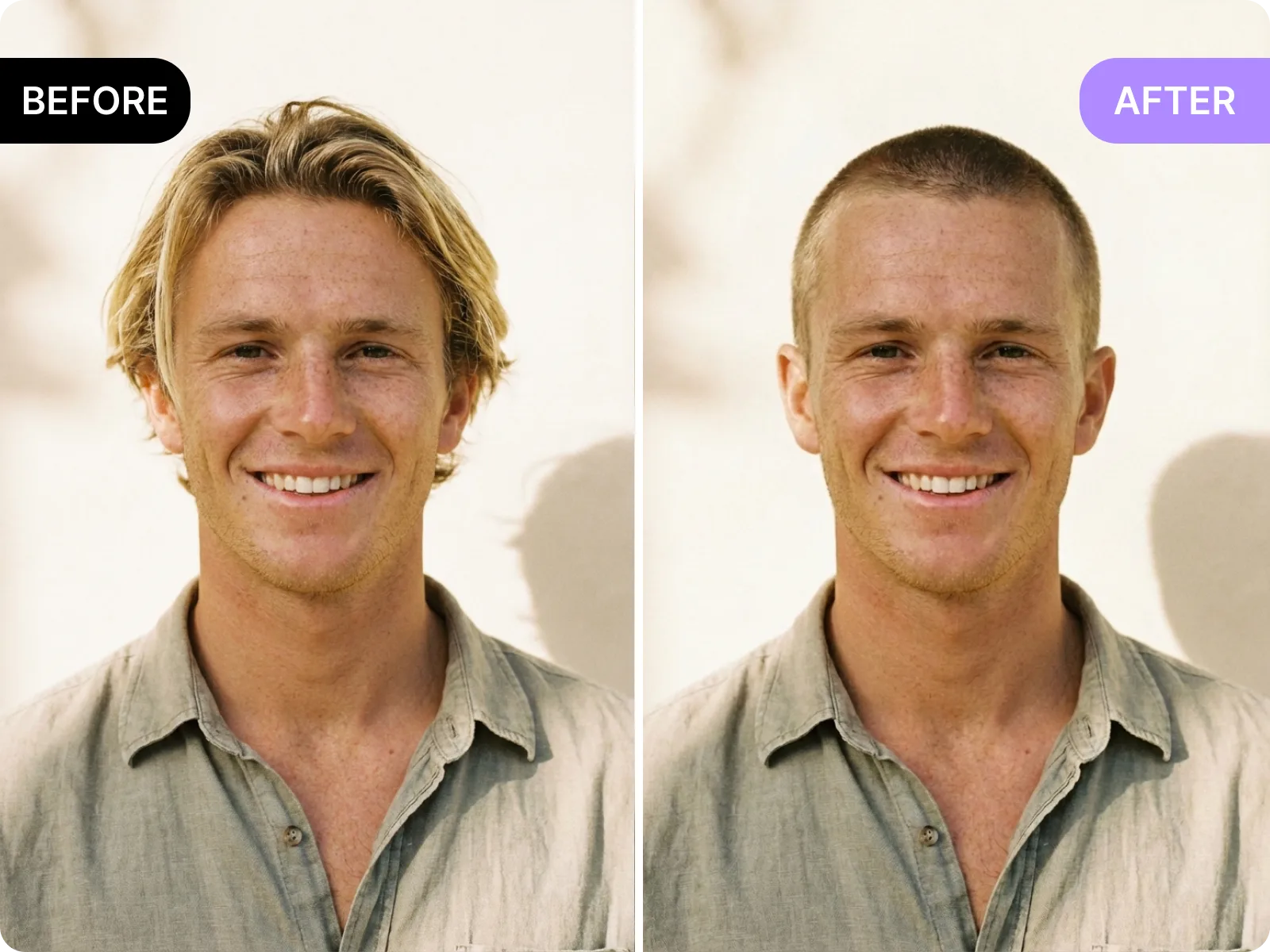
Hairstyle AI maps forehead height, brow ridge, cheekbone width, and light direction to place bangs, side parts, center parts, and highlights in the right spots with believable shadows. Indoor warm light and outdoor daylight are balanced automatically to keep skin tone consistent and prevent “face pale, hair dark” mismatches. By removing hats, masks, and heavy filters, and keeping ears and temples visible in a front-facing shot, you give the system the data it needs to maintain hairline continuity and smooth transitions. The payoff is a preview that respects your natural light environment while keeping edges clean enough to share as-is.
Upload photo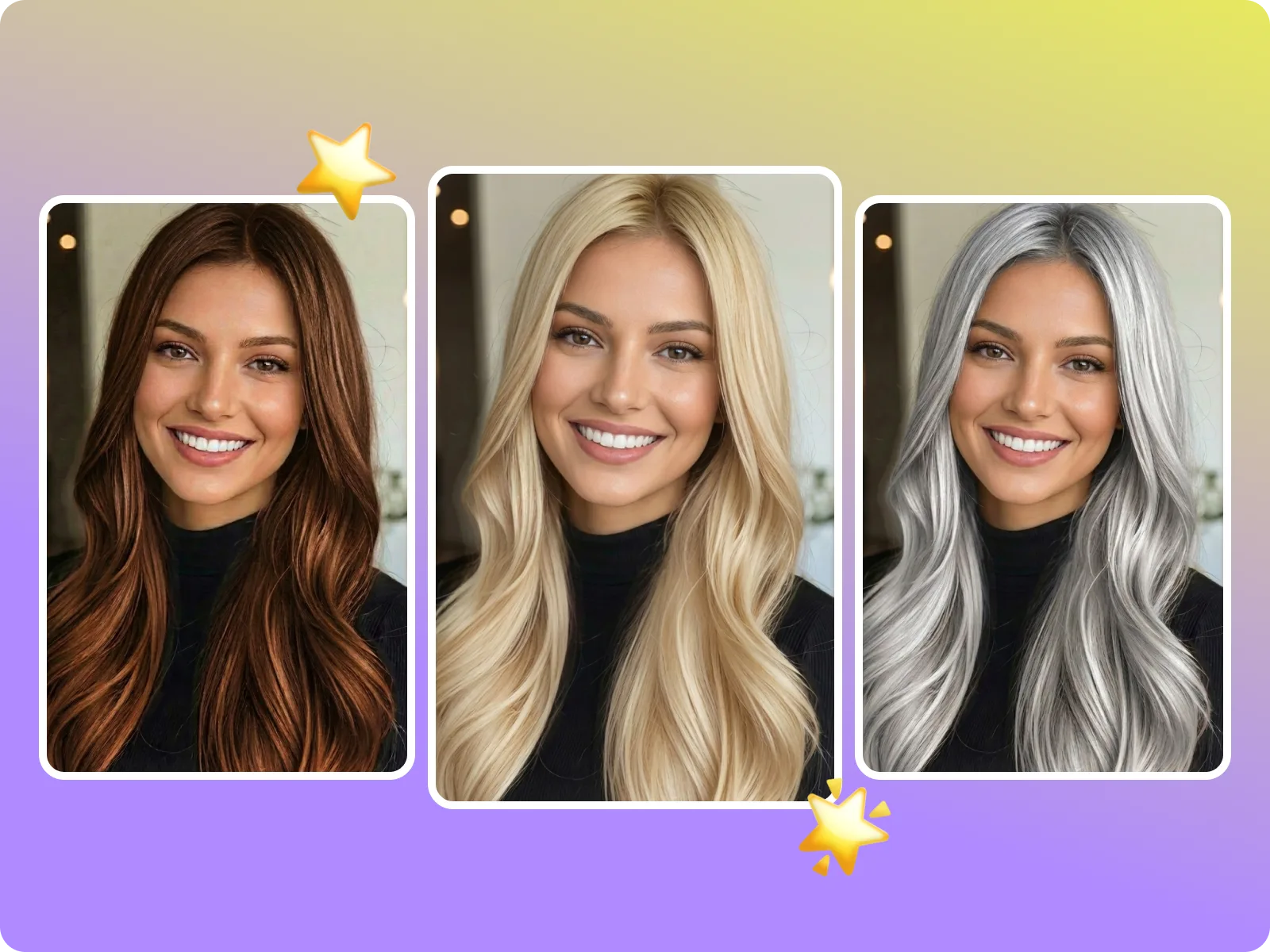
Hairstyle AI includes everyday office cuts, retro silhouettes, K-style and French bangs, gender-neutral shapes, pixie-inspired short cuts, classic bobs, layered lobs, wolf cuts, shag variations, soft coils, half-up looks, buns, balayage, smoky ash, copper, gradient dyes, glossy deep tones, and more, refreshed alongside trends. You can mix length, fringe type, and color steps to test different intents: professional, event-ready, stage styling, or ad concepts. Each option shows guidance on how it pairs with round, long, square, or diamond faces and notes the hair density it flatters. This turns experimentation into a filtered shortlist instead of random trial-and-error.
Browse cuts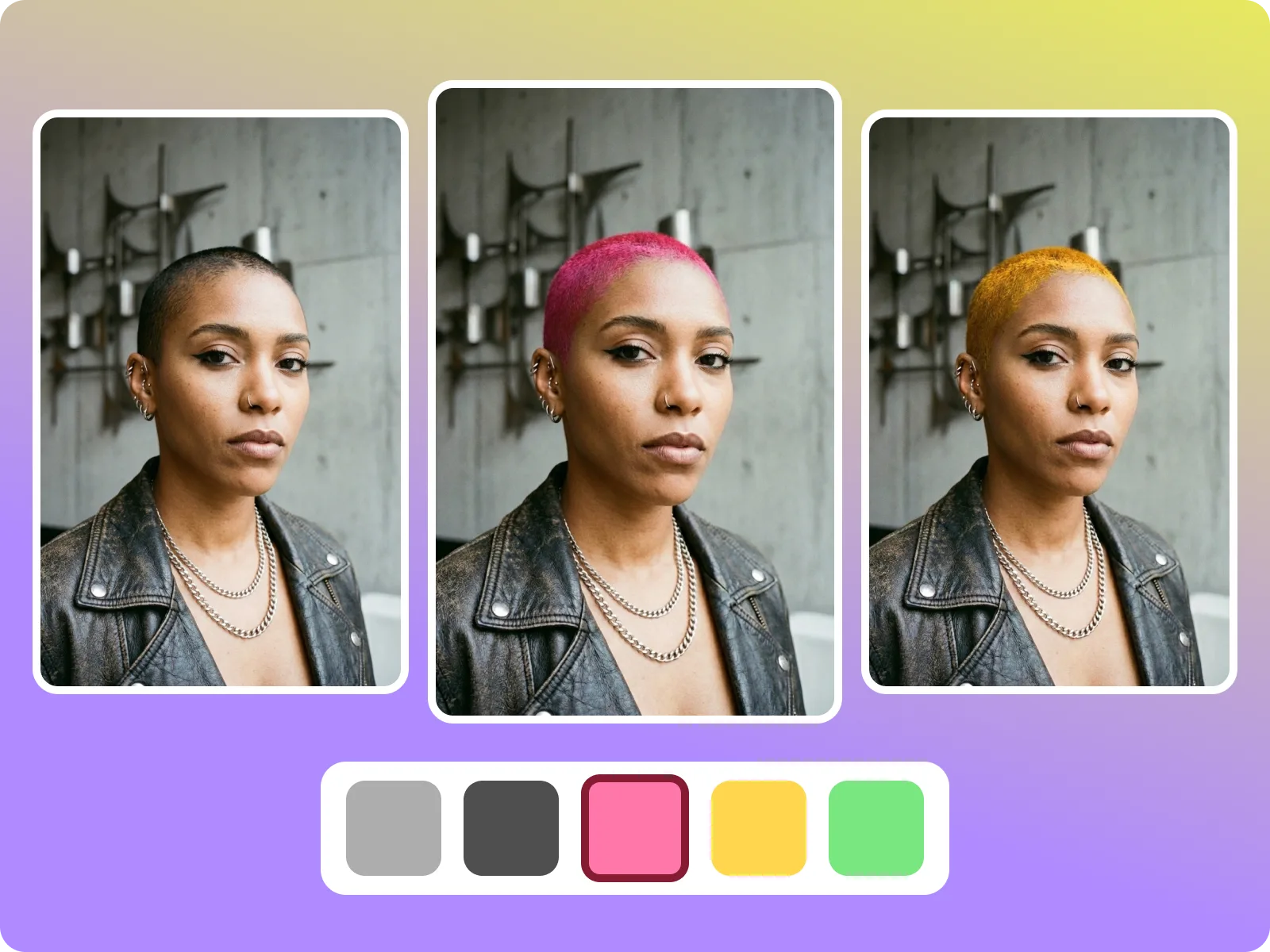
Hairstyle AI performs best with single-person, front-facing, unobstructed, evenly lit portraits where hairlines and ear contours are visible. Side profiles, low-angle shots, heavy filters, dim rooms, or strong backlight reduce edge detection and can lead to clipped bangs, blown-out dye, or incorrect shadows. If hair is covered by hats or headscarves, or if a group photo creates overlaps, the system cannot accurately read density or part lines; in those cases, retake a dedicated portrait. These boundaries are stated upfront so you know when you will get a “ready to deliver” preview and when a new photo is required, minimizing frustration and retouch loops.
See best practicesUpload a clear portrait
Pick a single-person, front-facing photo with no obstructions and upload it to Hairstyle AI. Shoot near a window or soft light so your face and hairline are evenly lit; keep your natural hair color and minimal makeup, and turn off beauty filters to prevent the system from misreading skin tone or hair hue. Remove hats and headphones, and keep ears and temples visible. After upload, Hairstyle AI checks resolution, blur, and framing and will prompt you to reshoot if edges look soft. A sharp, neutral-background portrait with relaxed shoulders and visible neck shadows gives the AI the data it needs to produce clean, realistic hair edges and believable light falloff, saving you time later.
Select styles and dyes
Inside Hairstyle AI, mix and match the cuts and colors you want to test—short bob with airy bangs, wolf cut with highlights, long layers with smoky ash, curtain bangs with copper ribbons, or other combinations. Switch parting, curl level, and fringe density while seeing on-screen notes about how each option pairs with round, long, square, or diamond faces and with different hair densities. If you are planning content or ecommerce, set the output ratio you need (1:1, 4:5, 9:16) and preview how the chosen style looks on an IG cover, TikTok frame, or PDP slot before generating. This narrows your shortlist instead of guessing blindly.
Generate and compare
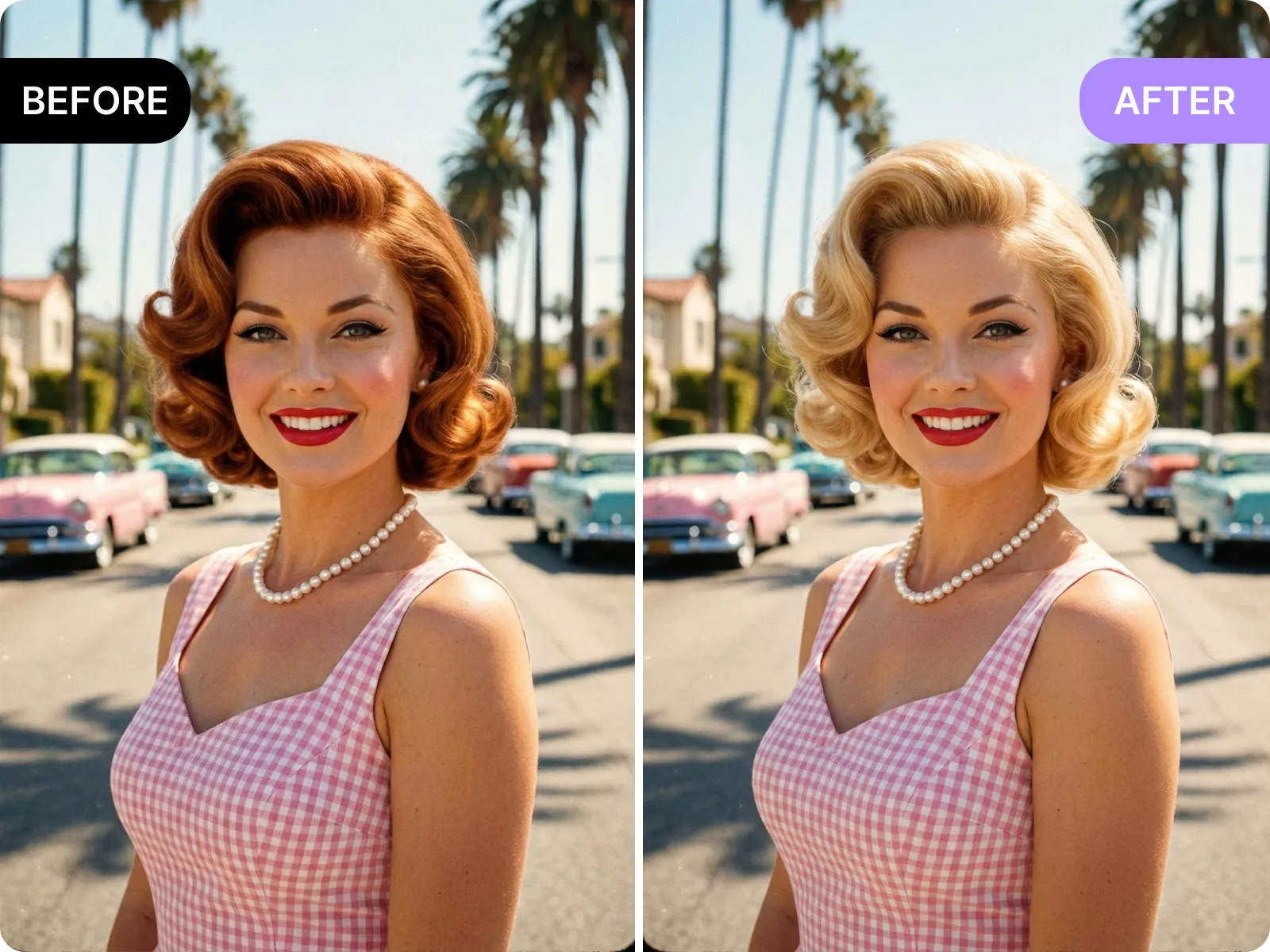
Hit generate and Hairstyle AI produces multiple high-resolution previews in seconds, adapting dye saturation and shadows to your lighting and skin tone. Zoom in on hairline edges, fringe thickness, root depth, and layer transitions to judge realism. Pick the version that matches your intent—lighter fringe for daily wear, denser bangs for a statement, softer balayage for low maintenance—or tweak curl, volume, and color levels and regenerate. When satisfied, export watermark-free files in 1:1, 4:5, or 9:16 for social posting or share the set with a stylist to align on cut length, density removal, and color placement, reducing miscommunication and rework.
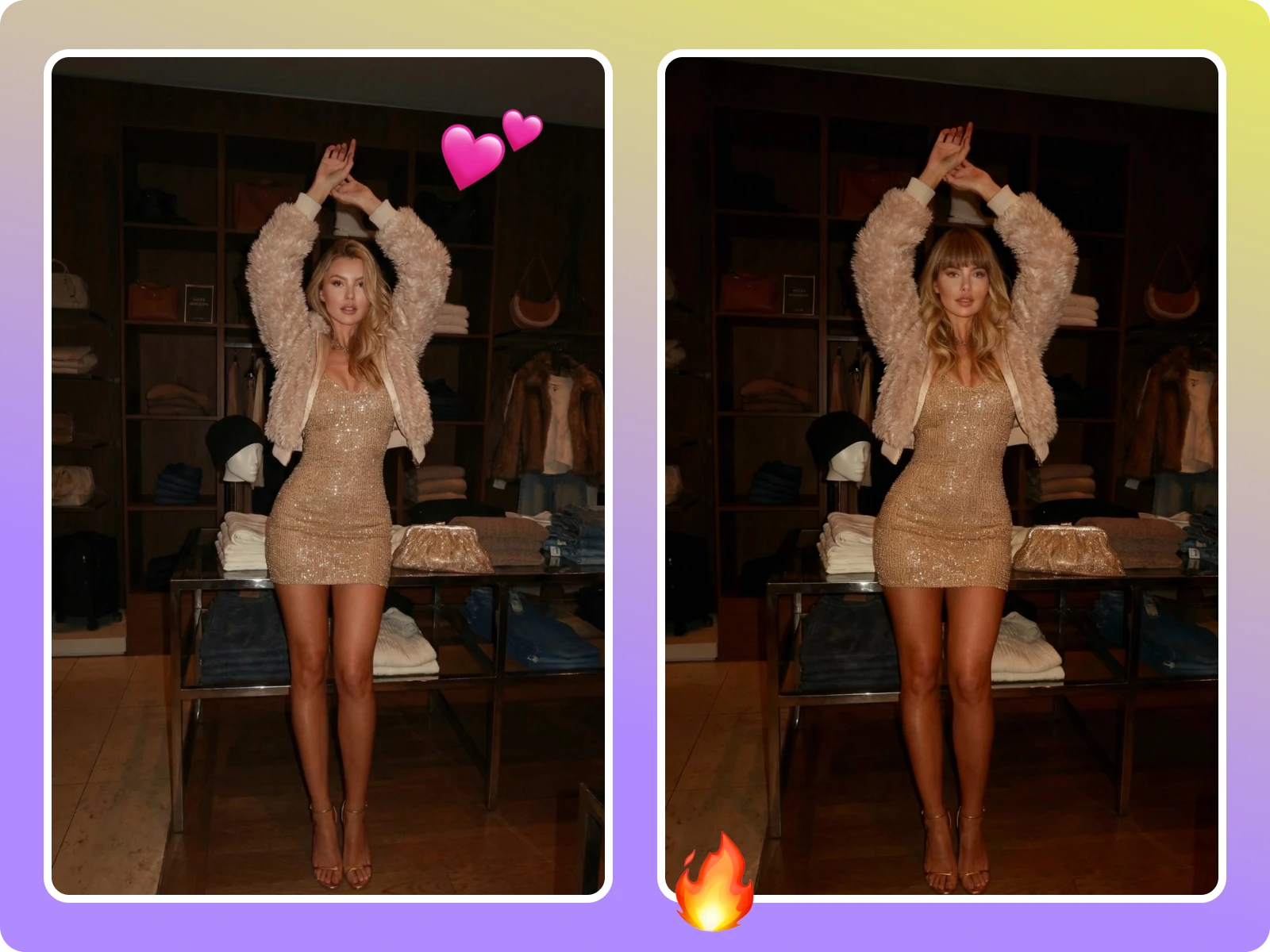
Hairstyle AI focuses on delivering trustworthy previews quickly, which is why creators, stylists, and ecommerce teams all use it. Creators can test a new look under deadline and let followers vote, boosting engagement. Salon stylists ask clients to upload a portrait first, confirm length, layering, and color placement ahead of the appointment, and cut or dye with fewer surprises. Ecommerce and ad teams generate covers or PDP mockups without paying for reshoots. When multiple roles align on the same Hairstyle AI reference, miscommunication drops and trial-and-error costs shrink. The tool is built to answer one question fast: does this hairstyle or hair color actually work for this face and this use case?
“Looks far more realistic than sticker filters—my followers actually vote on options.”
“Looks far more realistic than sticker filters—my followers actually vote on options.”
“Clients send AI previews ahead of time, so cuts go smoother and faster with fewer surprises.”
“Clients send AI previews ahead of time, so cuts go smoother and faster with fewer surprises.”
“Perfect for ad thumbnails and PDP shots—no reshoots needed, just export and ship the campaign.”
“Perfect for ad thumbnails and PDP shots—no reshoots needed, just export and ship the campaign.”
Upload one portrait to try bobs, layers, bangs, and bold color tests, then download clean references for social posts or a salon visit in minutes.
Drag & drop Image here