
Tutorials
English · Guide
How to Deconstruct Viral Short-Form Videos with PostPlus
A practical method for breaking down TikTok, Reels, and Shorts videos into audience, product, context, hook, pacing, proof, and CTA.
English · Guide
A practical method for breaking down TikTok, Reels, and Shorts videos into audience, product, context, hook, pacing, proof, and CTA.
To deconstruct a viral short-form video, break it into decisions: who the video is for, what product promise it makes, where the scene happens, how the first seconds stop the scroll, how the middle proves the point, and how the ending moves the viewer to act. PostPlus turns that breakdown into a reusable production brief.
PostPlus is a short-form marketing workflow for local AI agents. It helps teams collect public social examples, analyze video structure, and convert useful patterns into scripts, assets, and editing plans.
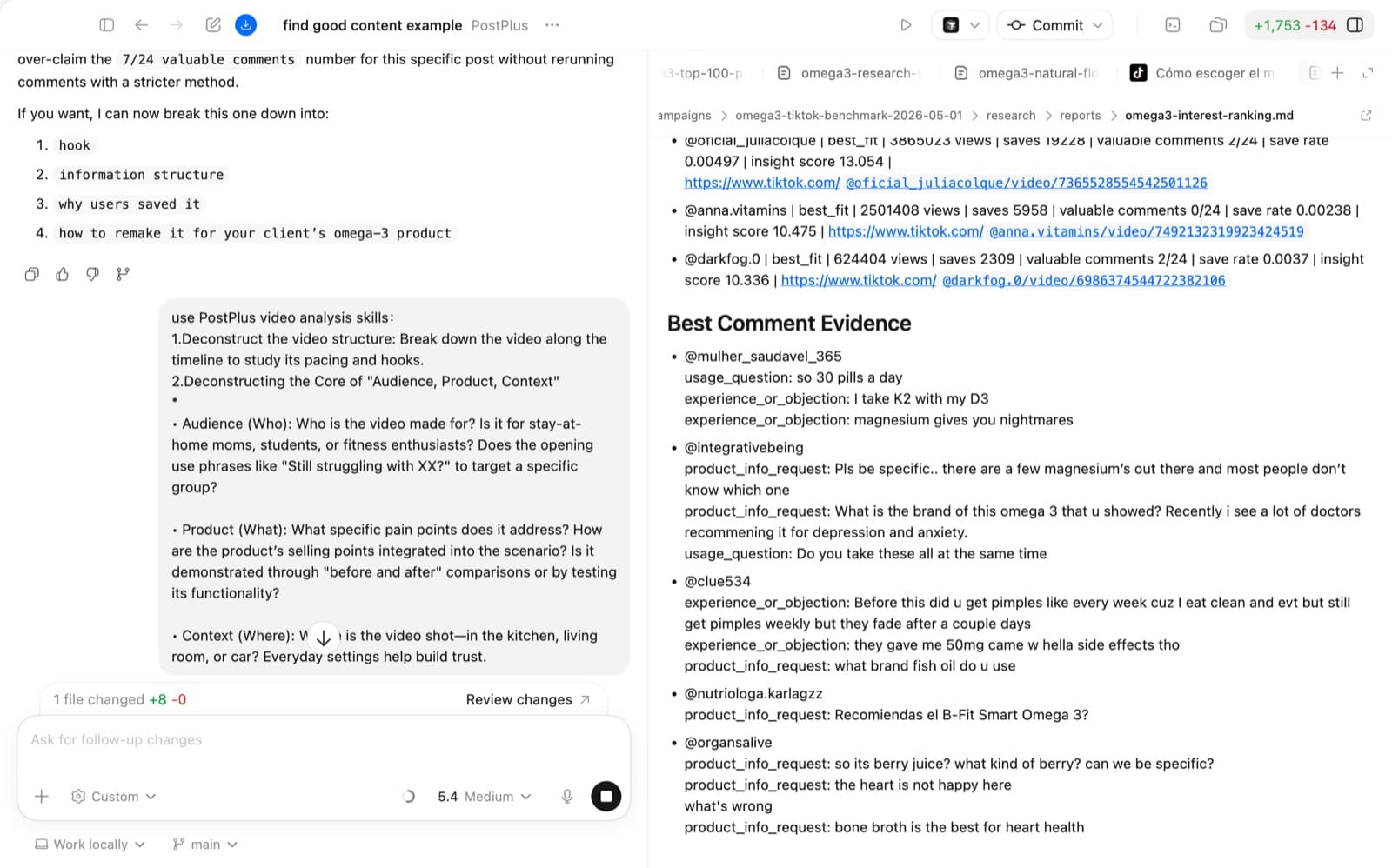
A viral-video teardown converts a reference video into a reusable production brief: audience, product promise, scene context, hook, proof, pacing, CTA, and required assets. In the PostPlus workflow, teardown comes after finding social videos worth learning from and before AI scriptwriting.
The point of a video teardown is not to copy a winning clip. The goal is to identify the pattern behind it so your next script can borrow the logic while changing the product, scene, spokesperson, proof, and CTA.
For example, if a fish oil product video works because it uses a recovery-focused sports hook, the reusable idea is not the exact footage. The reusable idea is the sequence: audience pain, nutrient explanation, visual proof, then a simple next step.
Start from a filtered research set. If you have not built one yet, use the companion guide on finding social videos worth learning from before this step.
The reference should have:
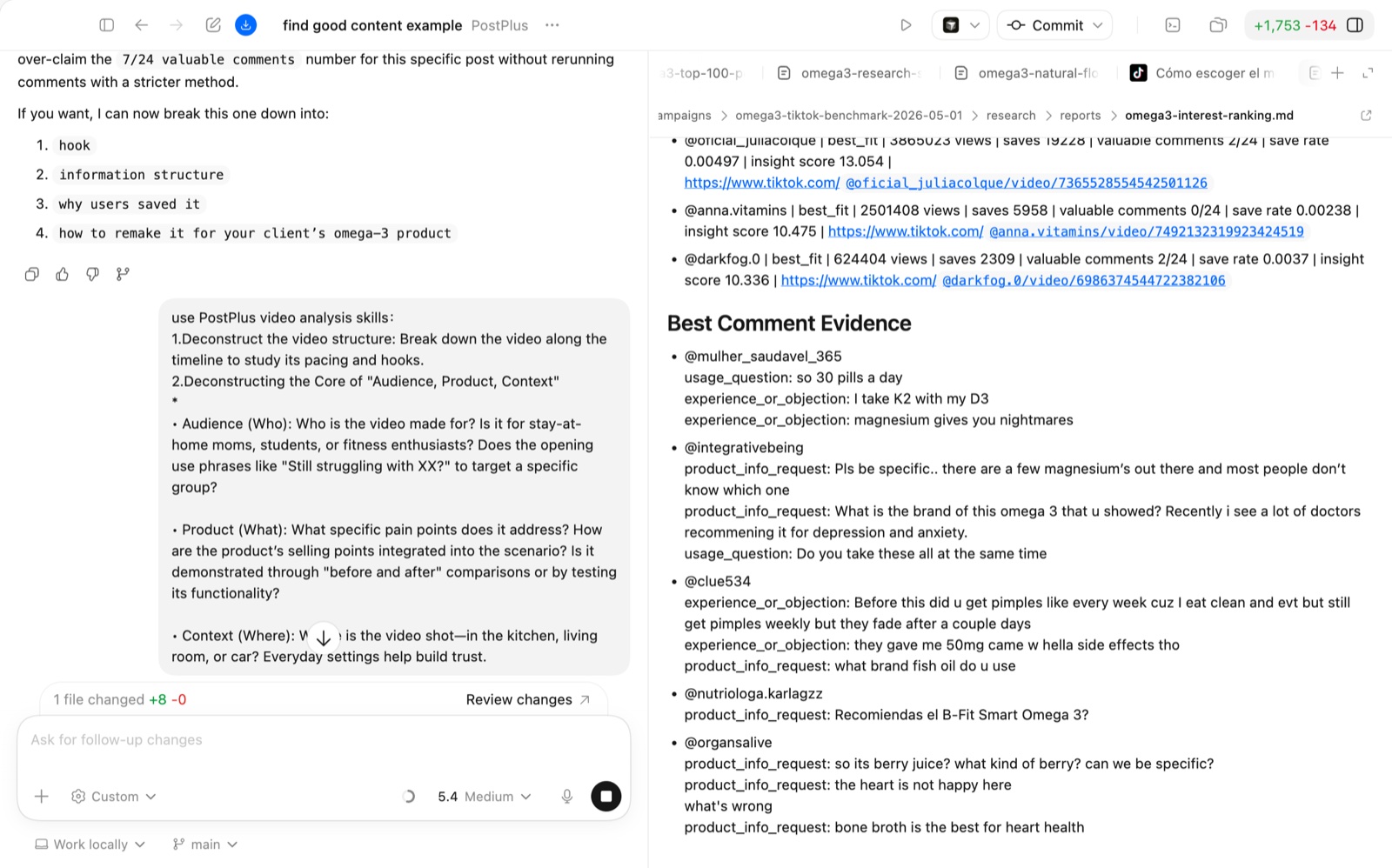
Use the “audience, product, context” frame before you analyze editing details.
| Dimension | Question | What to Capture |
|---|---|---|
| Audience | Who is this for? | The viewer identity, situation, pain, aspiration, or objection. |
| Product | What is being solved? | The promise, proof, feature, demonstration, or offer. |
| Context | Where does it happen? | Kitchen, gym, car, desk, street, home, creator selfie, product close-up. |
This is the most important layer because it tells you why the video would matter to a viewer before you judge the style.
Most short-form teardown work becomes clearer when you segment the video by time. A practical default is:
| Beat | What to Inspect | Common Failure |
|---|---|---|
| First 1-3 seconds | Hook, visual interruption, problem statement, curiosity gap. | The hook is too generic. |
| Middle | Demonstration, explanation, proof, pacing, scene changes. | The product appears without a reason to care. |
| Ending | CTA, offer, next step, urgency, final product frame. | The video ends without a decision path. |
Some frameworks describe short-form videos as hook, context, problem, reveal, and CTA. You do not need every video to follow one formula, but you do need to identify what each segment is doing.
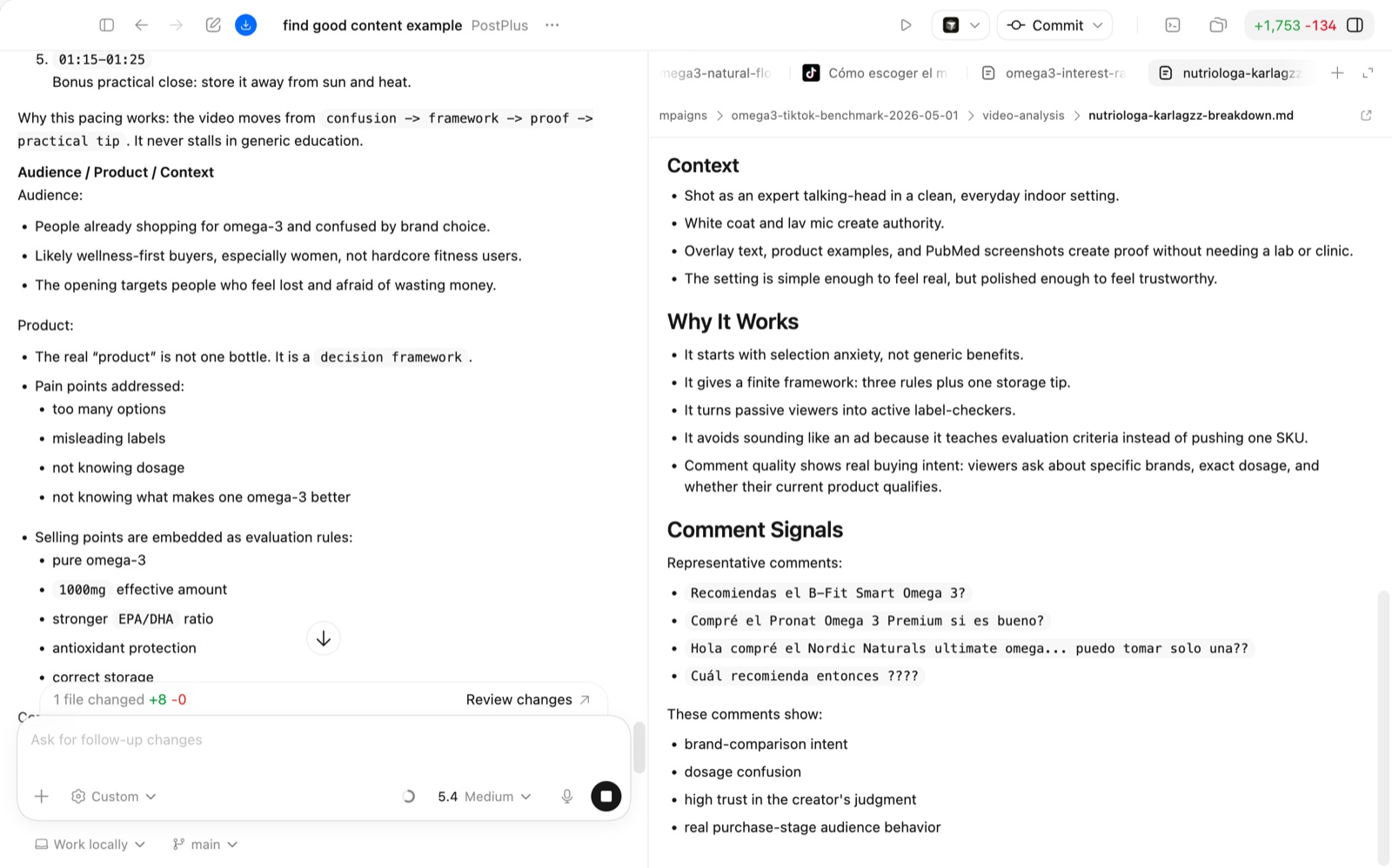
Use a precise prompt so the agent knows it must download, inspect, and analyze the video rather than guess from the URL.
Use PostPlus video analysis skills.

1. Deconstruct the video structure along the timeline.
2. Identify the hook, audience, product promise, context, proof, emotional tone, and CTA.
3. Explain why the video may have held attention.
4. Extract reusable patterns without copying the surface execution.
Add a second instruction when you are evaluating for production:
Turn the analysis into a new production brief:
- script angle
- scene list
- visual references
- shot duration
- required assets
- CTA options
A useful teardown should produce a brief your team can actually shoot or generate.
| Output | What It Should Include |
|---|---|
| Hook options | 3-5 first-line or first-frame ideas. |
| Script spine | Opening, proof, objection handling, CTA. |
| Visual plan | Scenes, shots, overlays, product moments. |
| Asset list | Images, clips, voiceover, captions, product packshots. |
| Testing plan | Which hook, CTA, or audience angle to vary first. |
If the output does not change what you will make next, the teardown is too shallow.
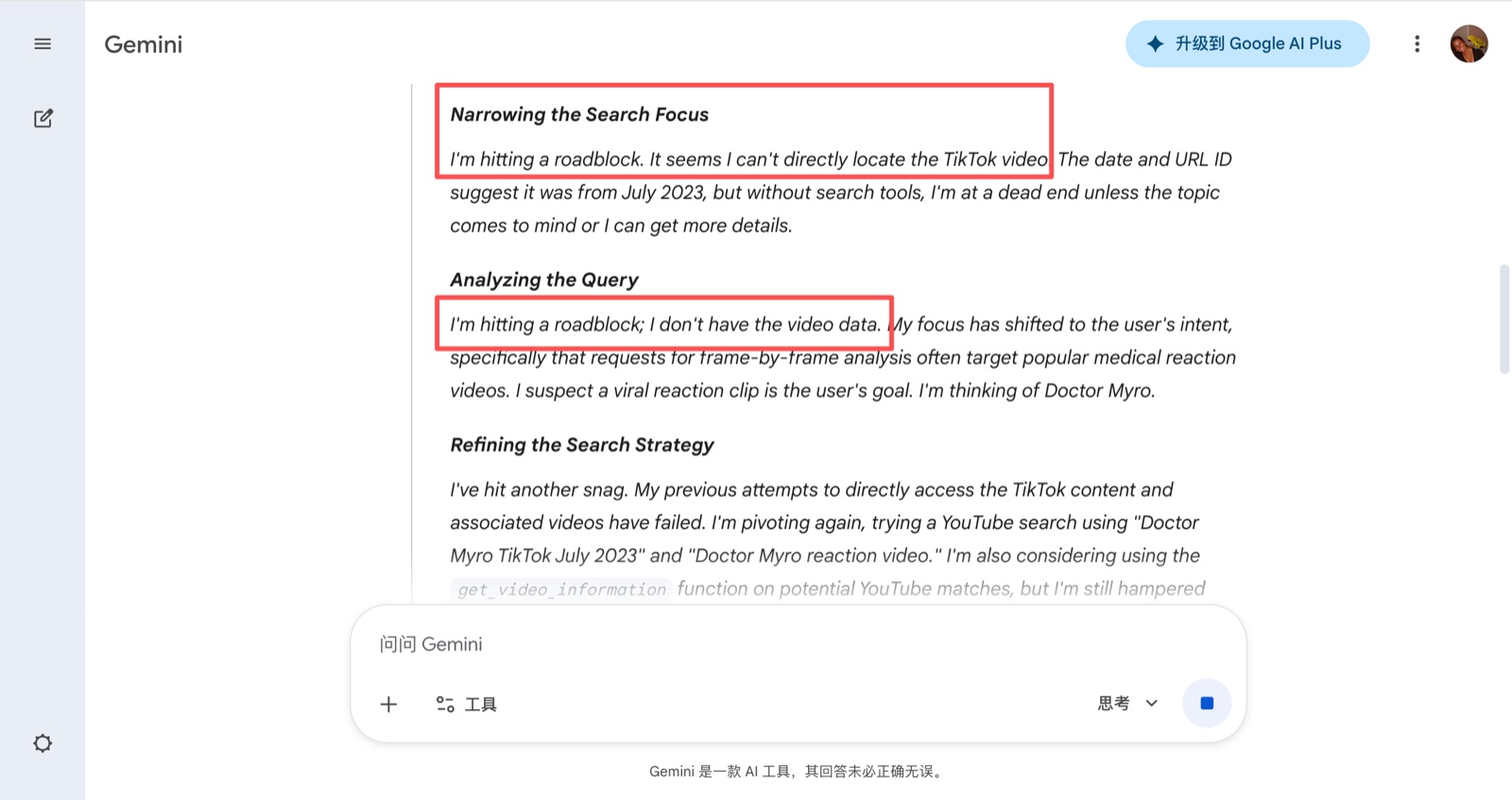
Most chat interfaces can describe a social post if you paste basic metadata. That is not the same as analyzing the video. A real teardown needs the agent to inspect visual content, pacing, on-screen text, voiceover, comments, and product context together.
PostPlus gives the agent a workflow: collect the video, read the media, segment it, and return a structure that can feed scriptwriting or asset generation.
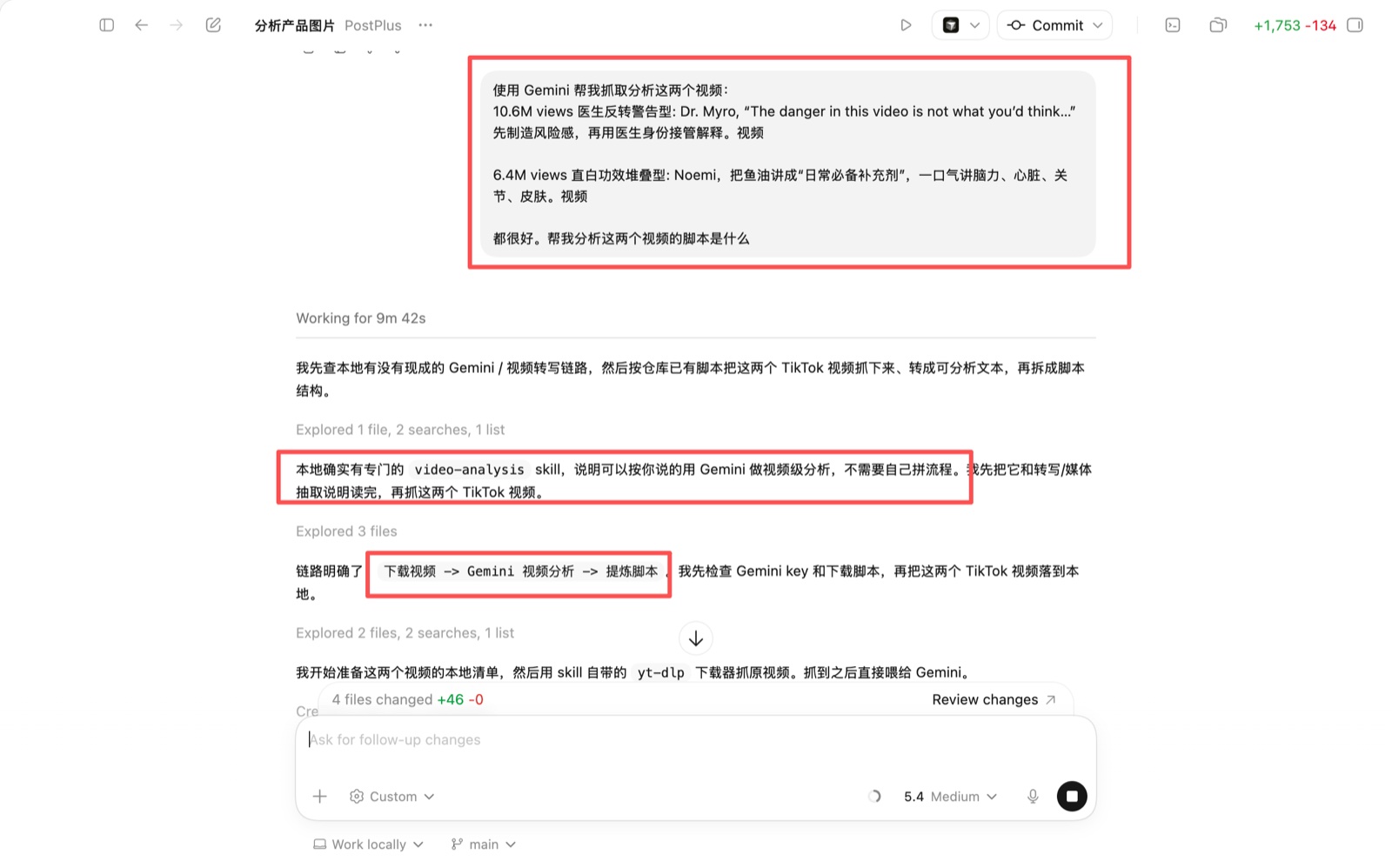
A summary says what happened. A teardown explains why the video may have worked and what decisions can be reused in a new production brief.
No. Hook-body-CTA is a useful simple frame, but many strong videos add context, proof, reveal, objection handling, or a second hook. Use the frame to inspect decisions, not to force every script into the same shape.
Usually not well. The agent needs access to the video file, frames, transcript, and context. PostPlus is designed to make that collection and inspection step explicit.
Turn the reusable structure into a new script and shooting plan. Keep the audience logic and proof strategy, but change the product expression and execution.